 Crowe Scripts
 Join our Discord
Crowe Zoology is an immersive wildlife field-research system for RedM/VORP servers with binocular observation, permanent character progression, and a complete illustrated zoology journal.
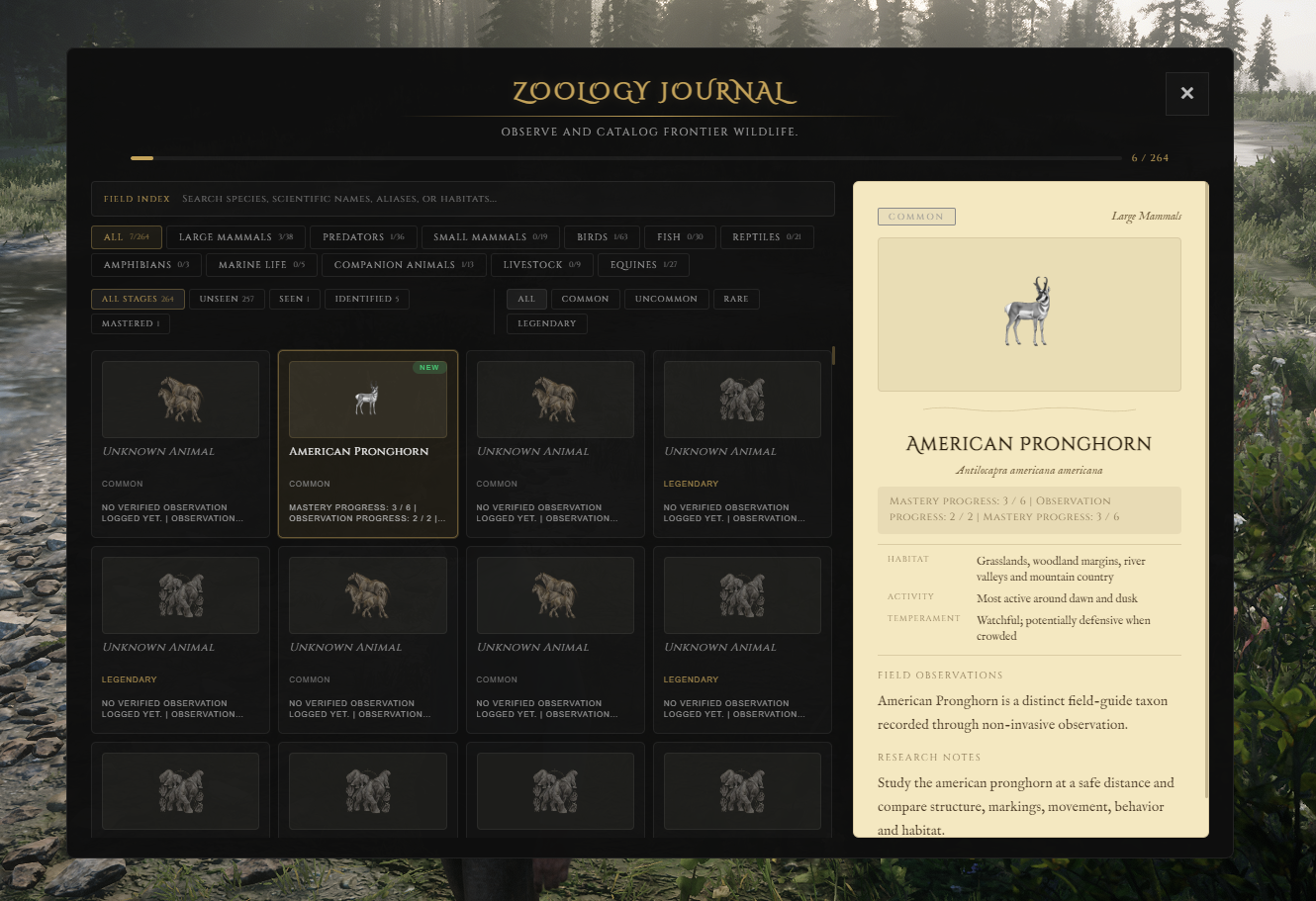
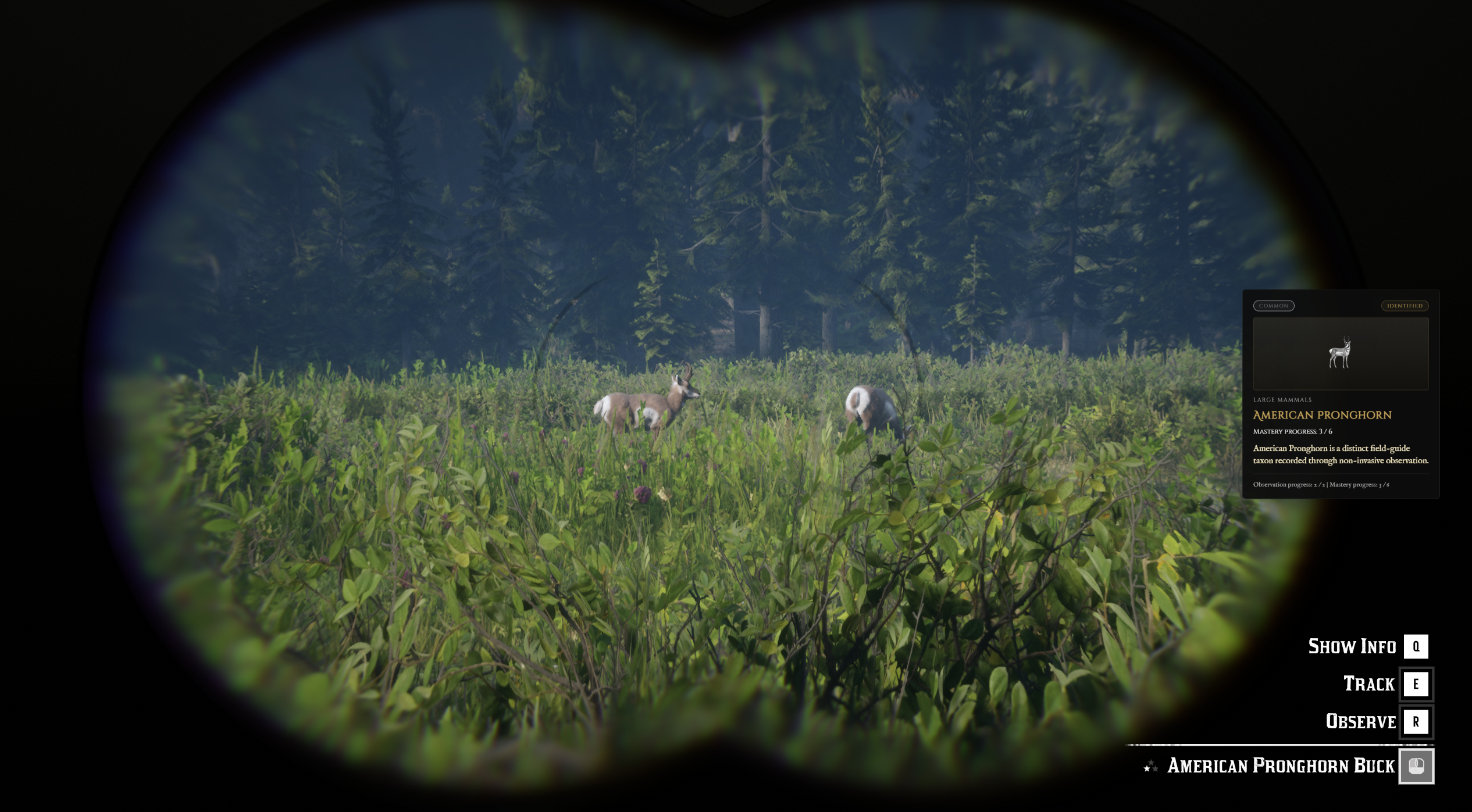
Players focus on existing living animals, complete a deliberate Observe hold, and build knowledge across 265 validated catalog records. Repeated sightings move each page from Unseen to Seen, Identified, and Mastered while preserving progress for the active character.
Showcase
Watch the demo video: YouTube Showcase
Key Features
Observation and Progression
Binocular Field Research - Study existing living wildlife through a dedicated Crowe Observe prompt.
Permanent Character Progress - Preserve separate knowledge and sighting counts for each character across sessions.
Four Knowledge Stages - Advance every page through Unseen, Seen, Identified, and Mastered.
Repeatable Study - Continue deliberate observations without a daily cap and optionally configure per-entity cooldowns.
Complete Field Guide
265 Validated Records - Cover wildlife, marine life, companion animals, livestock, and equines across 11 categories.
73 Legendary Pages - Track each documented story and Online legendary type separately.
Search and Filters - Browse by name, scientific name, alias, habitat, category, stage, or rarity.
285 Illustrated Plates - Reveal exact species artwork through progression with family and legendary mystery plates before identification.
Reliable Wildlife Coverage
Accurate Animal Variants - Resolve shared models into the correct biological field-guide page.
Small-Animal Targeting - Support fish, bats, tiny birds, and other unreliable native binocular targets.
Server-Validated Sightings - Check target identity, range, life state, binoculars, line of sight, hold duration, and continuity.
Reliable Saves - Retry failed persistence and quarantine malformed profile data for administrator review.
Configuration and Accessibility
Configurable Study Rules - Set timing, distance, progression requirements, cooldowns, regions, blacklists, and post-mastery behavior.
Accessible Journal - Includes keyboard navigation, scalable presentation, large text, screen-reader behavior, and Arabic right-to-left layout.
12 Interface Locales - Ships translated prompts, labels, notifications, validation messages, and status text.
Optional Integrations - Supports Crowe notifications and configurable XP or reputation progression hooks.
Included Field Guide
Catalog - 265 validated records and 264 visible field-guide pages
Legendary Coverage - 73 separately tracked legendary pages
Categories - Large mammals, predators, small mammals, birds, fish, reptiles, amphibians, marine life, companion animals, livestock, and equines
Artwork - 285 transparent illustrated WebP plates
Journal Item - Included SQL row and inventory icon for
zoology_journal
Dependencies
Required:
vorp_core,vorp_inventory,oxmysqlOptional:
crowe_notification,crowe_reputation, or another compatible progression resourceInventory: Import the included
zoology_journalitem row and copy its icon into your inventory image directory
Installation
Place
crowe_zoologyin your server resources folder without renaming it.Import
install.sqlor allow the resource to create its two tables automatically.Import
inventory_items.sql, copyinventory_images/zoology_journal.png, and restartvorp_inventory.Review
config.luafor observation, progression, locale, persistence, journal, integration, and administration settings.Start
oxmysql,vorp_core, andvorp_inventorybeforecrowe_zoology.
What You Will Receive
The complete
crowe_zoologyresource with binocular observation, permanent progression, journal, persistence, and administration toolsA validated 265-record catalog with 73 legendary pages, 11 journal categories, and 285 illustrated plates
Editable configuration and translations plus the journal item SQL, inventory icon, installation SQL, and local interface preview files
Support
Review the included README for installation, journal-item setup, configuration, upgrade guidance, integrations, and troubleshooting
Join our Discord for ticket-based support