 Crowe Scripts
 Join our Discord
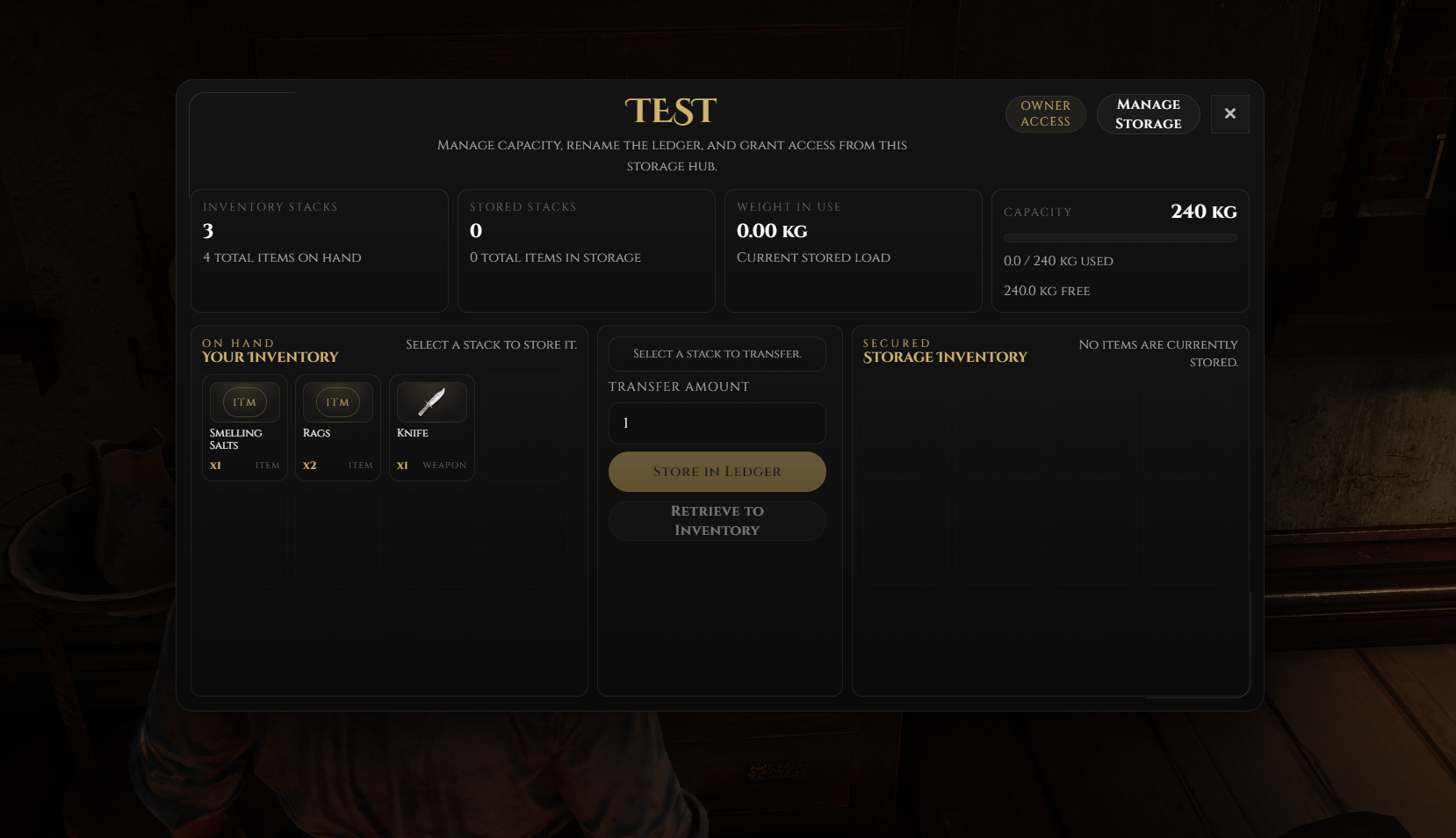
Crowe Storage brings flexible RedM/VORP character storage to your server with assigned player-owned inventories, preset job storage, linked preset locations, shared player access, admin-managed records, and a modern Crowe UI.
The resource is designed for roleplay servers that need personal storage, shared organizational storage, and staff-managed inventory locations while keeping permissions, transfers, renames, upgrades, and access changes validated on the server.
Showcase
Watch the demo video: YouTube Showcase
Key Features
Storage Types
Player-Owned Storages - Managed storage records can be assigned directly to a character ID.
Preset Storages - Configure shared storages for jobs and organizations.
Linked Preset Locations - Multiple configured locations can share the same storage inventory.
Access & Permissions
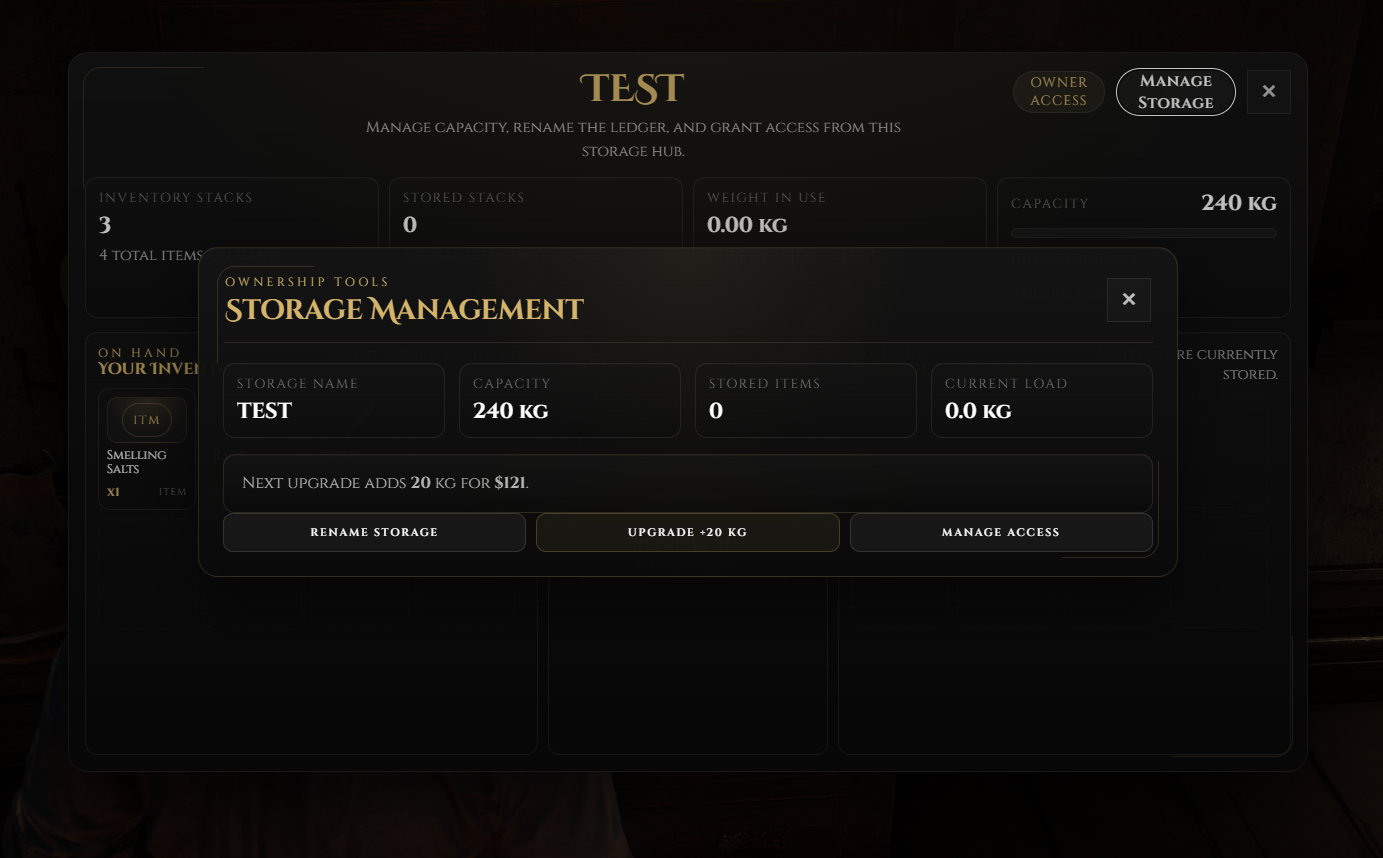
Owner Controls - Assigned owners can rename storage, upgrade capacity, and manage shared player access.
Player Access Lists - Add or remove specific online players by in-county ID.
Admin Job Rules - Allow access by job with all grades or specific grade lists.
Server-Side Validation - Open, store, retrieve, rename, upgrade, and access actions are checked on the server.
Crowe Interface
Modern Crowe UI - Move items between inventory and storage through a clean transfer interface.
Live Storage Updates - Name, capacity, and weight changes update while the UI is open.
Weapon Support - Optional weapon storage preserves metadata.
Admin Tools
Admin Panel - Staff can create, edit, delete, and inspect managed storage records with
/crowestorage.Job Rule Field - Add one rule per line such as
police allordoctor 0,1,2.Map Overlay & Blip Refresh - Managed storage locations can be shown on the map and refresh after admin changes.
Commands & Defaults
Admin command:
/crowestorageDefault capacity:
200Upgrade slots per tier:
20Base upgrade price:
$100with a 10% multiplier per gained tierDefault access radius:
2.0Example job rules:
police all,doctor 0,1,2,sheriff 3,4
Dependencies
Required:
vorp_core,vorp_inventory,oxmysqlRecommended:
crowe_libsOptional:
crowe_notification
Installation
Place
crowe_storagein your RedM resources folder.Run
install.sqlin your database.Configure
config.luafor your server.Ensure dependencies start before this resource.
Add
ensure crowe_storageto yourserver.cfg.
What You Will Receive
The Crowe Storage resource with assigned player-owned and preset shared storage support
A modern inventory-to-storage interface with live updates for name, capacity, and weight changes
Player sharing, admin job rules, capacity upgrades, admin tools, and map overlay support
Configuration, README, locale files, and
install.sqlfor setup guidance
Support
Review the included README for setup and configuration guidance
Join our Discord for ticket-based support