 Crowe Scripts
 Join our Discord
Crowe Shops brings NPC stores and player-owned businesses to RedM/VORP.
Give customers a clear shopping experience and owners the tools to manage stock, partners, buy orders, and sales.
Showcase
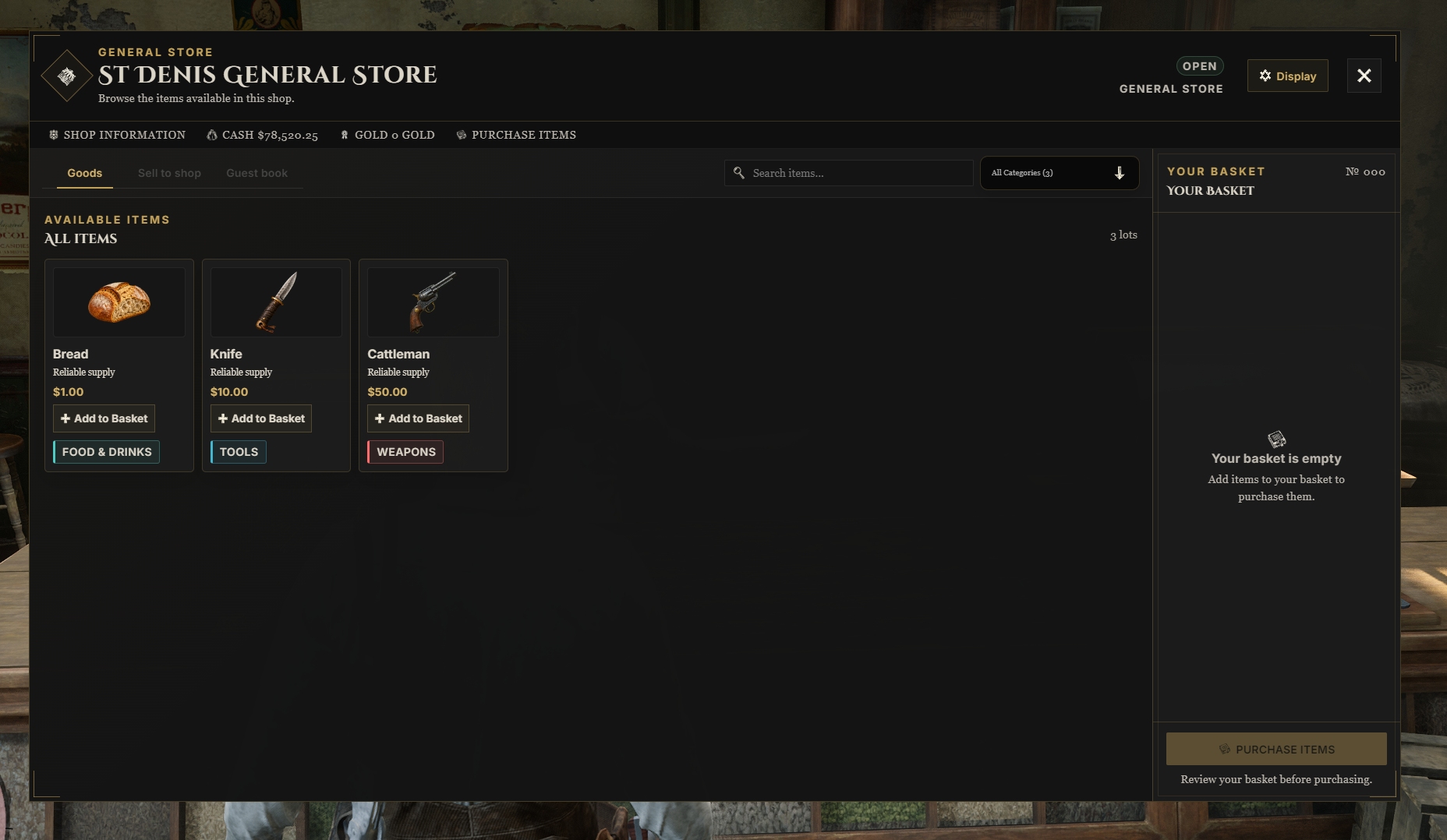
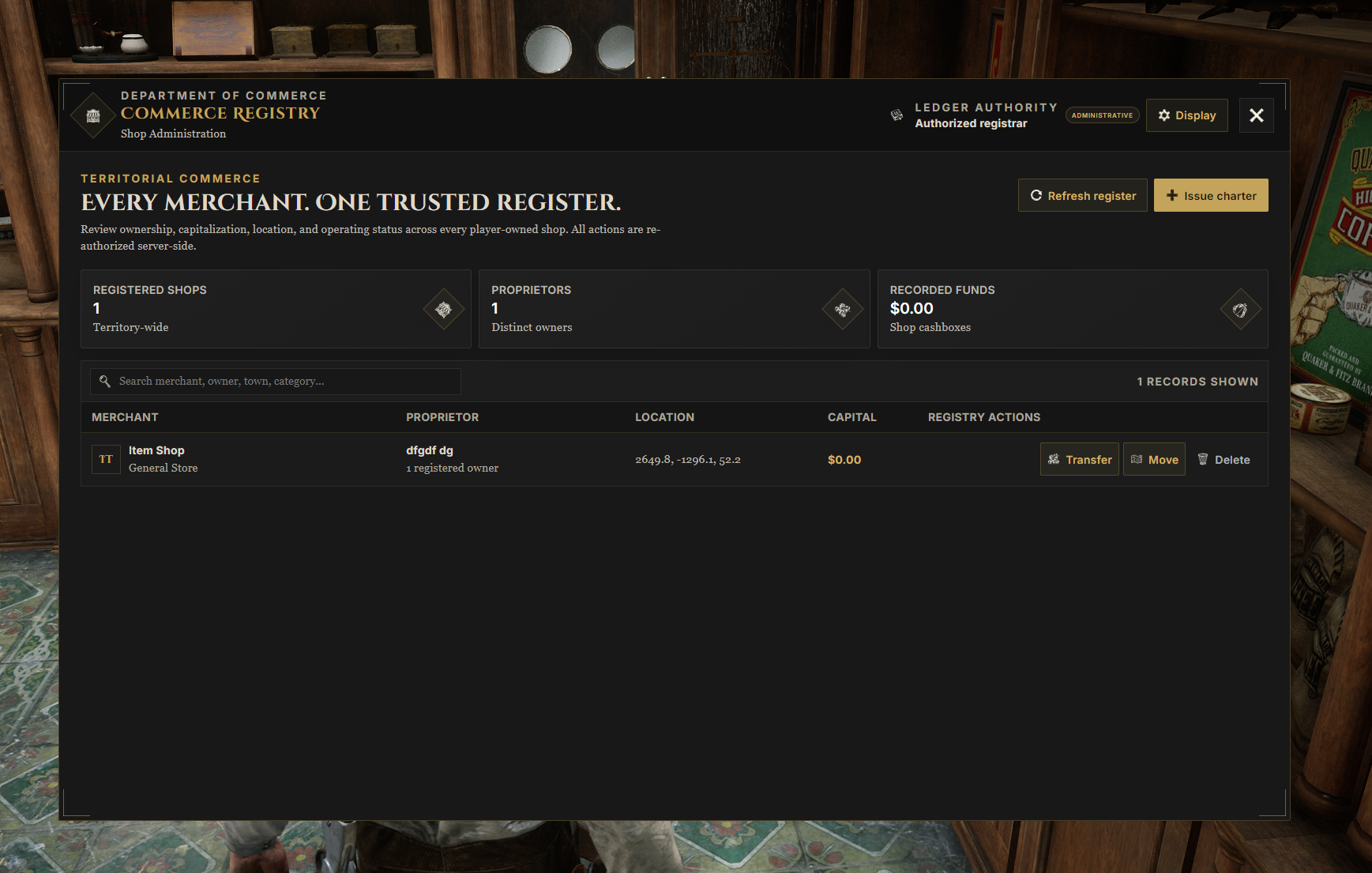
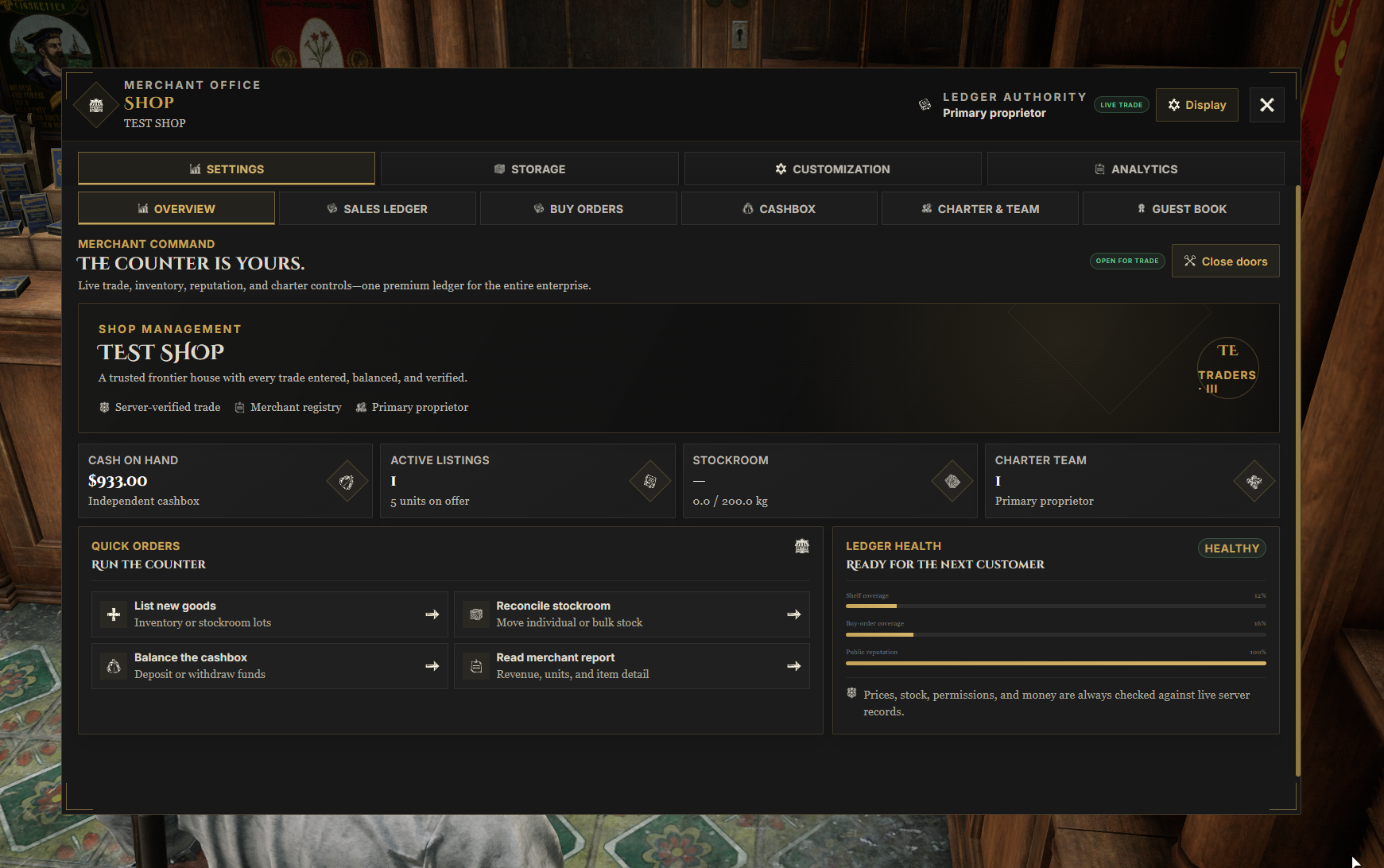
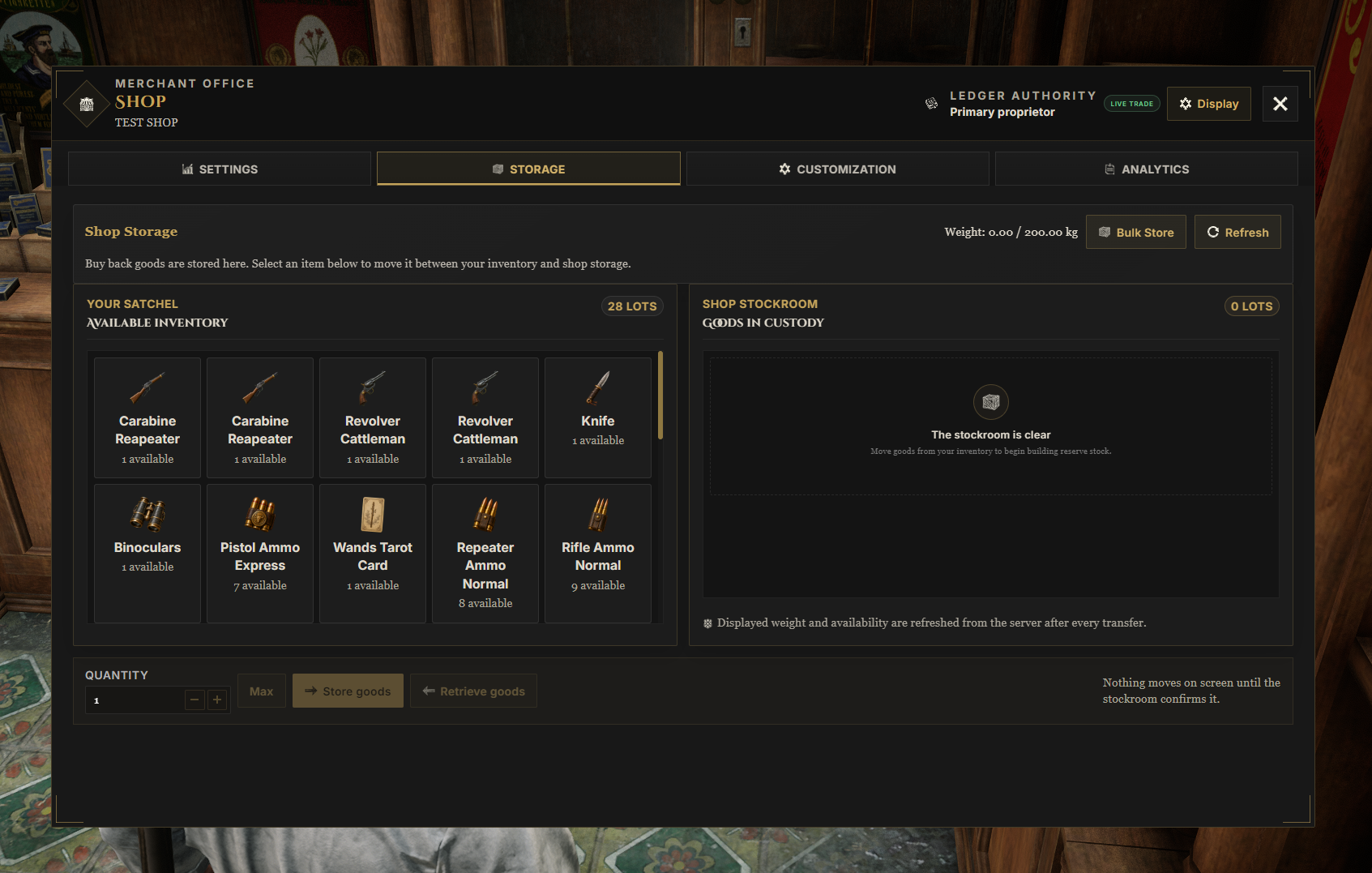
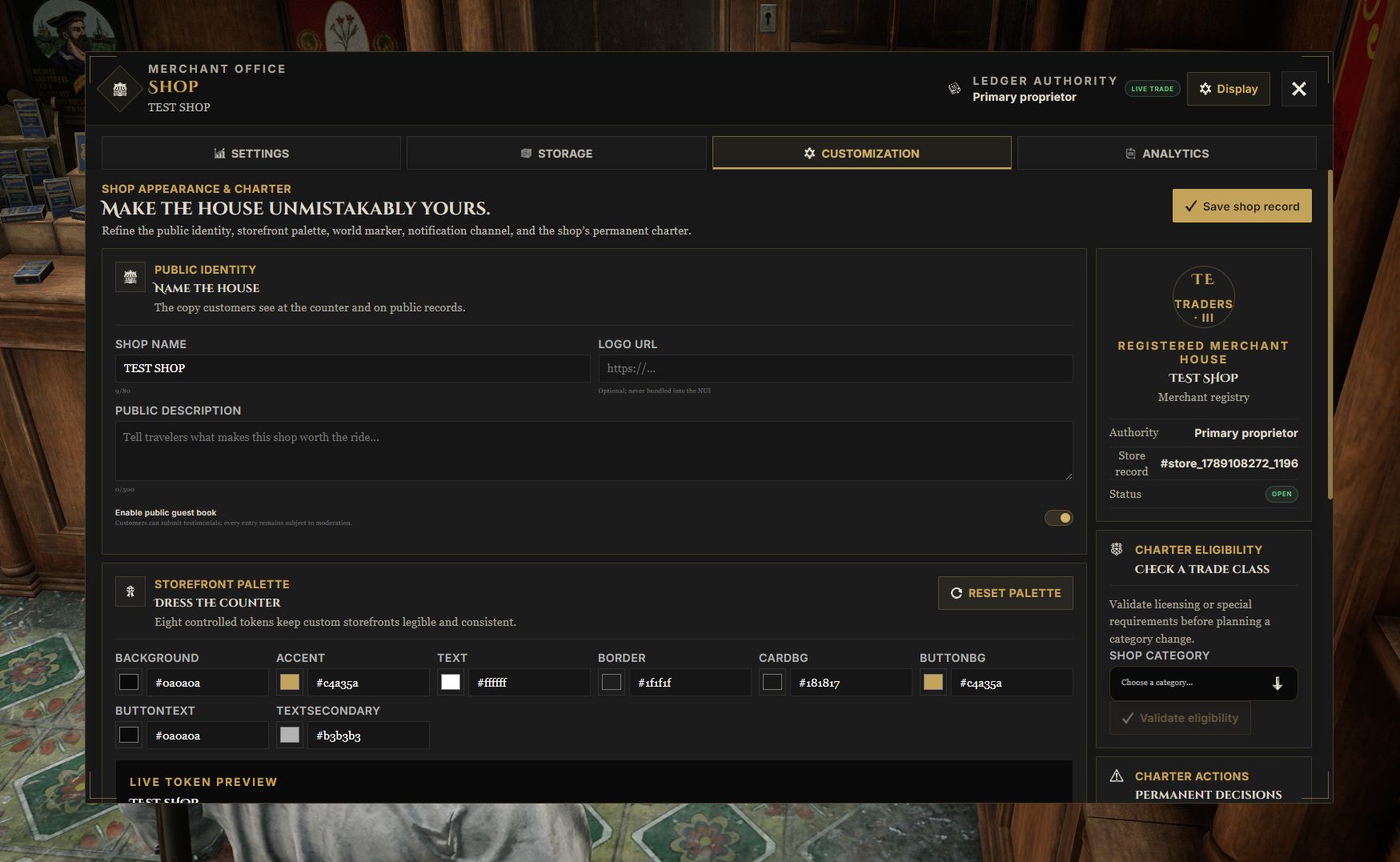
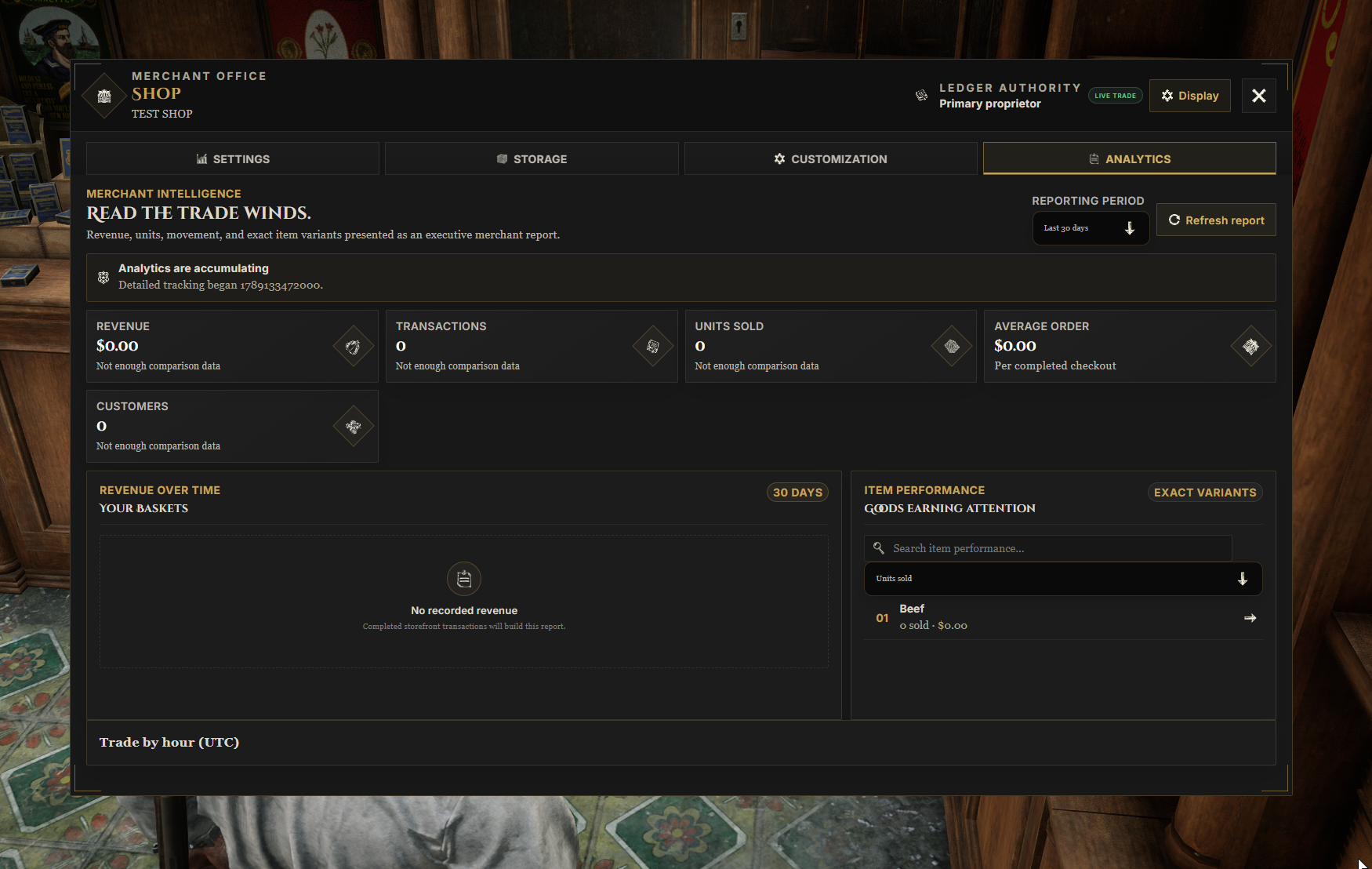
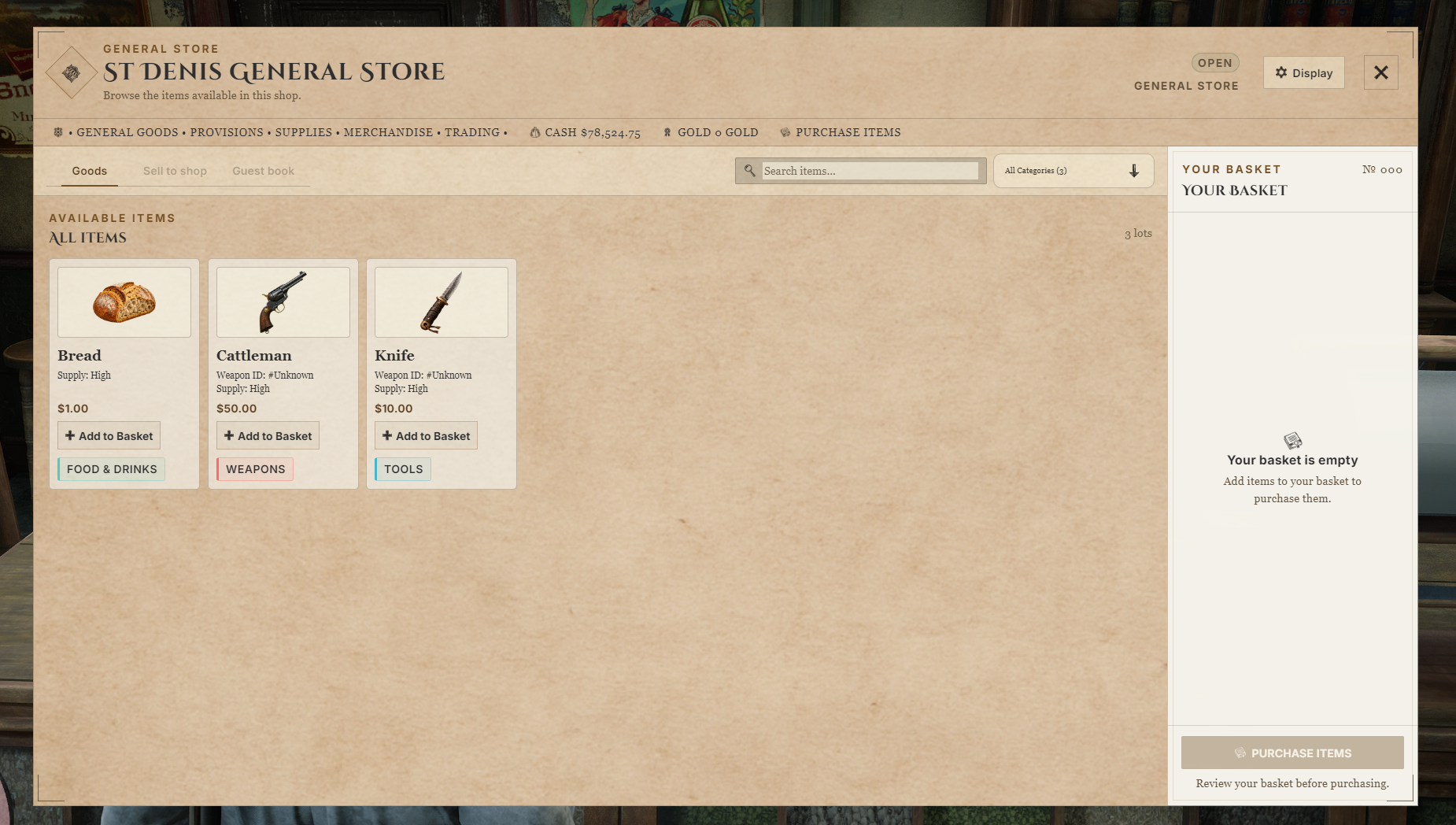
Watch the demo video: YouTube Showcase
Key Features
Shopping and Stock
NPC and Government Stores - Configure catalogs, opening hours, shopkeepers, map blips, and job or society access.
Player-Owned Shops - Run businesses with finite stock, shopping baskets, search, and category tags.
Cash and Gold - Offer cash or gold pricing at configured stores and cash pricing at player shops.
Buy Orders - Let customers sell regular items to government stores or fulfill player-shop requests.
Items and Weapons - Sell metadata-aware items and individual weapons with their supported custom details.
Storage and Restocking - Move goods through side-by-side storage, bulk deposits, and eligible-item bulk restocking.
Business Management
Shared Management - Add partners, transfer ownership, and relocate shops.
Society Funding - Connect Crowe Society to use shared funds for shop activity.
Sales Analytics - Track sales, customers, popular shopping hours, and item stock movements.
Guest Book and Alerts - Collect customer testimonials and send shop activity to Discord.
Storefront Customization - Adjust shop colors, fonts, interface scale, and translations.
Administration - Authorized staff can create shops, assign owners, and manage businesses.
Dependencies
Required:
vorp_core,vorp_inventory, andoxmysqlOptional:
crowe_society,crowe_notification, andcrowe_interactionsOptional Item Integrations: Murphy Outfits for saved outfit names and Crowe Books for existing printed books
Catalog items must exist in your inventory; verify unique weapon and metadata support with your installed VORP Inventory.
Installation
Back up your database and existing configuration.
Place
crowe_shopsin your resources folder.Review
config.lua,config/server.lua, government-store settings,font.lua, andlocales/.Start
oxmysql,vorp_core,vorp_inventory, and installed optional integrations beforecrowe_shops.Add
ensure crowe_shopsto your server configuration and test purchases, storage, weapons, and permissions.
Tables are created automatically in your existing database. Allow normal data access plus CREATE and ALTER permissions; no schema SQL import is needed.
What You Will Receive
The Crowe Shops resource with NPC stores, player-shop management, storage, and analytics
The ready-to-use shopping and management interface
Editable configuration, store catalogs, fonts, translations, and README
Support
Review the included README for setup and configuration guidance
Join our Discord for ticket-based support