 Crowe Scripts
 Join our Discord
Crowe Restart is a config-driven RedM restart scheduler that gives your server professional storm-style warnings, an in-game admin control panel, and a built-in UI designer for player-facing restart notifications.
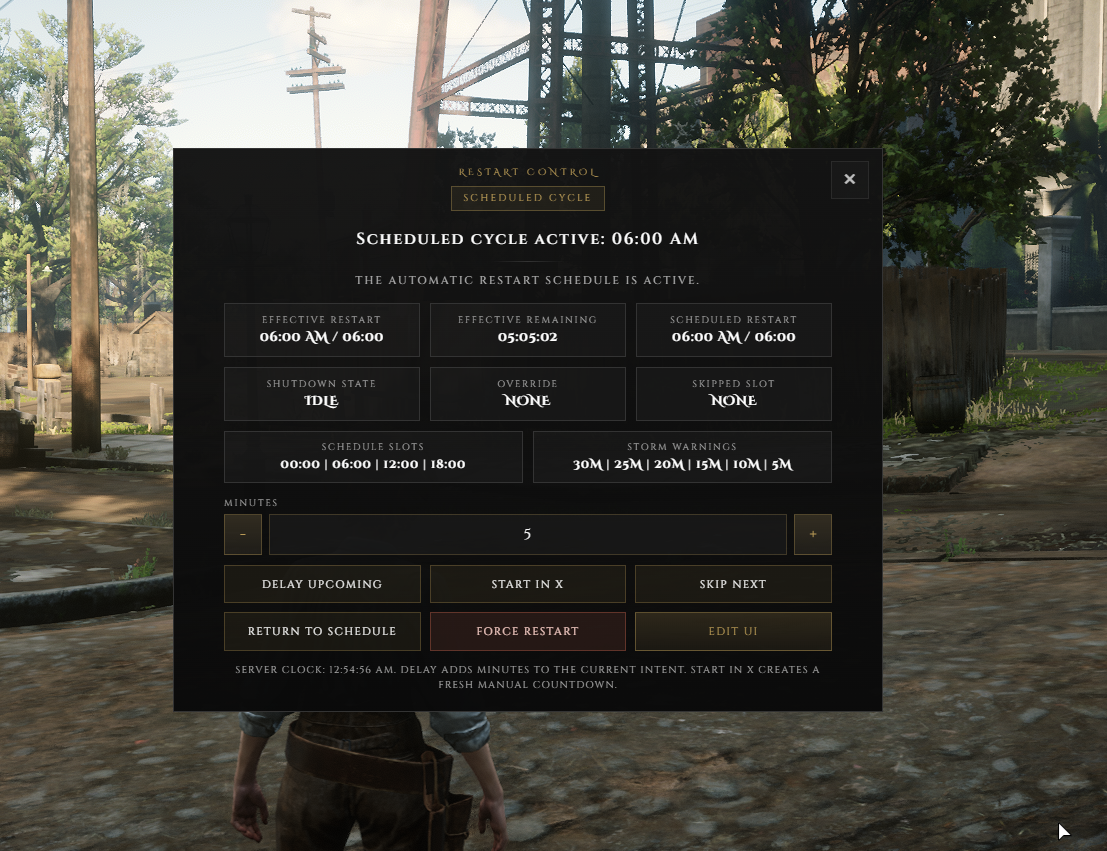
It is built to keep players informed before downtime while giving admins direct control over the next restart cycle through skip, delay, manual countdown, force restart, and schedule restore actions. Server owners can also live-edit the warning design, save it to designs.json, and broadcast the active theme to everyone online instantly.
Showcase
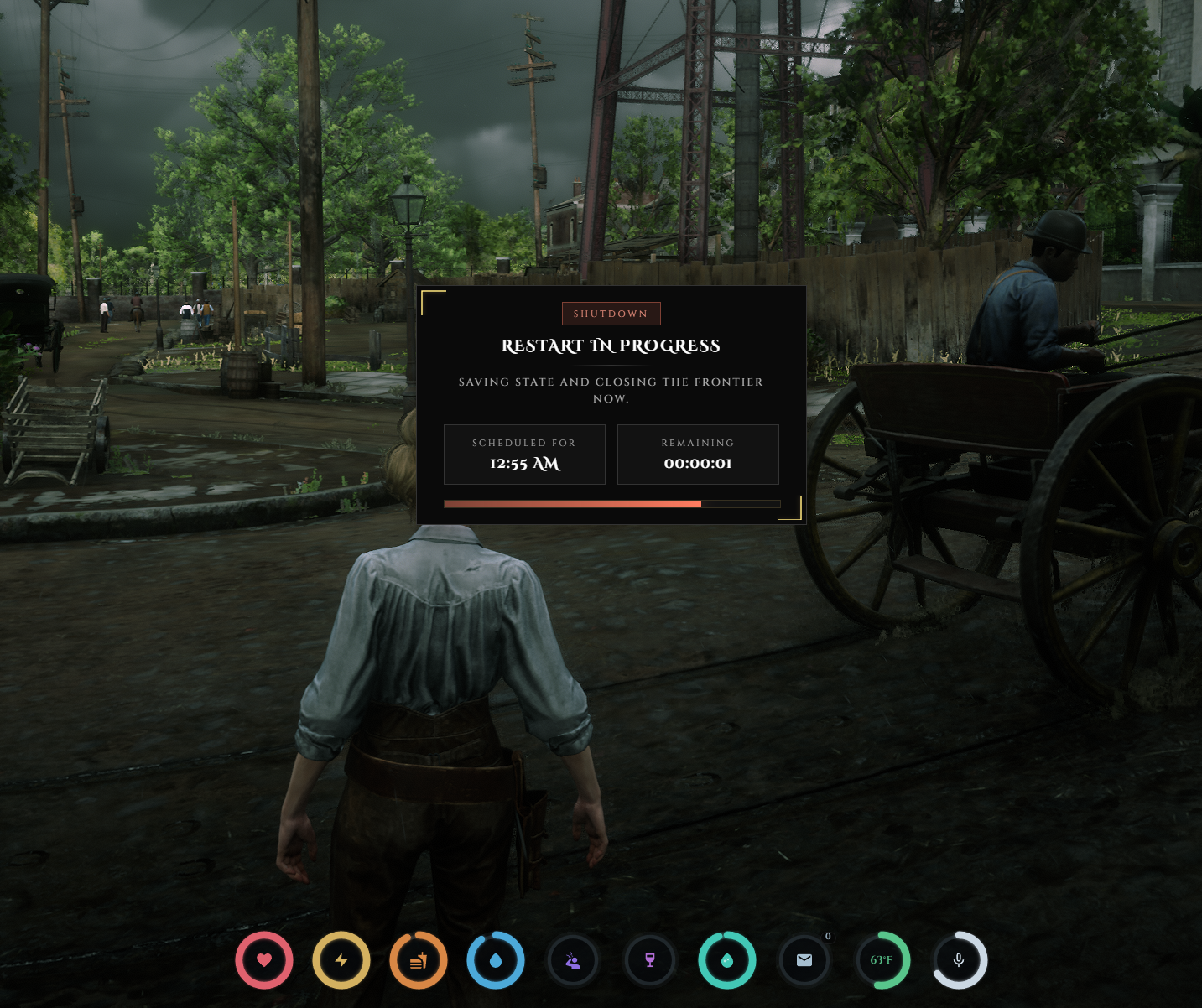
Watch the demo video: YouTube Showcase
Key Features
Restart Warnings
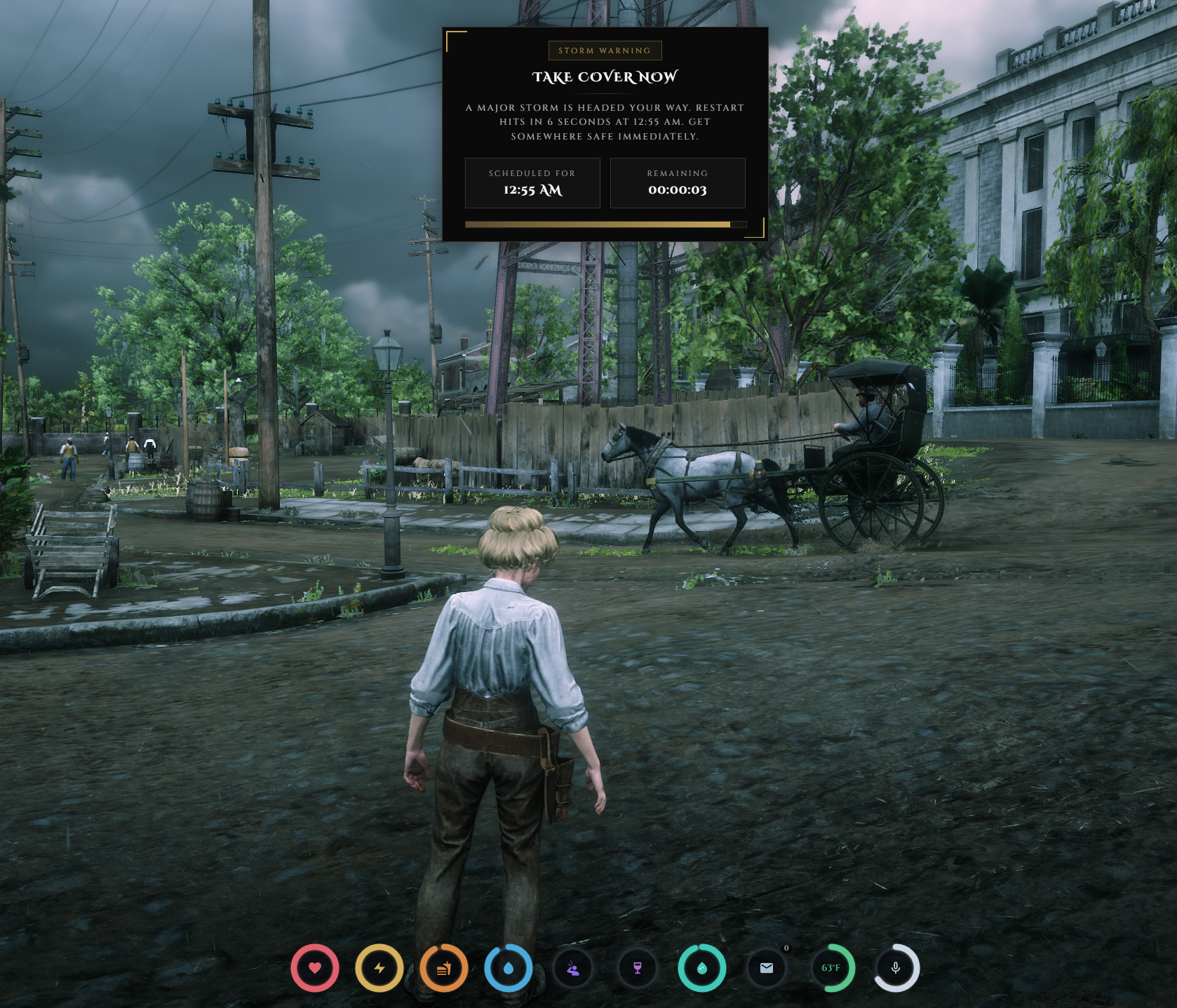
Storm Warning Cadence - Sends restart warnings every 5 minutes starting at 30 minutes before restart.
Restart Warning NUI - Uses a focused top-center warning popup with countdown and progress states.
Professional Notification Flow - Keeps restart messaging visible without relying on in-game chat replies.
Admin Controls
Restart Control Panel -
/crowerestartopens the admin panel for restart management.Skip and Delay Controls - Skip the next scheduled restart once or delay the current target by X minutes.
Manual Countdown and Force Restart - Start a manual countdown in X minutes or trigger the restart flow immediately.
Restore Schedule - Clear manual changes and return the server to its normal automatic restart cycle.
UI Designer
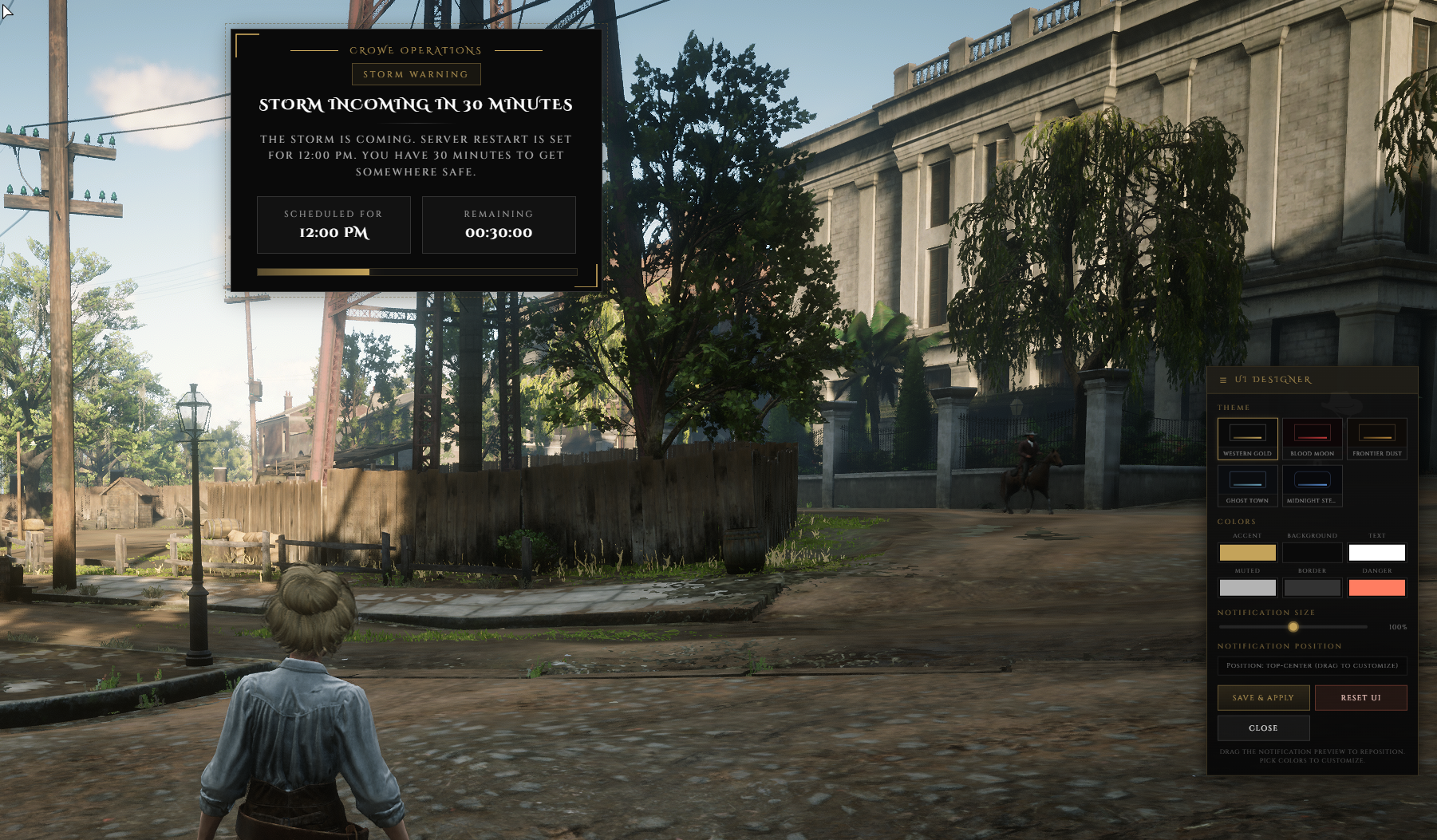
Built-In Themes - Includes Western Gold, Blood Moon, Ghost Town, Frontier, and Midnight presets.
Live Editing Tools - Adjust colors, notification scale, and on-screen position with a live preview.
Save and Broadcast - Saved themes write to
designs.jsonand apply to all connected players instantly.
Server Flow
Automatic Scheduling - Restart times are driven by the configured server schedule.
Server-Side Restart Execution - Scheduling and shutdown execution happen from the server script.
Console Logging - Admin command replies are written to the server console rather than in-game chat.
Setup
Admin Identifier Lock - Restrict the control panel command through configured admin identifiers.
Quit Command ACE - Uses the resource quit command permission for shutdown execution.
Optional Storm Integration - Supports
weathersyncfor escalating storm weather as restart time gets closer.
Admin Controls & Warning Cadence
Admin command:
/crowerestartWarning cadence: 30, 25, 20, 15, 10, and 5 minutes before restart
Control actions: skip next, delay target, start in X minutes, force restart, and restore automatic schedule
UI tools: theme presets, color editing, scaling, drag-to-reposition, and live save/apply
Dependencies
Required:
RedM server environment,add_ace resource.crowe_restart command.quit allowOptional:
weathersyncfor escalating storm weather integration
Installation
Place
crowe_restartin your resources directory.Add
ensure crowe_restartto yourserver.cfg.Add
add_ace resource.crowe_restart command.quit allowto yourserver.cfg.Configure the allowed admin identifiers in
config.lua.If you use
weathersync, keep it running so storm progression can be applied to all players.
What You Will Receive
The Crowe Restart resource with scheduled warnings, admin controls, live UI editing, and automatic restart handling
Configuration and README access for schedule, messaging, design persistence, and admin identifier setup
Support
Review the included README for setup and configuration guidance
Join our Discord for ticket-based support