 Crowe Scripts
 Join our Discord
Crowe Printing brings a printing house to RedM/VORP. Turn your image artwork into newspapers, books, letters, and double-sided cards, save reusable templates, and trade or show printed copies to other players.
Give printers a workshop for custom artwork and players physical copies they can read, collect, and share.
Showcase
Watch the demo video: YouTube Showcase
Key Features
Design and Print
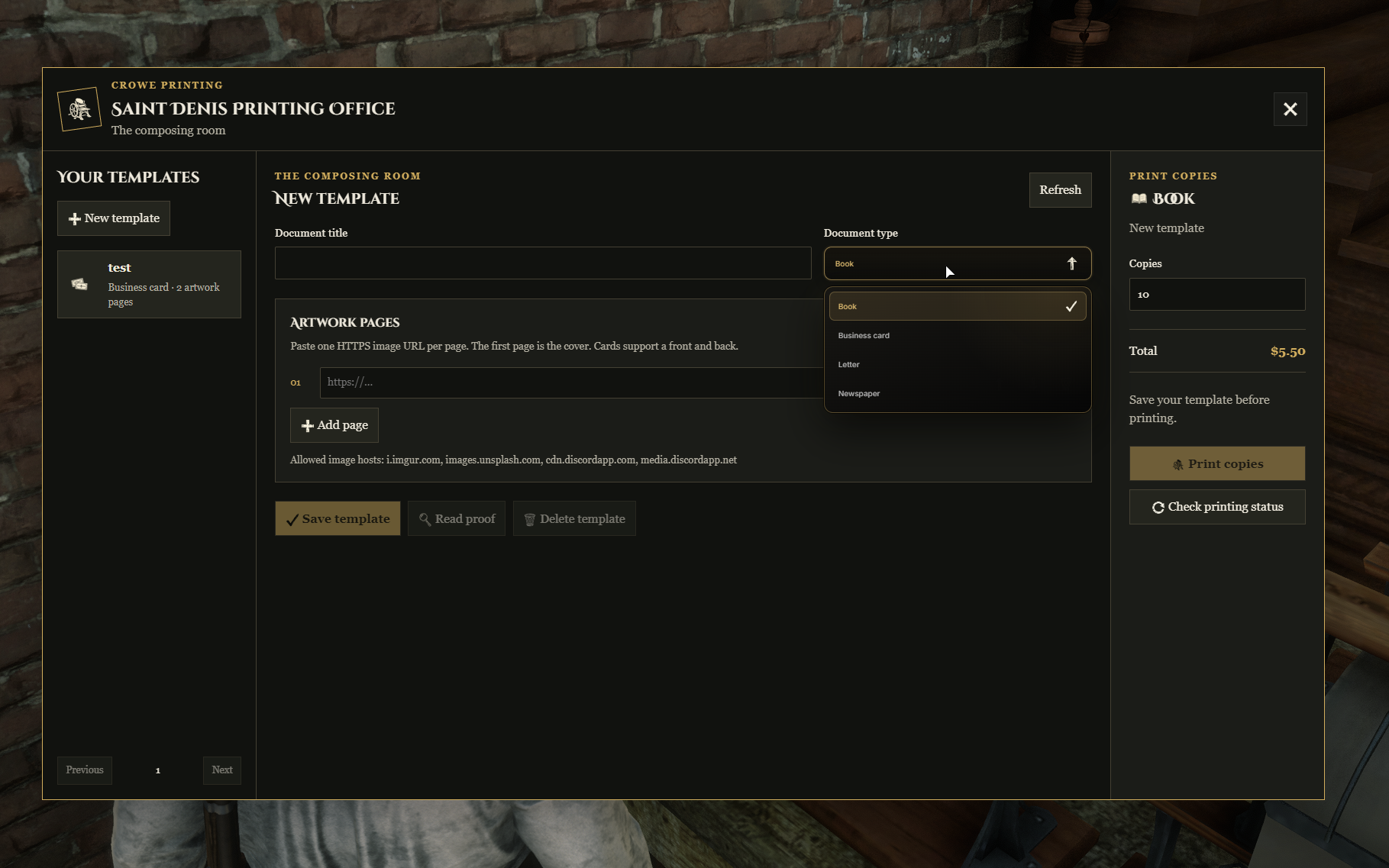
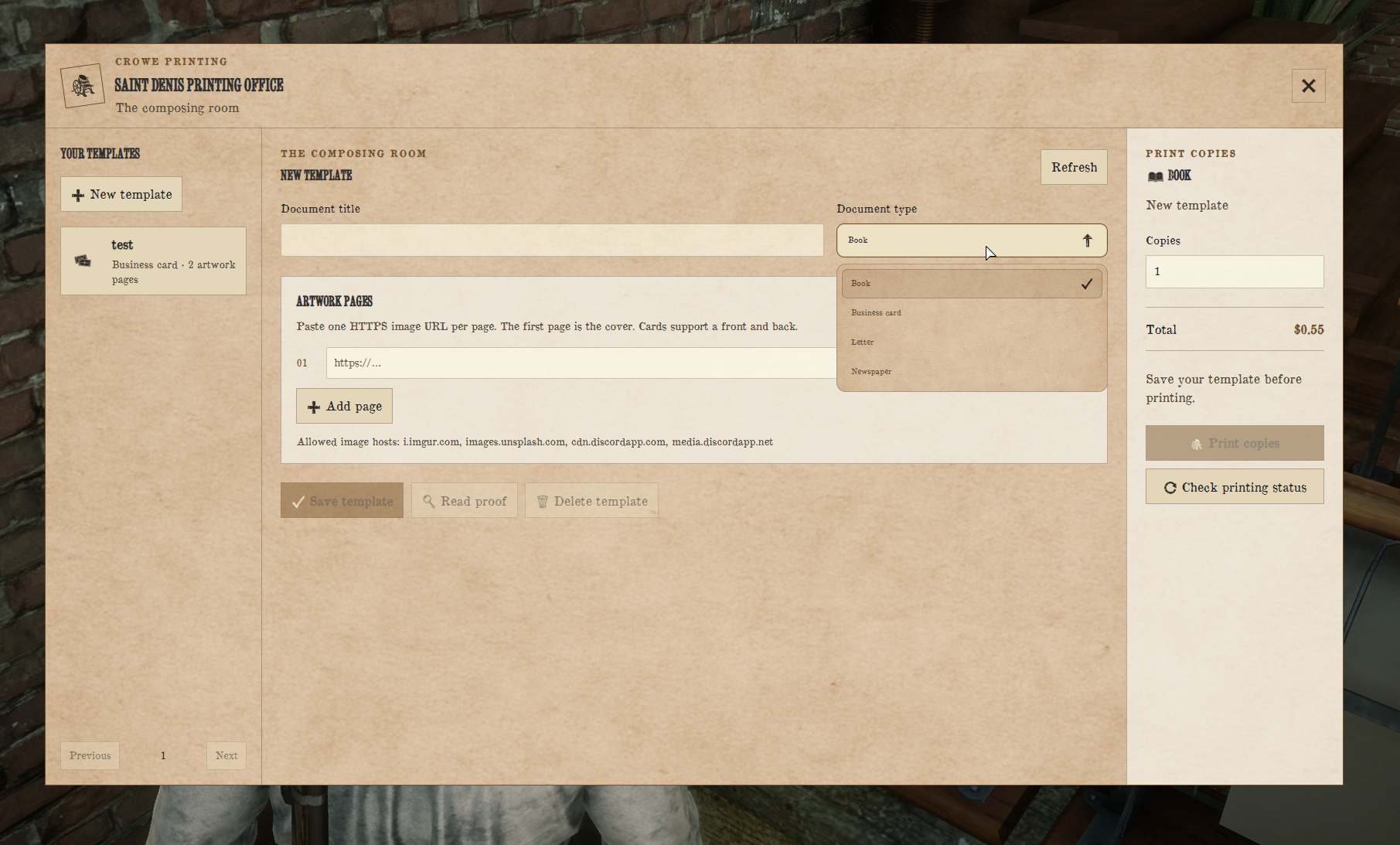
Four Document Types - Print newspapers, books, letters, and cards from your own image artwork.
Reusable Templates - Save designs, arrange pages, and preview proofs before printing.
Book Layouts - Display front and back covers separately with facing interior pages.
Double-Sided Cards - Print front and back artwork with a flip control.
Read and Share
Inventory Copies - Give, sell, and trade printed documents through your inventory and shop systems.
Show Nearby - Invite a nearby player to view your copy while you keep the inventory item.
Published Editions - Copies retain their printed title and page URLs when a template is edited or deleted.
Press Settings and Presentation
Press Permissions - Configure public presses or restrict access by VORP job and grade.
Configurable Pricing - Set document and page prices, press multipliers, and copy limits.
Reading Animations - Use document-specific reading poses and configurable props.
Modern and Retro Styles - Choose the server-wide Crowe interface or parchment presentation.
Interaction Support - Open presses through Crowe Interactions, native prompts, or the nearby printing command.
Dependencies
Required:
vorp_core, compatiblevorp_inventory,oxmysql, and OneSyncOptional:
crowe_notificationandcrowe_interactionsInventory Setup: Register the four printed item types with finite item limits and matching inventory icons
Installation
Place the complete
crowe_printingresource in your resources folder.Run
sql/inventory_items.sql, then restart inventory; keep the four printed items on finite item limits.Copy the four PNGs from
inventory_images/to your inventory item-image directory.Review
config.luafor press locations, job access, prices, item names, trusted image hosts, and interface style.Start
oxmysql,vorp_core,vorp_inventory, and installed optional integrations before addingensure crowe_printing.
Resource tables are created automatically in your existing database. Allow table creation and normal read/write access. Back up configuration and preserve published order records when upgrading.
Page artwork uses public HTTPS image URLs from configured hosts. Keep images compressed and links stable; the artwork remains hosted externally.
What You Will Receive
The Crowe Printing resource with template management, printing, document readers, and nearby presentation
Modern and Retro interface styles
Editable configuration and locale files, inventory item SQL, four inventory icons, and README
Support
Review the included README for setup and configuration guidance
Join our Discord for ticket-based support