 Crowe Scripts
 Join our Discord
Crowe Pinboard is a complete pinboard system for RedM (VORP). Deliver a clean, immersive NUI with interactive pinboards, poster creation tools, image posts, permission management, and unified notifications — all fully localized.
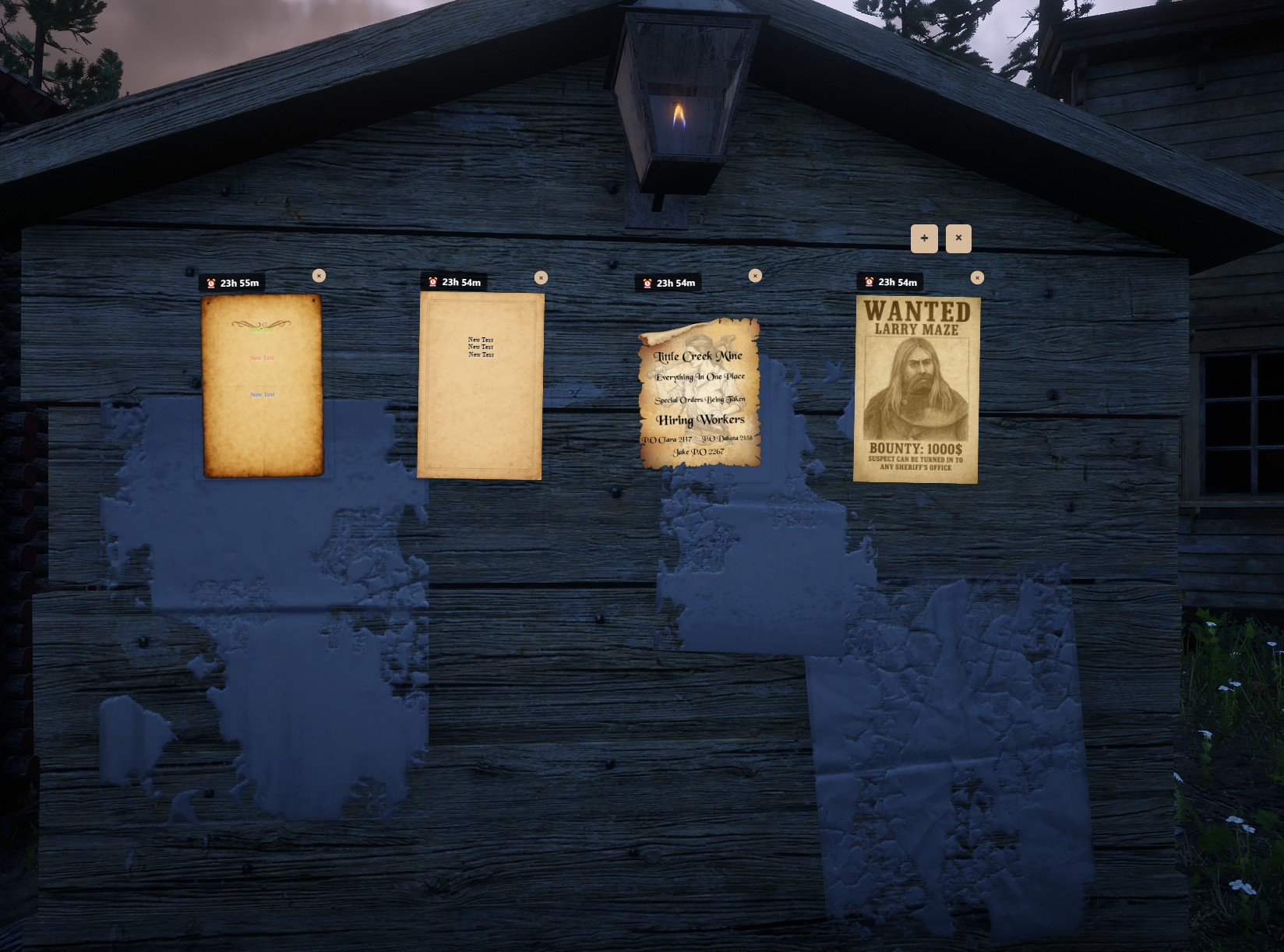
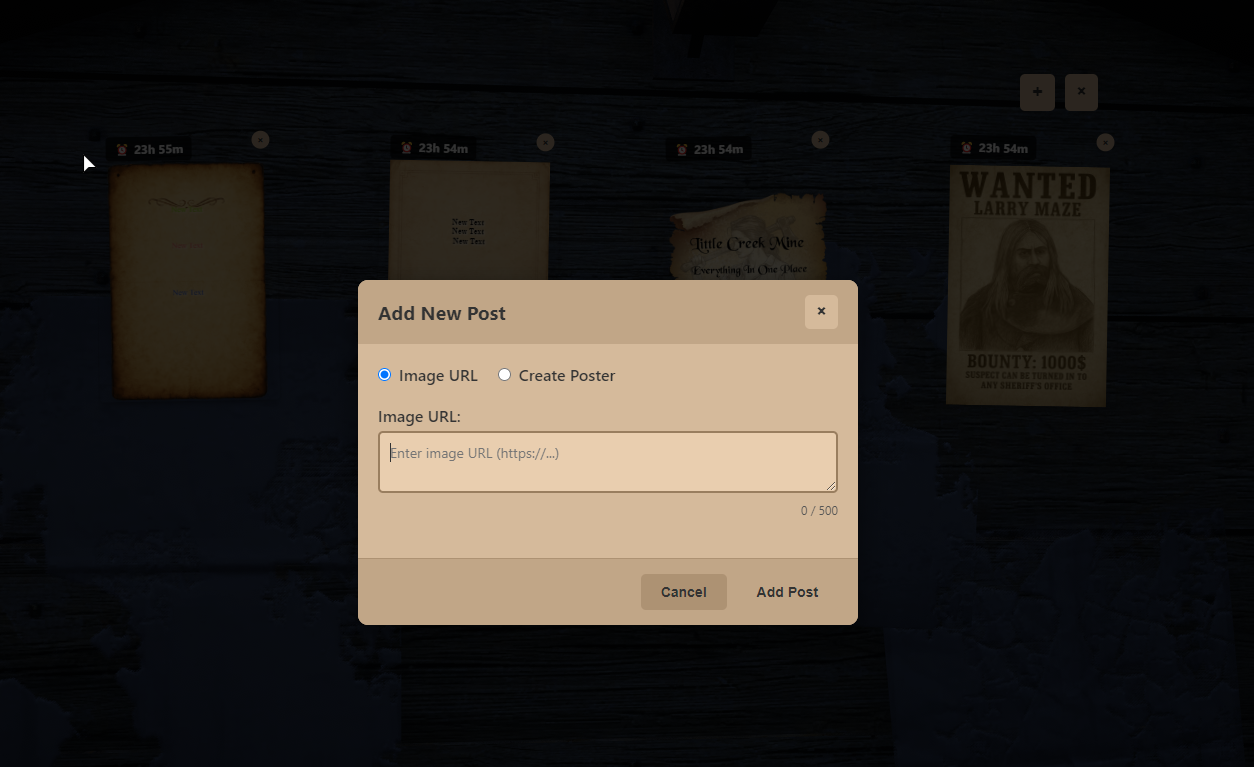
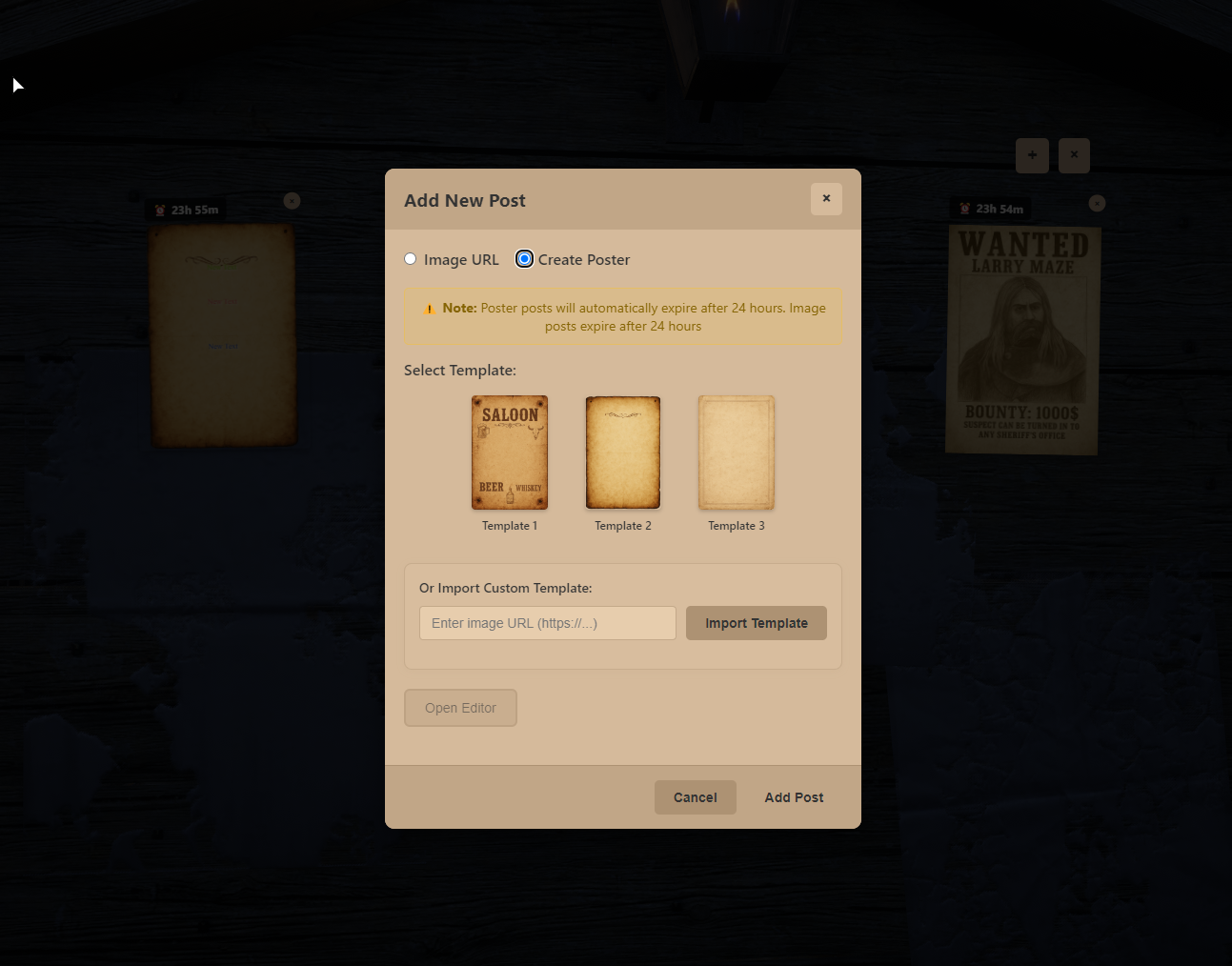
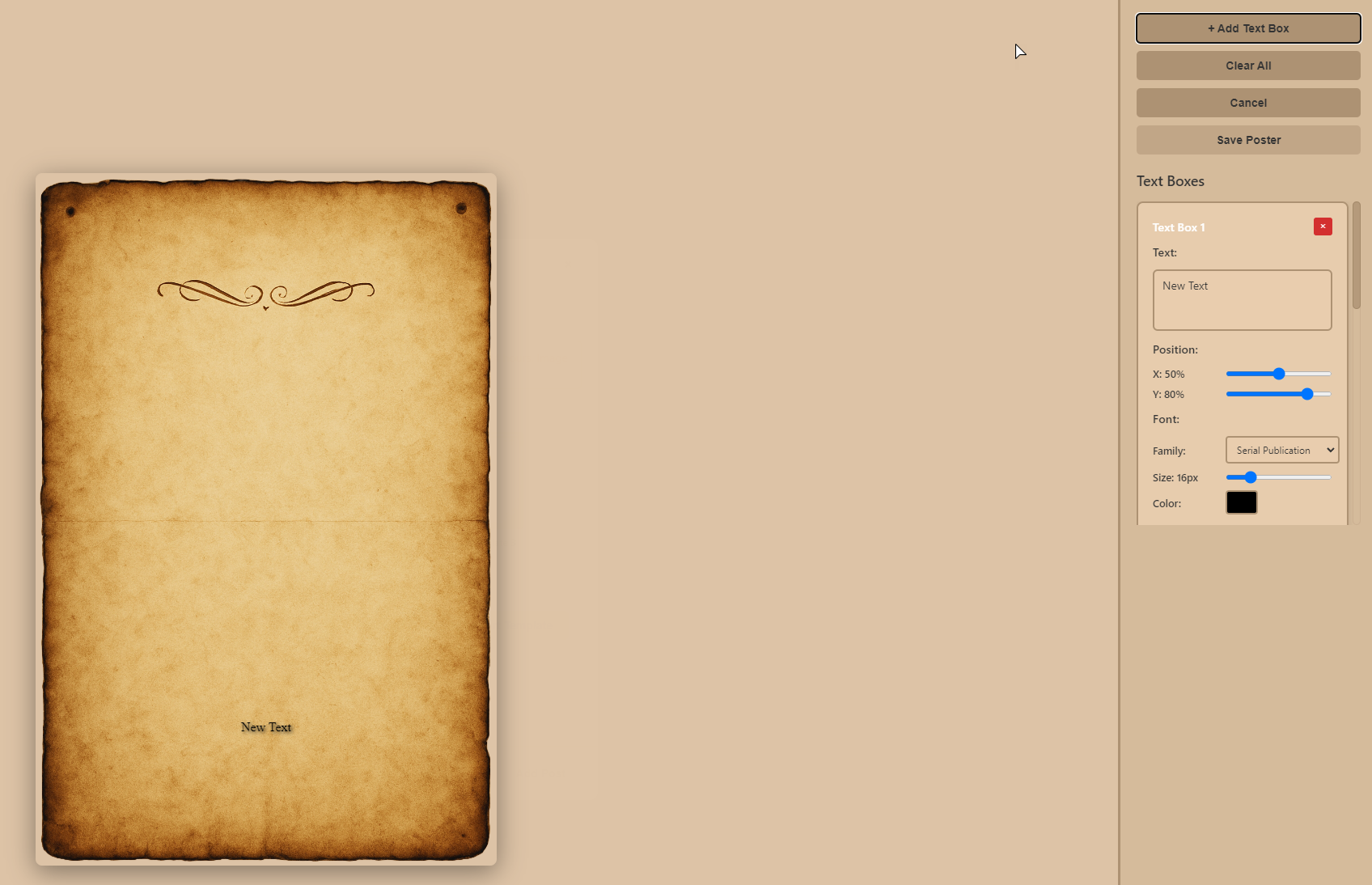
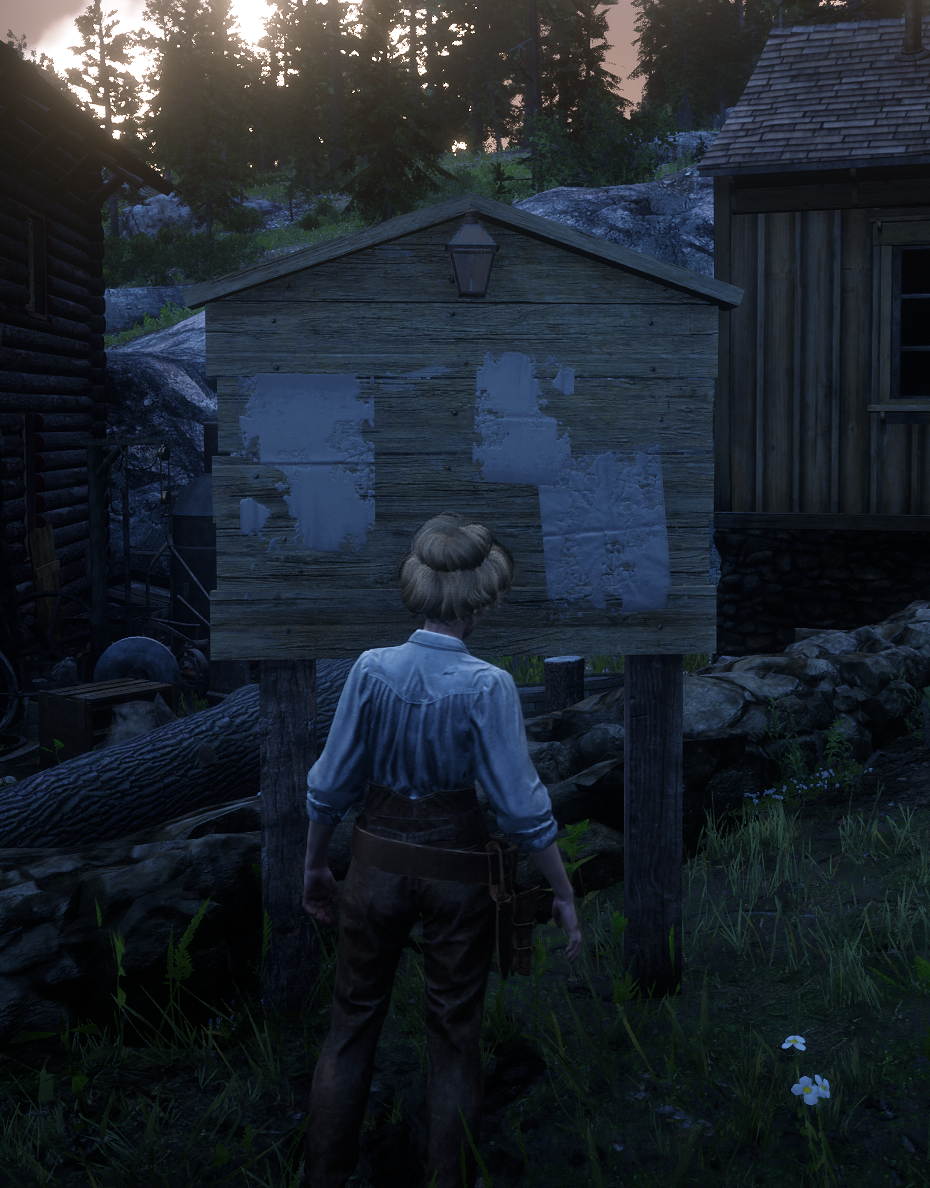
📸 Show your community what Crowe Pinboard looks like in action!
✨ Key Features
🖥 Modern Interactive Pinboard UI
Clean, responsive interface with light theme, compact cards, modal details, and keyboard-friendly interactions
Enhanced NUI focus management with persistent cursor visibility and smooth transitions
Beautiful, legible typography with self-hosted fonts and consistent layouts
🏃♂️ Interactive Pinboards
Custom pinboard locations with configurable interaction radius and proximity-based entity management
Persistent storage with automatic database table creation and legacy data migration support
🔐 Advanced Permission System
Per-board permissions for viewing, adding, and removing posts with flexible job/group-based access control
Global admin permissions and post removal capabilities for authorized users
🎨 Advanced Poster Creator
Builtin templates (wanted poster, official document, announcement) with custom template import via URL
Rich text editor with unlimited text boxes, precise positioning (X/Y coordinates), font variety, and comprehensive styling options
Real-time preview with drag-and-drop positioning, color customization, and text alignment controls
🖼️ Image Post Support
Direct image URL posting with validation and automatic image verification
Support for multiple image formats (JPG, PNG, GIF, WebP, BMP) with error handling
🧑💼 Admin Management Tools
Comprehensive admin commands for clearing posts, managing boards, and system administration
📢 Discord Integration
Optional Discord webhooks for post notifications with configurable anonymous mode and system user aliases
Global and per-board notification support with customizable webhook URLs
🌍 Localization
Multi-language support with easy extension system and configurable language selection
Separate server notification locales with automatic language file loading
💼 VORP Integration
Built for VORP (
vorp_core),oxmysqlpersistence, optionalcrowe_libs/crowe_notification
🎨 Modern UI Enhancements
Unified theming, self-hosted fonts, consistent layout across all resolutions
Performance-friendly fonts and clean layout with enhanced accessibility
Improved poster layout stability preventing text box shifting when adding elements
⚙️ Fully Configurable
Clean
config.luacontrols pinboard locations, permissions, Discord integration, language, and display options
🔒 Enhanced Permission System
Server-side enforcement with flexible job-based or group-based validation per board
Separate job and group permissions for post removal and bulk posting access
🗺 Optional Map Blips
Configurable map markers for pinboard locations with proximity-based entity management and customizable colors
🚀 Performance Optimized
Proximity-based entity and blip management; efficient NUI updates with automatic post refresh
📱 Responsive Design
Adapts to all screen sizes with enhanced NUI focus management and smooth interactions
🛠 Simple Database Setup
Automatic database table creation with legacy migration helpers and persistent storage
⏰ Smart Expiration System
Configurable post expiration times (in hours) with automatic cleanup
Poster posts: 24 hours (configurable), Image posts: 24 hours (configurable), Default posts: 7 days (configurable)
🎯 Enhanced Camera Integration
Smooth camera transitions to pinboard locations with configurable positions
Dynamic bounty board spawning within radius for immersive experience
🖱️ Advanced NUI Focus Management
Persistent cursor visibility throughout all interactions
Smart focus handling between modals and UI states
Automatic focus recovery after system events
Performance-optimized focus management without delays
💰 Posting Fee System
Configurable posting fees with job-based reductions and free posting
Real-time fee display showing costs before submission
Separate job and group permissions for enhanced access control
🖼️ Image Preview System
Real-time preview of images before posting to verify links and layout
Automatic image validation and accessibility checking
Enhanced user experience with visual confirmation before submission
⏰ Expiration Timer Control
Option to hide countdown timers on specific boards
Board-specific timer visibility control for cleaner UI
Flexible expiration management per board location
📊 Real-time Post Updates
Posts appear instantly after creation with automatic refresh system
Smart caching prevents duplicate posts and maintains consistency
Built-in refresh mechanisms ensure all posts are synchronized
🔧 Robust Error Handling
Comprehensive validation for image URLs and poster data
Clear user feedback for all actions and errors
Multiple fallback systems ensure posts appear reliably
Extensive debug logging for troubleshooting
🧰 Dependencies
vorp_coreoxmysqlOptional:
crowe_notification,crowe_libs
⚙️ Installation
Ensure you have all required dependencies installed
Place the
crowe_pinboardfolder into your server’s/resourcesdirectoryAdd
ensure crowe_pinboardto yourserver.cfg(after dependencies)Copy
config.demo.luatoconfig/config.luaand configure your settingsConfigure
config.lua(pinboard locations, permissions, Discord webhooks, language)Restart your server
Add this near the bottom of the product description, above dependencies:
📦 What You Will Receive
✅ Fully optimized
crowe_pinboardRedM script (Keymaster escrow encrypted)🧩 Editable
config.luafor easy customization🗃️ Demo configuration file with comprehensive examples
📘 Full installation + usage guide
📤 Automatic delivery via Keymaster (Tebex orders)
🤝 Manual delivery (PayPal) available through Discord support ticket
🔧 Installation
Ensure
vorp_coreandoxmysqlare installed (optional:crowe_libs,crowe_notification)Place
crowe_pinboardin your server's/resourcesdirectoryAdd
ensure crowe_pinboardto yourserver.cfgCopy and configure
config.demo.luatoconfig/config.luaConfigure pinboard locations, permissions, and Discord integration in
config.luaRestart your server
🔑 License
This script is licensed for personal use only.
Redistribution, resale, or use on unlicensed servers is strictly prohibited.
Escrow-protected via Cfx.re Keymaster
Licensed for use on one (1) server key
🙋 Support
Need help?
📖 Review the README for configuration guidance and known issues
🧑💻 Join our Discord Server for support and community
📨 Or open a support ticket via Tebex or email