 Crowe Scripts
 Join our Discord
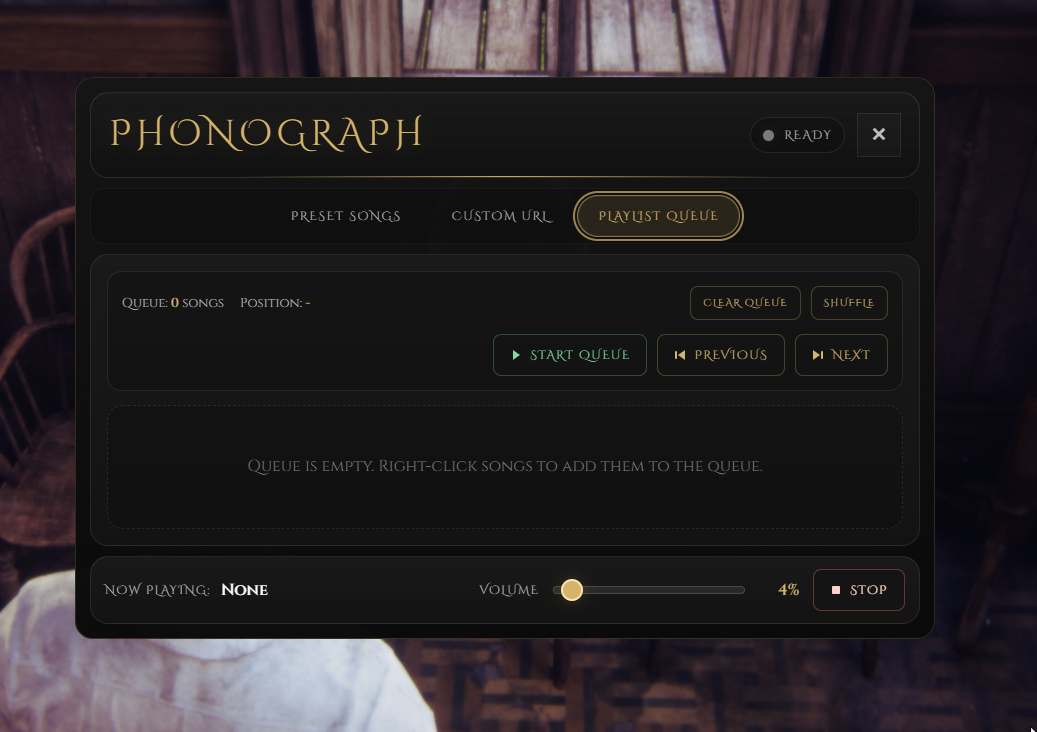
Crowe Phonograph is a RedM/VORP placeable music player that lets players drop a phonograph into the world, open a polished Crowe music interface, play preset songs or custom URLs, manage a live queue, and pick the prop back up when they are the owner.
This release keeps the core phonograph roleplay flow while refreshing the presentation with the newer Crowe western style, positional audio, persistent world placement, owner pickup, and cleaner playback controls for songs, queues, and nearby interaction.
Showcase
Watch the demo video: YouTube Showcase
Key Features
Placement & Ownership
Placeable Phonograph Item - Use the
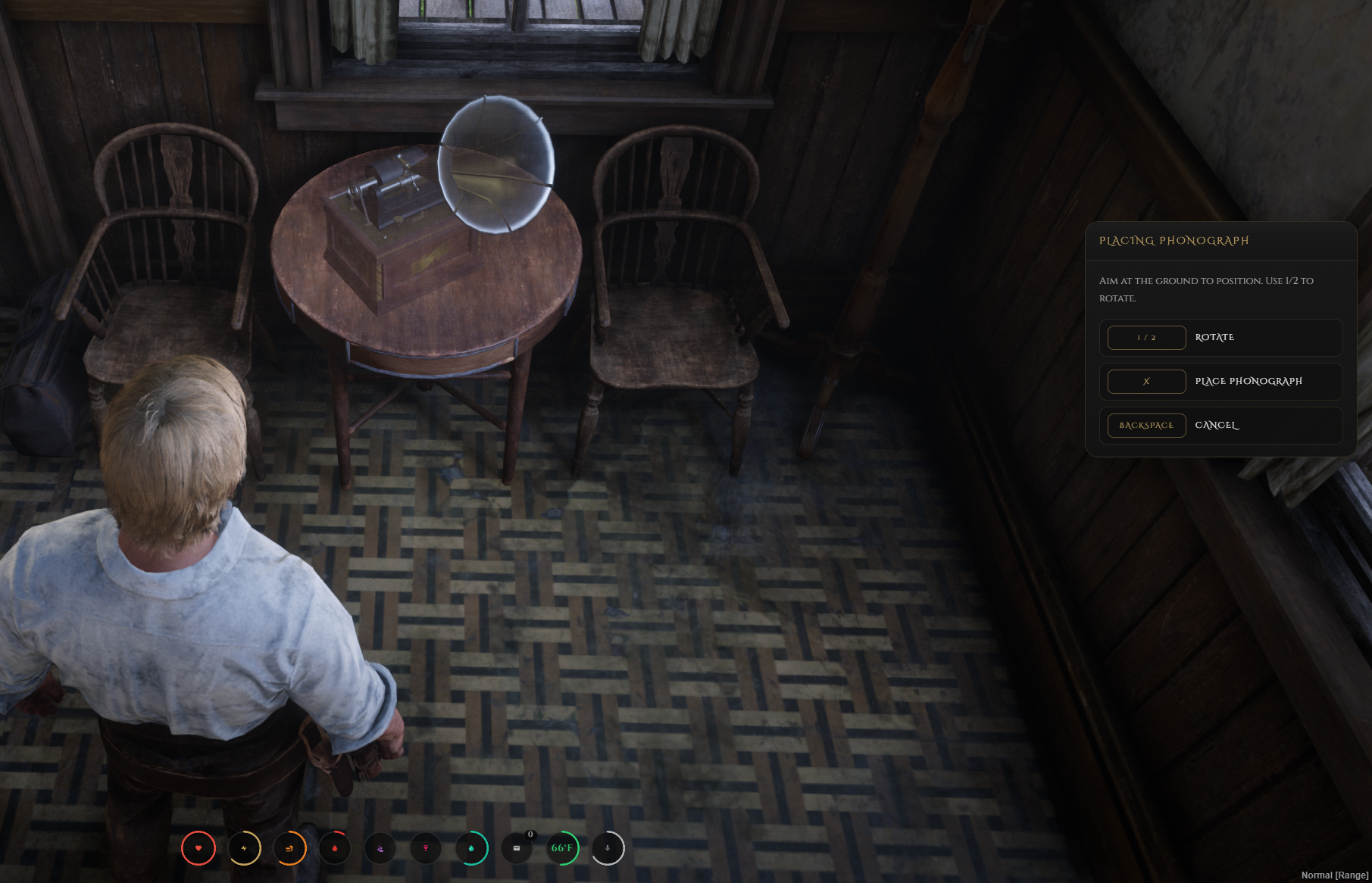
phonographinventory item to place a phonograph directly into the world.Raycast Placement Preview - Aim at the ground, preview the placement, rotate it, and confirm or cancel before it is set down.
Owner Pickup - Players can pick up the phonograph they placed by using the configured pickup key nearby.
Music Playback
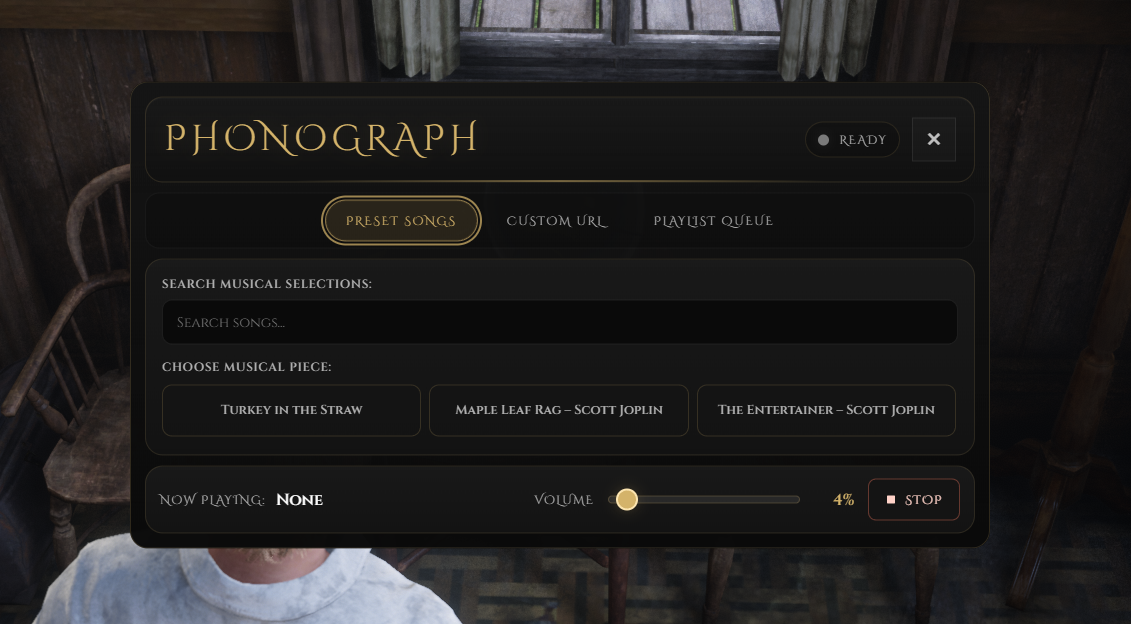
Preset Song List - Pull songs directly from the configured list shown in the phonograph UI.
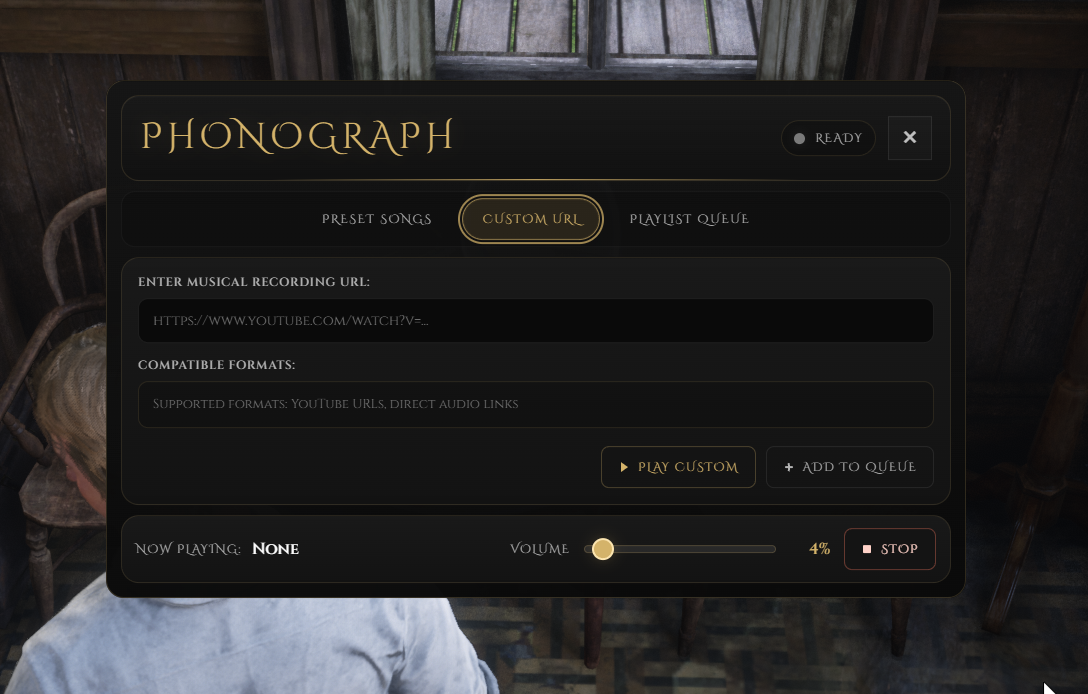
Custom URL Playback - Allow custom YouTube or direct audio URLs when you want more flexible music selection.
Positional Audio - Keep playback tied to the placed phonograph for a proper world-based listening experience.
Volume & Stop Controls - Adjust volume or stop playback directly from the interface.
Queue & Persistence
Playlist Queue Tools - Start queues, play previous and next tracks, shuffle, clear, remove songs, and reorder the playlist.
Persistent World Placement - Placed phonographs save through MySQL so owned world props can return after restart.
Nearby Spawn Handling - Spawn and despawn placed phonographs around players based on the configured radius settings.
Crowe Interface & Support
Crowe Western UI - Uses the refreshed Crowe phonograph style with tabbed controls and themed presentation.
Multi-Language Locales - Includes English, Spanish, French, and German locale files.
Notification Support - Works with
crowe_notificationwhile keeping fallback notification behavior available.
Player Controls
Open the phonograph UI with
GPick up your owned phonograph with
RConfirm placement with
Xand cancel withBackspaceRotate the placement preview with numpad
1and2
Dependencies
Required:
vorp_core,vorp_inventory,oxmysql,xsoundOptional:
crowe_notification,crowe_libs
Installation
Place
crowe_phonographin your server resources folder.Import
phonograph.sqlandinventory_items.sqlinto your database.Add
ensure crowe_phonographtoserver.cfgafter the required dependencies.Confirm the configured item name in
config.luamatches your SQL item name.If your inventory uses item icons, add
inventory_images/phonograph.pngto your inventory image path.Restart the resource or server.
What You Will Receive
The Crowe Phonograph resource with placeable playback, queue controls, owner pickup, and the refreshed Crowe music UI
SQL setup files for the placed phonograph table and the usable
phonographitemConfig and locale-driven setup for songs, controls, notifications, placement behavior, and supported languages
Support
Review the included README for setup and configuration guidance
Join our Discord for ticket-based support