 Crowe Scripts
 Join our Discord
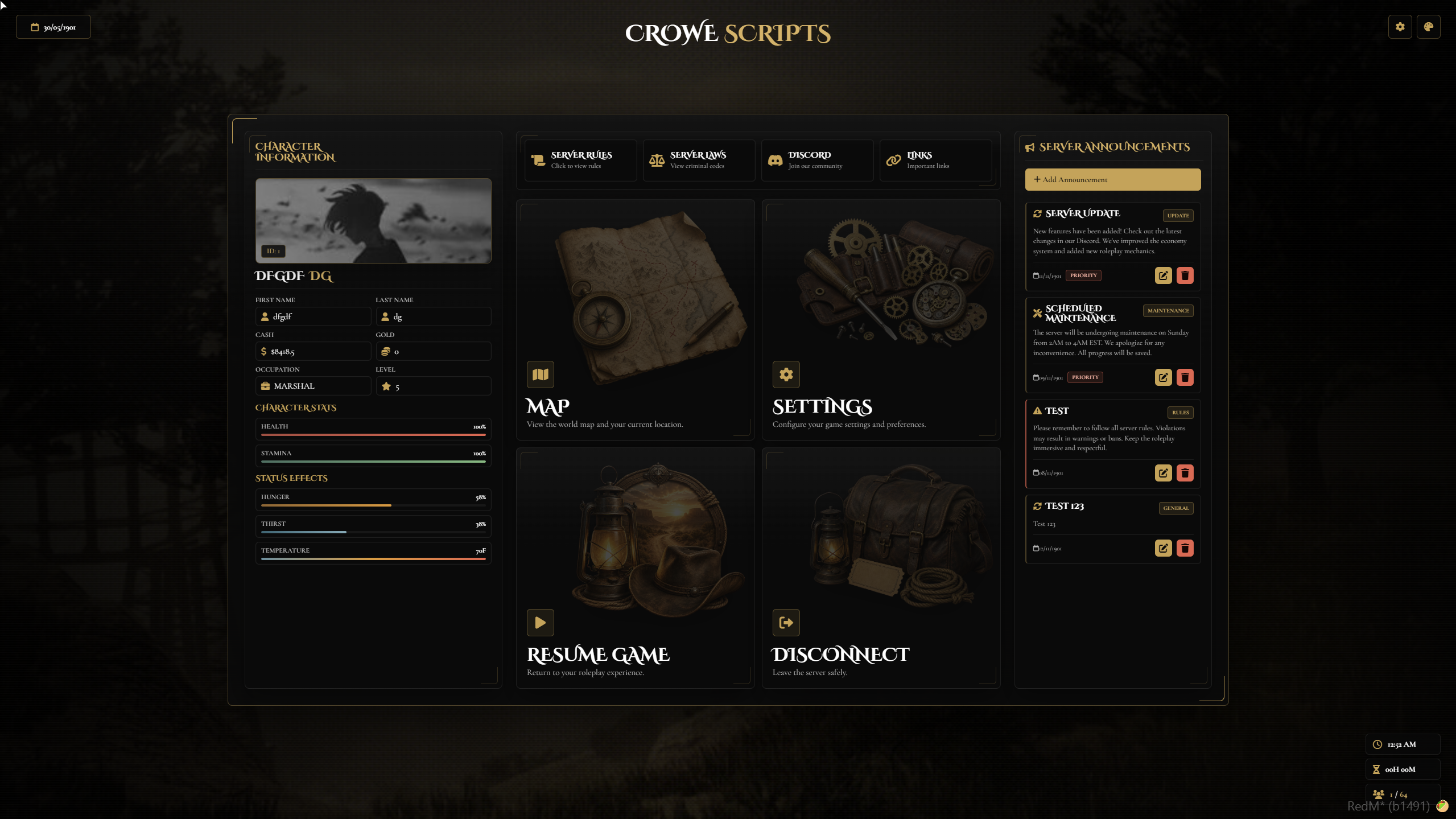
Crowe Pause Menu v2 is a RedM/VORP pause menu refresh that keeps the familiar pause flow but rebuilds the presentation around a darker Western design, a cleaner three-column layout, configurable background media, player-facing settings, and a richer announcement board.
The resource is built for servers that want the pause screen to feel like a polished hub for character info, server shortcuts, and live updates, while still giving owners control over visibility, themes, backgrounds, announcements, links, and performance options.
Showcase
Watch the demo video: YouTube Showcase
Key Features
V2 Refresh & Layout
Western Redesign - V2 refreshes the original pause menu with a darker Western presentation and a stronger visual identity.
Three-Column Structure - The menu is organized around character info, main actions, and announcements.
Full-Screen Hub - Turns the pause screen into a cleaner central menu for server information and player tools.
Player Info & Actions
Character Data Panel - Shows identity, money, job, rank, health, stamina, hunger, thirst, and temperature in one place.
Main Action Buttons - Gives players direct access to Map, Settings, Resume Game, and Disconnect.
Server Shortcut Buttons - Includes Rules, Laws, Discord, and website/links access inside the menu.
Announcements & Server Messaging
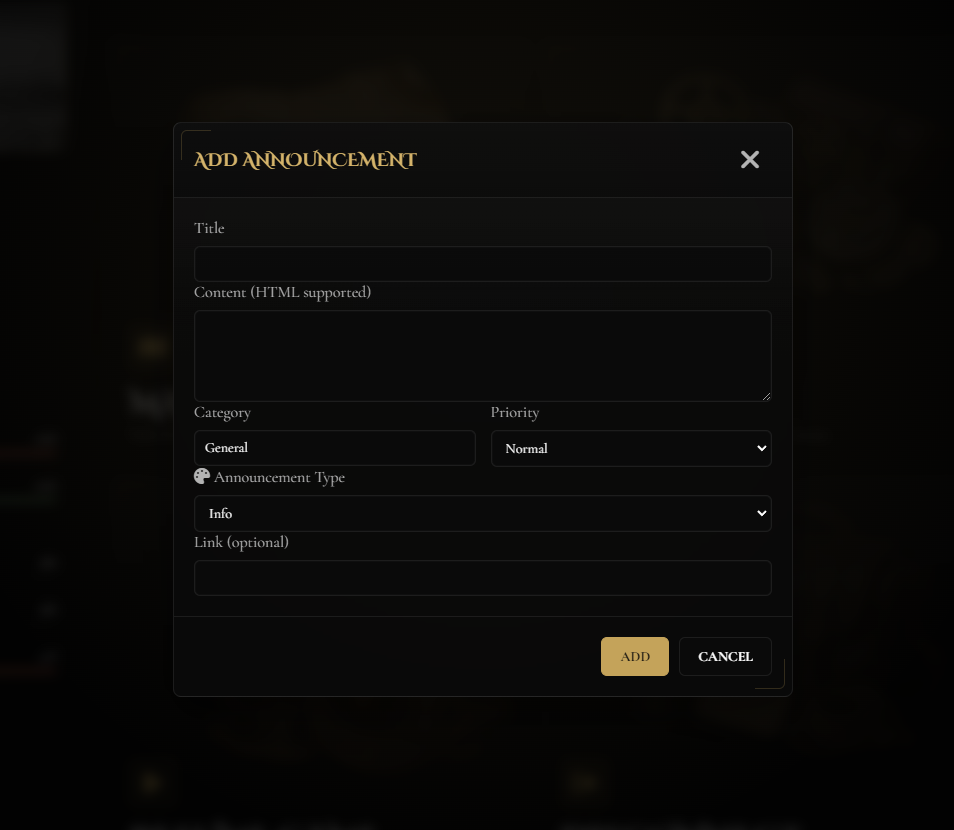
Announcement Board - Displays updates, events, maintenance notices, warnings, and news inside the pause menu.
Admin Announcement Controls - Authorized staff can add, edit, and delete announcements from the same interface.
Customization & Control
Background Media Modes - Supports GIF, image, slideshow, video, and YouTube background options.
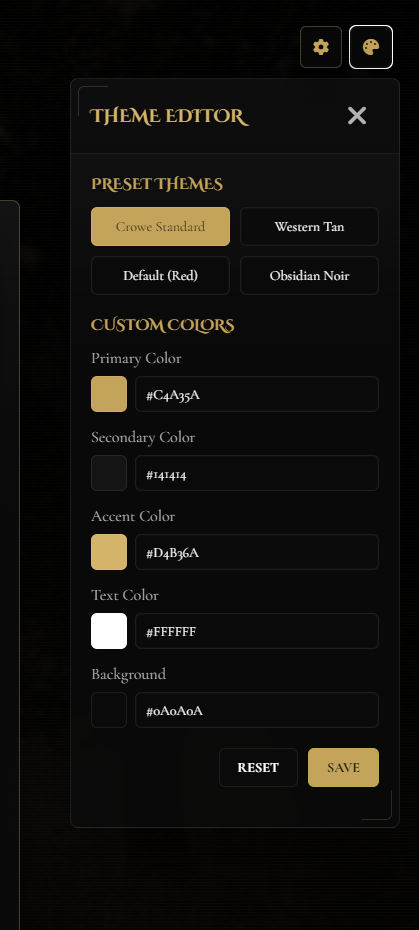
Theme Controls - Players can use preset or custom colors when the editor is enabled.
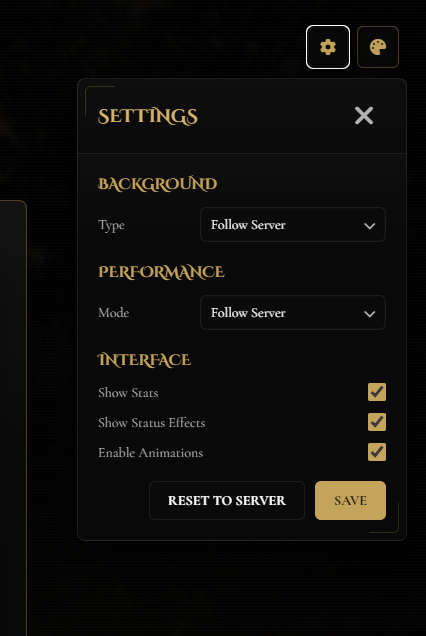
Player UI Preferences - Players can choose background behavior, performance mode, visible sections, and animation preferences.
Visibility Toggles - Owners can hide specific pieces of the interface to keep the menu lighter or more focused.
Included Menu Systems
Main layout: character panel, action column, and announcements column
Action buttons: Map, Settings, Resume Game, Disconnect
Server shortcuts: Rules, Laws, Discord, Website/Links
Background modes:
gif,image,slideshow,video,youtubeAdmin tools: add, edit, and delete announcements
Dependencies
Required:
vorp_core,crowe_libsOptional:
crowe_metabolism,vorp_metabolismas a fallback provider when enabled
Installation
Place
crowe_pausemenuin your server resources folder.Ensure
vorp_coreandcrowe_libsstart beforecrowe_pausemenu.Edit
config.luafor server name, links, roleplay year, max players, UI visibility, admins, backgrounds, colors, and performance settings.If you want fallback metabolism support, set
CROWE.UseMetabolism = trueand startvorp_metabolism; otherwise the resource can auto-detectcrowe_metabolismwhen it is running.Add
ensure crowe_pausemenuto yourserver.cfgand restart the server.
What You Will Receive
The Crowe Pause Menu v2 resource with the redesigned pause screen, action hub, announcement board, and player customization tools
Config-driven control over links, admins, backgrounds, colors, visibility, performance, and optional metabolism display
Included announcement data, README guidance, and the refreshed V2 presentation for Crowe servers
Support
Review the included README for setup and configuration guidance
Join our Discord for ticket-based support