 Crowe Scripts
 Join our Discord
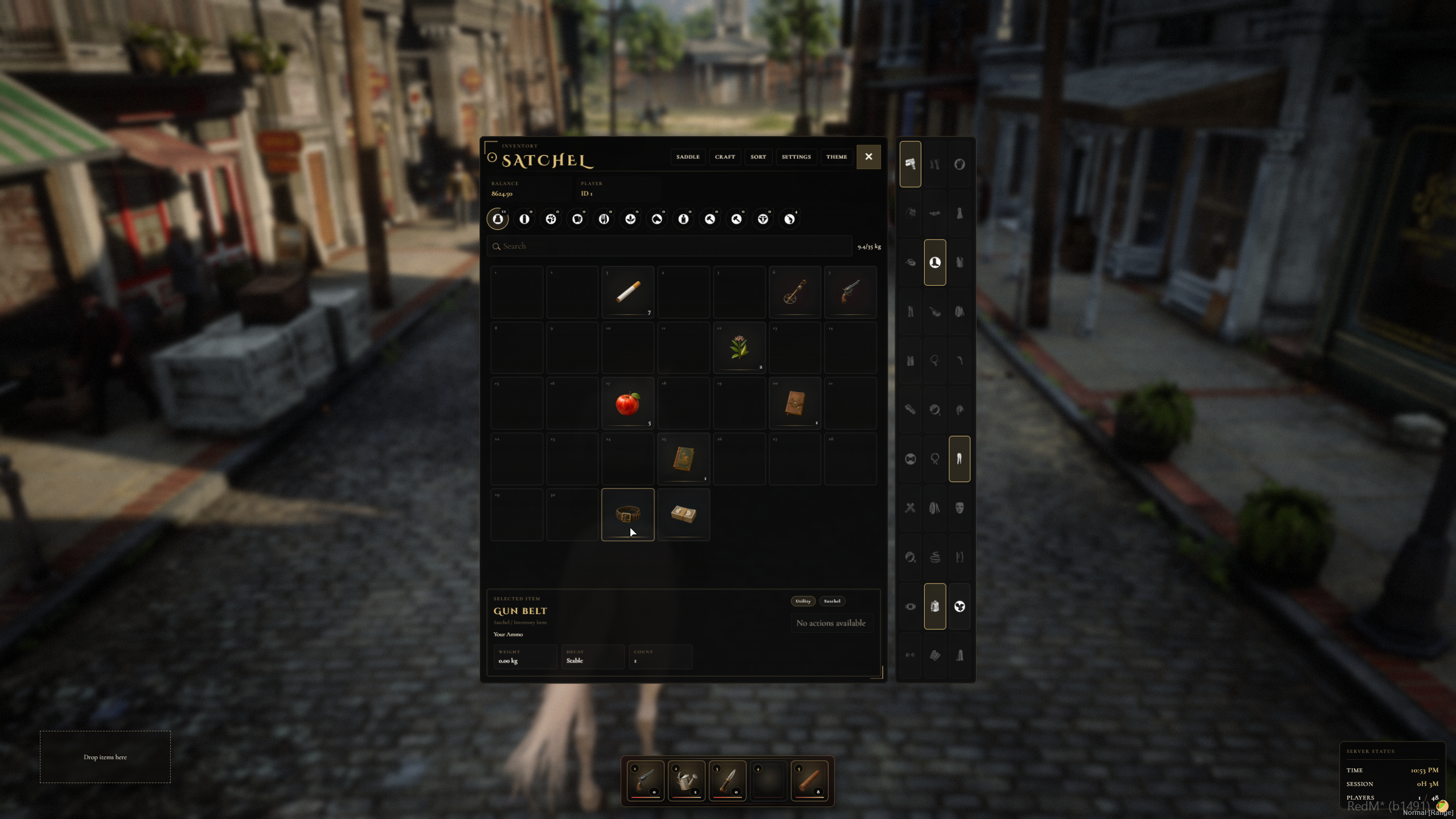
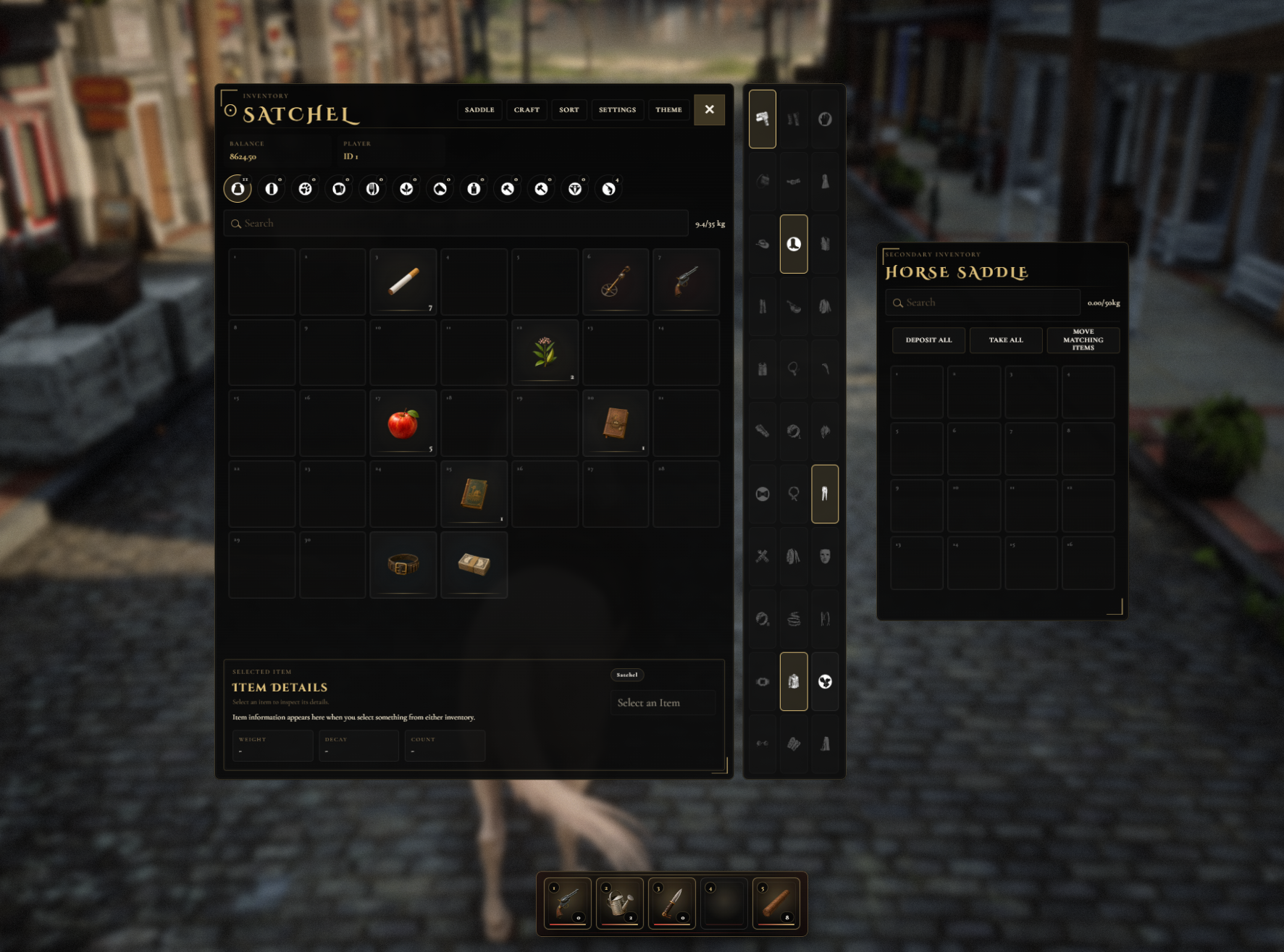
Crowe Inventory V2 brings the Crowe inventory experience to RedM/VORP on top of the VORP inventory v2 backend, with persistent slot layouts, a reworked Crowe shell, richer item and weapon details, hotbar tools, crafting and attachment panels, and cleaner secondary inventory flow.
It is built for servers that want the familiar Crowe presentation on the newer V2 inventory foundation, while still giving players smoother day-to-day item handling and giving owners support for metadata-heavy items, weapon systems, storage workflows, and broader inventory utility.
Showcase
Watch the demo video: YouTube Showcase
Key Features
V2 Inventory Foundation
VORP V2 Backend Support - Built on the VORP inventory v2 backend rather than selling itself as a V1 compatibility skin.
V2 Item Model Coverage - Supports rarity, durability, instructions, metadata labels, metadata descriptions, metadata images, and metadata weight overrides.
V2 Upgrade Coverage - Includes updater coverage for the new v2 inventory and weapon database requirements plus layout persistence SQL.
Crowe Inventory Workflow
Crowe Inventory Shell - Keeps the reworked Crowe UI for main and secondary inventories with cleaner day-to-day browsing.
Persistent Slot Layouts - Main and secondary inventory layouts stay organized across supported inventory contexts.
Item Detail Panel - Selected items surface clearer item, weapon, metadata, rarity, durability, and instruction data.
Search, Filters & Favorites - Includes search, category filtering, storage sorting, and lock/favorite item behavior.
Items, Weapons & Transfers
Expanded Weapon Flow - Supports inspect, clean, reload, unload, ammo choice, degradation, serials, and weapon attachments.
Give Flow - Includes nearby player selection, receiver confirmation, self-give protection, and support for money, gold, roll, ammo, items, and weapons.
Drop & Pickup Flow - Supports callback-driven drops, advanced placement, prop pickups, weapon pickups, and pickup timers.
Custom Inventory API - Covers V2 custom inventory register, open, move, take, add, sub, update, count, limits, permissions, and blacklist handling.
Player Tools & Utility Panels
Hotbar - Includes a five-slot hotbar with assignment, position editing, and quick-use behavior.
Integrated Utility Panels - Adds Crowe-styled hand crafting, weapon attachments, saddle access, storage bulk controls, and store quantity shortcuts.
Clothing Quick Toggles - Supports wardrobe quick-toggle flow when clothing integration is available.
Theme & Scale Tools - Supports theme presets, custom colors, and adjustable inventory scale.
Included V2 Systems
Secondary contexts: player, custom inventory, horse, cart, house, hideout, bank, clan, store, steal, and container
SQL files:
sql/v2_schema_update.sqlandsql/inventory_layouts.sqlImage path:
html/img/itemsImportant editable files:
config.lua,crowe_config.lua,config/*.lua,languages/*.lua, andlanguage_ui/*.luaNo inventory items are required for the base release
Dependencies
Required:
vorp_core,vorp_lib,oxmysqlExpected / Common:
vorp_character,crowe_notification, and optionallyvorp_stablesor another saddle provider
Installation
Place the resource in your server resources folder as
vorp_inventory.Ensure
oxmysql,vorp_core,vorp_lib, andvorp_inventoryin your server cfg.For upgraded servers, review and apply
sql/v2_schema_update.sqlandsql/inventory_layouts.sqlif your database is missing required tables or columns.Review
config.lua,crowe_config.lua,config/*.lua,languages/*.lua, andlanguage_ui/*.lua.Add your item image set into
html/img/itemsif you want full item icon coverage, then restart the resource and review the console for missing SQL or dependency warnings.
What You Will Receive
The Crowe Inventory V2 resource built on the VORP inventory v2 feature set with the Crowe inventory shell and persistent layout workflow
Expanded item, weapon, give/drop, hotbar, crafting, attachments, saddle, storage, and secondary inventory support
Included SQL update files, configuration files, language files, README guidance, and item image path support for release setup
Support
Review the included README for setup and configuration guidance
Join our Discord for ticket-based support