 Crowe Scripts
 Join our Discord
Crowe Interactions v1.0 is a standalone RedM world interaction system with a hybrid third-eye selector, synchronized NUI action picker, nearby group cycling, active interaction controls, and built-in support for furniture, fixed locations, spawned entities, NPCs, players, and other Crowe resource actions.
Players approach a target, tap Left Alt, open visible world spots and the paired picker together, then choose the exact seat, action, or nearby outcome they want without relying on the default native prompt flow. The system also supports occupied spot handling, server-managed reservations, optional direct execution for one-action targets, pause-menu safe UI suppression, configurable no-interaction areas, optional bathing and cleanliness behavior, fourteen locales, and no framework or database dependency.
Showcase
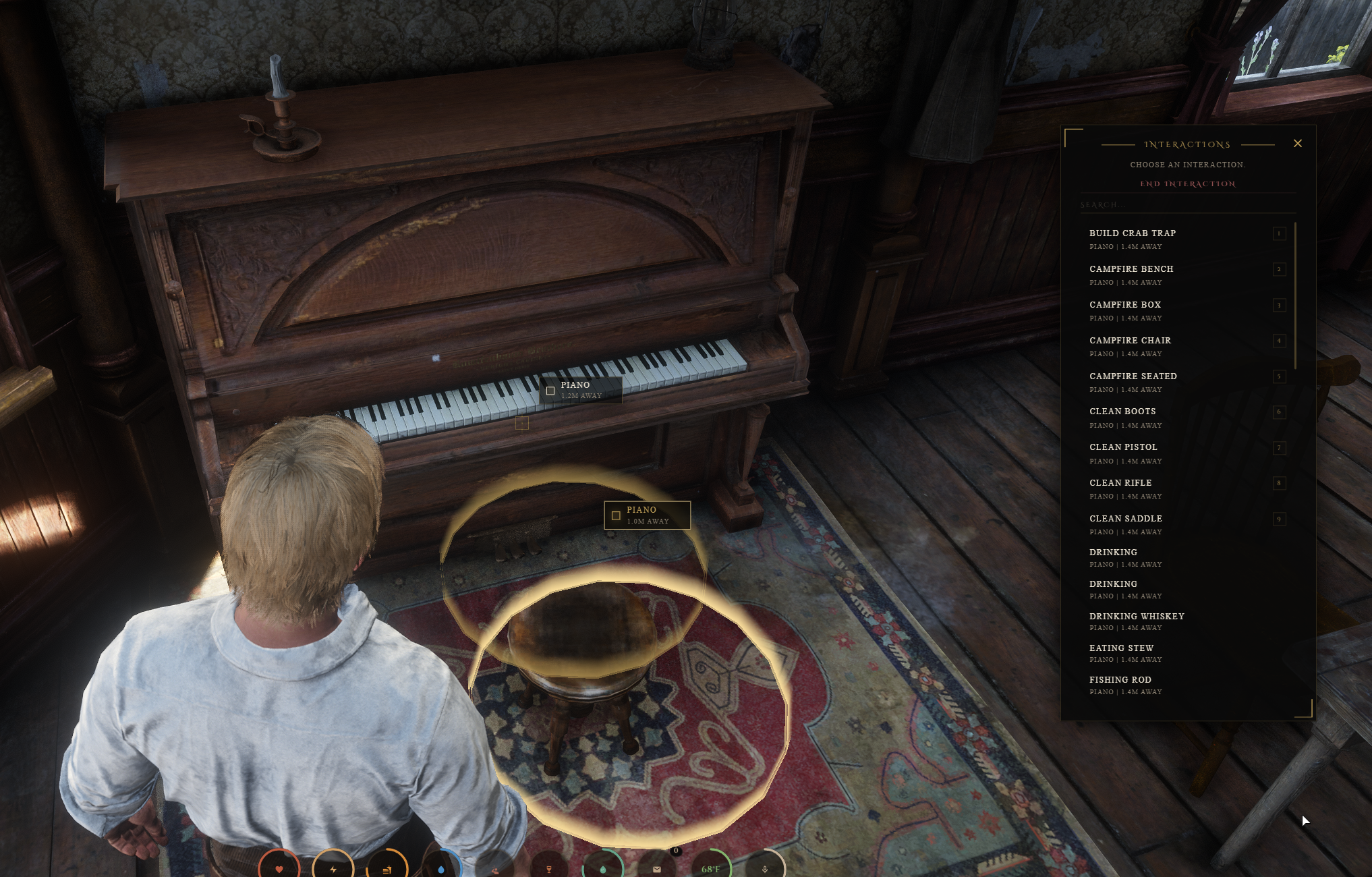
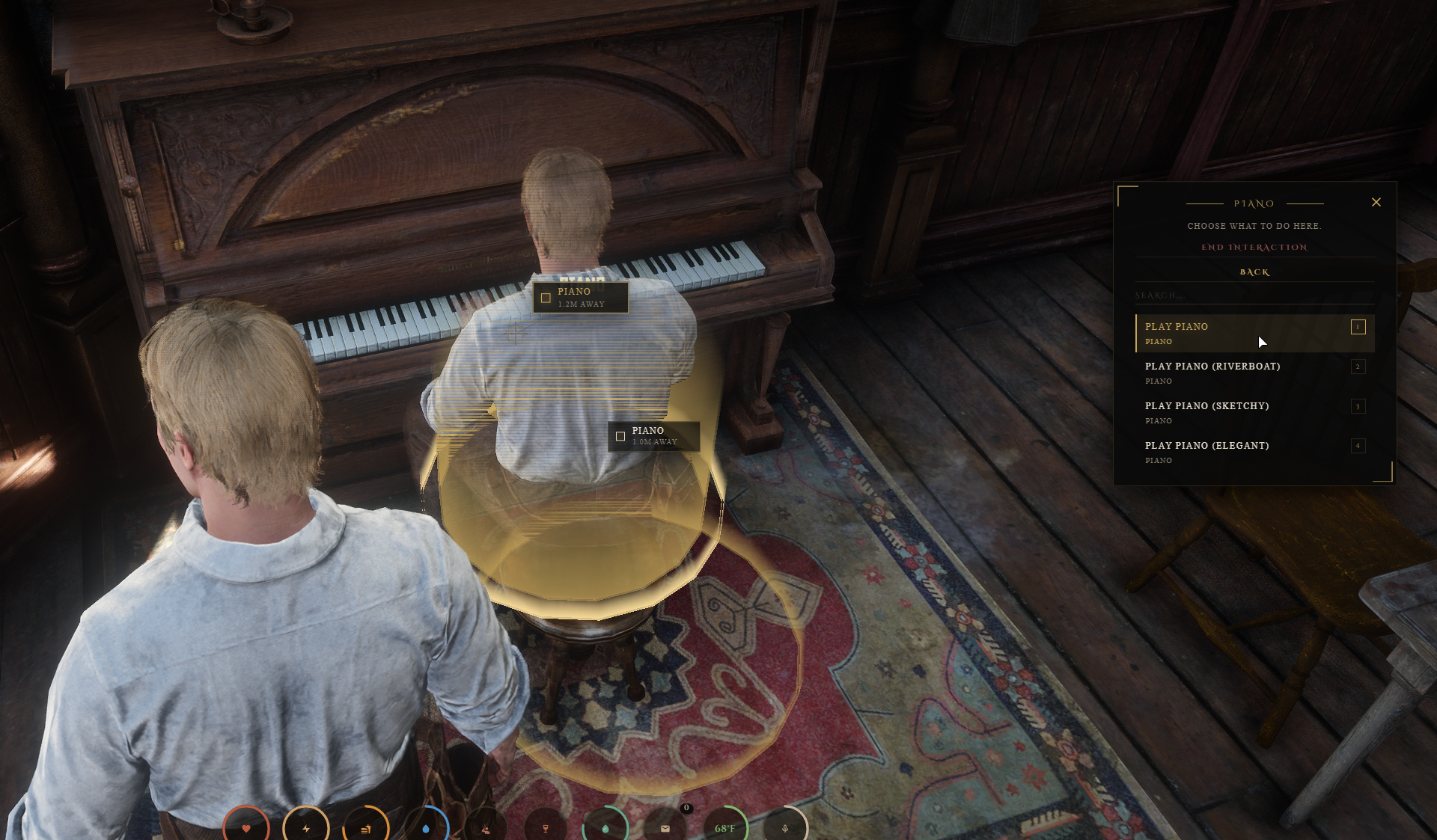
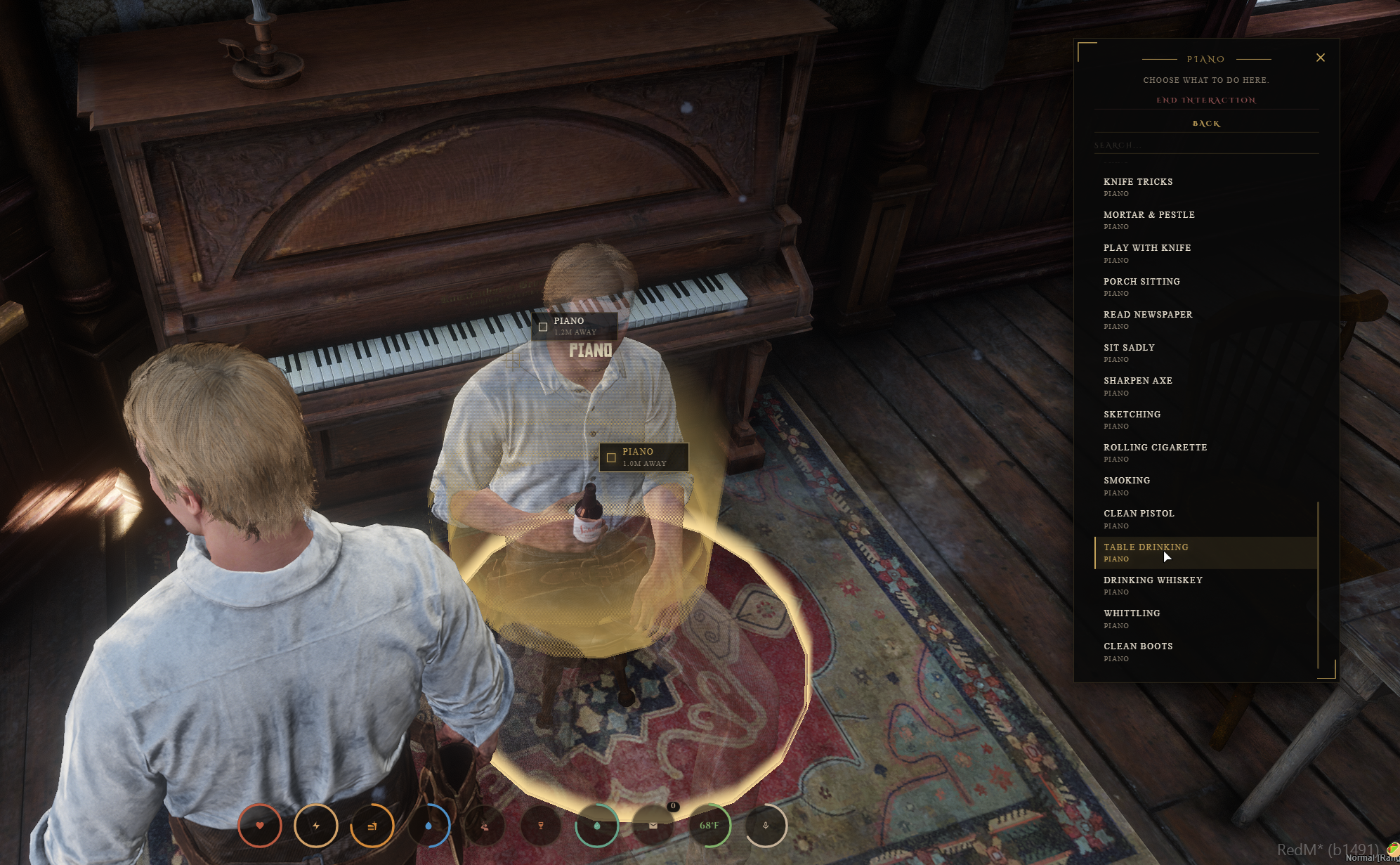
Watch the demo video: YouTube Showcase
Key Features
Standalone Interaction System
No Framework Dependency - Built for RedM without requiring a framework or database.
Broad Target Coverage - Supports furniture, fixed locations, spawned entities, NPCs, players, and actions supplied by other Crowe resources.
Crowe Resource Ready - Other Crowe resources can feed their own interaction actions into the same system.
Selector & Nearby Flow
Hybrid Third-Eye Selector - Tap
Left Altto open visible world targets and the synchronized action picker together.Nearby Group Cycling - Use
Eto switch between distinct nearby interaction groups when unrelated targets overlap.Direct Single-Action Execution - Targets with only one valid action can execute directly without extra menu steps.
No Native Prompt Flow by Default - The default experience uses Crowe UI hints instead of the native RedM prompt group.
World Coverage & Active Control
Built-In World Coverage - Includes seating, benches, beds, pianos, baths, and fixed-location interaction definitions.
Bench Seat Splits - Benches preserve separate left, middle, and right selectable positions.
Merged Single-Spot Targets - Duplicate chair and piano variants can share one target with one action list.
Active Interaction Menu - Use
Eduring an active interaction to open the current menu and stop cleanly.
Spot Control & UI Safety
Occupied Spot Feedback - Busy spots stay visible with dim or blocked feedback for nearby players.
Server-Managed Reservations - Reserved seats and spots are protected so two players cannot start the same interaction at once.
Cooldown Protection - Separate cooldowns handle starts, reservation requests, and busy-target spam.
Automatic UI Suppression - The UI suppresses itself when the pause menu, map, or another owning activity takes over.
Bathing, Restrictions & Coverage
Bathing Cleanup - Bathing interactions can clear dirt and blood and support clothing removal behavior.
Metabolism & Skin Refresh - Supports cleanliness updates and a configurable restore event for the clothing or skin system your server uses.
No-Interaction Areas - Banned-area configuration can block nearby interactions in restricted zones.
14 Bundled Locales - Includes shipped locale coverage for broad server support.
Crowe Integration Coverage
Banking, finance, and service resources such as
crowe_banker,crowe_banking,crowe_barber,crowe_medical, andcrowe_stablesCasino and activity scripts such as
crowe_blackjack,crowe_poker, andcrowe_horseracingCommerce and records scripts such as
crowe_shops,crowe_markets,crowe_documents,crowe_newspaper, andcrowe_telegramGathering and world-content scripts such as
crowe_crafting,crowe_herbs,crowe_nests,crowe_water, andcrowe_legendariesProperty, travel, and government scripts such as
crowe_estates,crowe_storage,crowe_fasttravel,crowe_trains,crowe_bountyboard, andcrowe_law
Dependencies
Required: No framework or database dependency
Recommended:
crowe_notification,crowe_metabolismfor bathing cleanliness updates
Installation
Place
crowe_interactionsin your server resources folder.Review
config.lua,interactions.lua, and the files inlocales/.Start optional notification or metabolism resources first if your server uses them.
Start
crowe_interactionsbefore resources that use its interaction system.Restart the server or restart affected resources in dependency order.
What You Will Receive
The full
crowe_interactionsresource with hybrid world selection, nearby group control, reservations, active interaction handling, and bundled localesConfig-driven definitions for furniture, fixed locations, spawned entities, target grouping, controls, cooldowns, restricted areas, and optional compatibility settings
Client, server, shared, locale, and web files ready for RedM servers without framework or database requirements
Support
Review the included README for setup and configuration guidance
Join our Discord for ticket-based support