 Crowe Scripts
 Join our Discord
Crowe Emotes gives RedM/VORP players a searchable emote wheel, saved Favorites, quick slots, and walkstyles. Browse the library, build your own Quick Wheel, and keep your character's preferred actions ready to use.
Choose from 1,453 default emotes and 84 human walkstyles, with 457 optional contextual actions for suitable surroundings and equipment.
Showcase
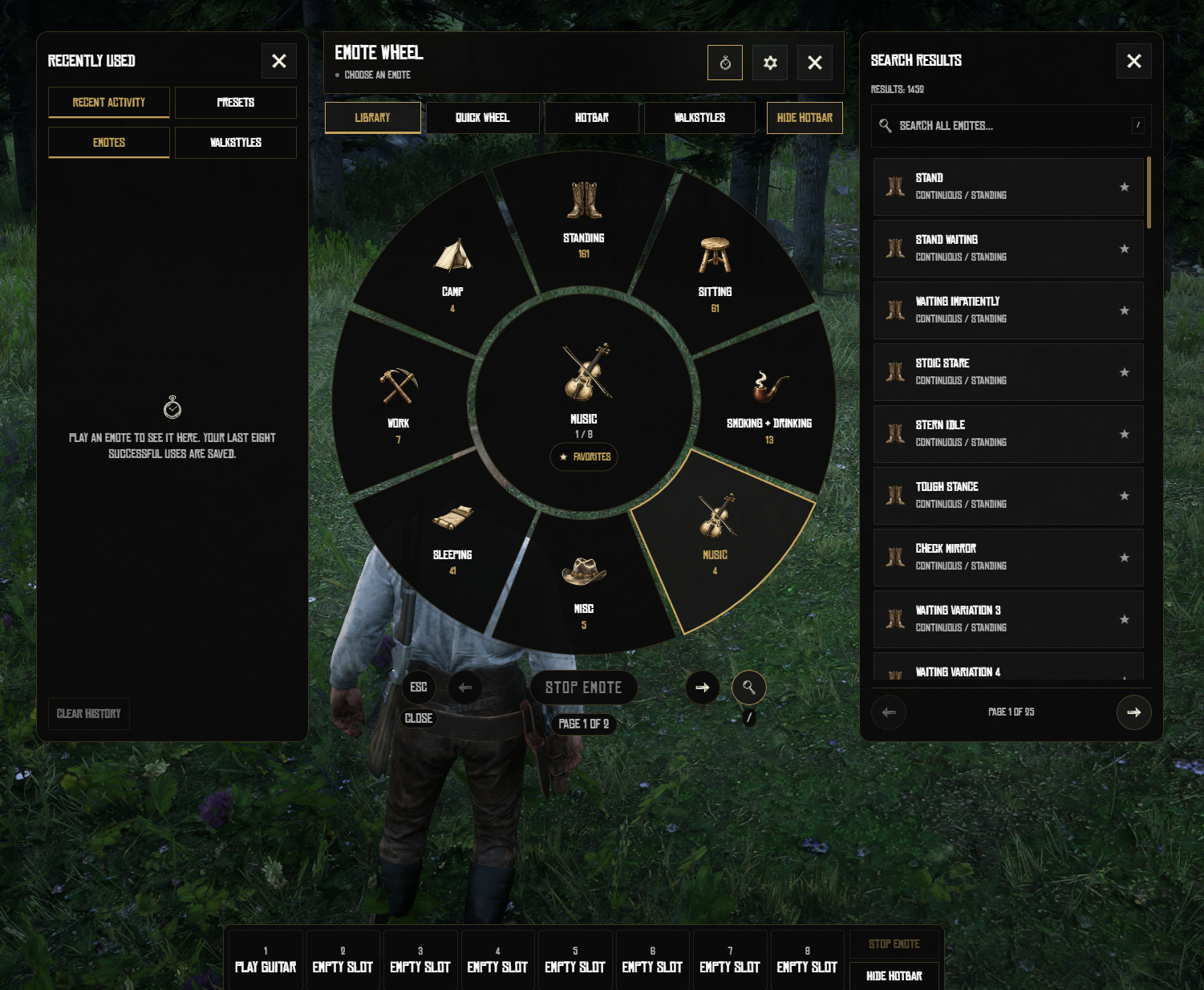
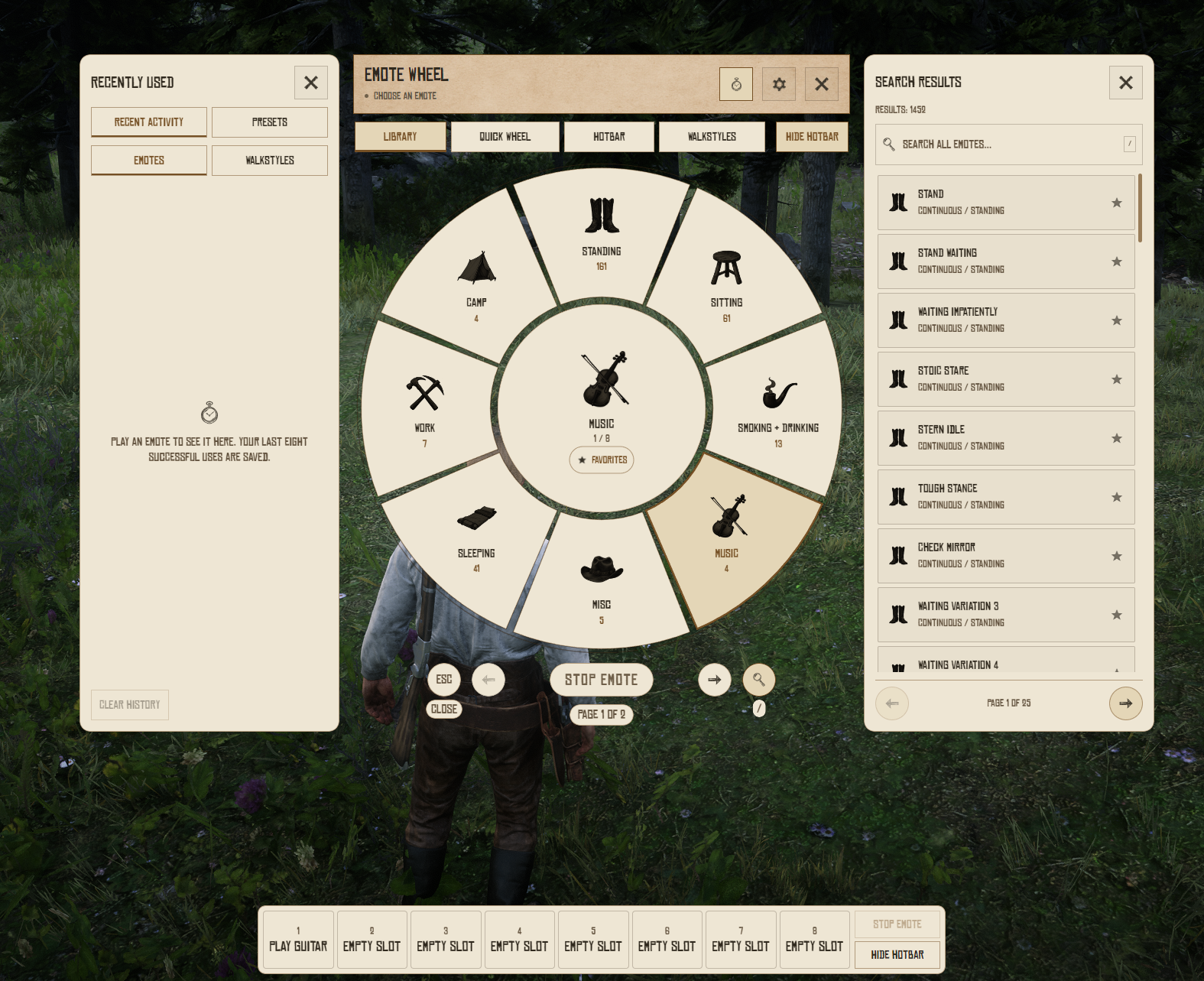
Watch the demo video: YouTube Showcase
Key Features
Browse and Play
Emote Library - Browse 1,453 default emotes covering gestures, reactions, dances, sitting, and everyday roleplay.
Optional Contextual Actions - Enable 457 additional entries for suitable furniture, equipment, and activity settings.
Radial Wheel and Search - Browse categories or search the library with paginated results.
Character Favorites - Save preferred emotes separately for each VORP character.
Saved Slots and Layouts
Eight-Slot Quick Wheel - Arrange eight saved emotes for quick selection.
Emotes Hotbar - Assign and reorder eight slots, with 1-8 shortcuts while the interface and hotbar are open.
Drag-and-Drop Assignment - Drag emotes from the library, search, or recent activity into saved slots.
Named Presets - Save up to five Quick Wheel layouts and switch between them.
Recent Activity - Return to recently played emotes and selected walkstyles.
Direct Commands - Play emotes, apply walkstyles, stop animations, and reset walking with the wheel closed.
Stream Deck and Macros - Copy an entry's command for use through your console, chat, or installed macro integration.
Movement and Presentation
84 Walkstyles - Choose and save compatible walking styles, with a reset-to-normal option.
Modern and Retro Styles - Let players choose their interface style or enforce the server's selection.
Fourteen Languages - Includes translated interface text, catalogue labels, and walkstyle names.
Catalogue availability depends on character compatibility; contextual actions require the appropriate surroundings or equipment.
Dependencies
Required:
vorp_core,oxmysql, andcrowe_libsOptional:
crowe_notificationor a custom notification adapter
Installation
Place the complete resource in your resources folder, keeping its name as
crowe_emotes.Configure your database connection and start
oxmysql,vorp_core, andcrowe_libsfirst.Review
config.luaandlocales/for catalogue options, controls, language, and presentation.Start optional
crowe_notificationif used, then addensure crowe_emotes.Join with a loaded character and test
/animations, Favorites, saved slots, walkstyles, and Stop Emote.
Database tables are created automatically; allow CREATE, SELECT, INSERT, and UPDATE permissions. Back up existing data and configuration before upgrades, and preserve character and catalogue IDs.
What You Will Receive
The Crowe Emotes resource with emote library, Quick Wheel, hotbar, presets, and walkstyles
Modern and Retro interface styles with local artwork and fonts
Editable configuration, fourteen language catalogs, and setup documentation
Support
Review the included README for setup and configuration guidance
Join our Discord for ticket-based support