 Crowe Scripts
 Join our Discord
Modern Chat System for RedM — immersive roleplay with HTML text overlays, message reactions, customizable themes, and advanced features.
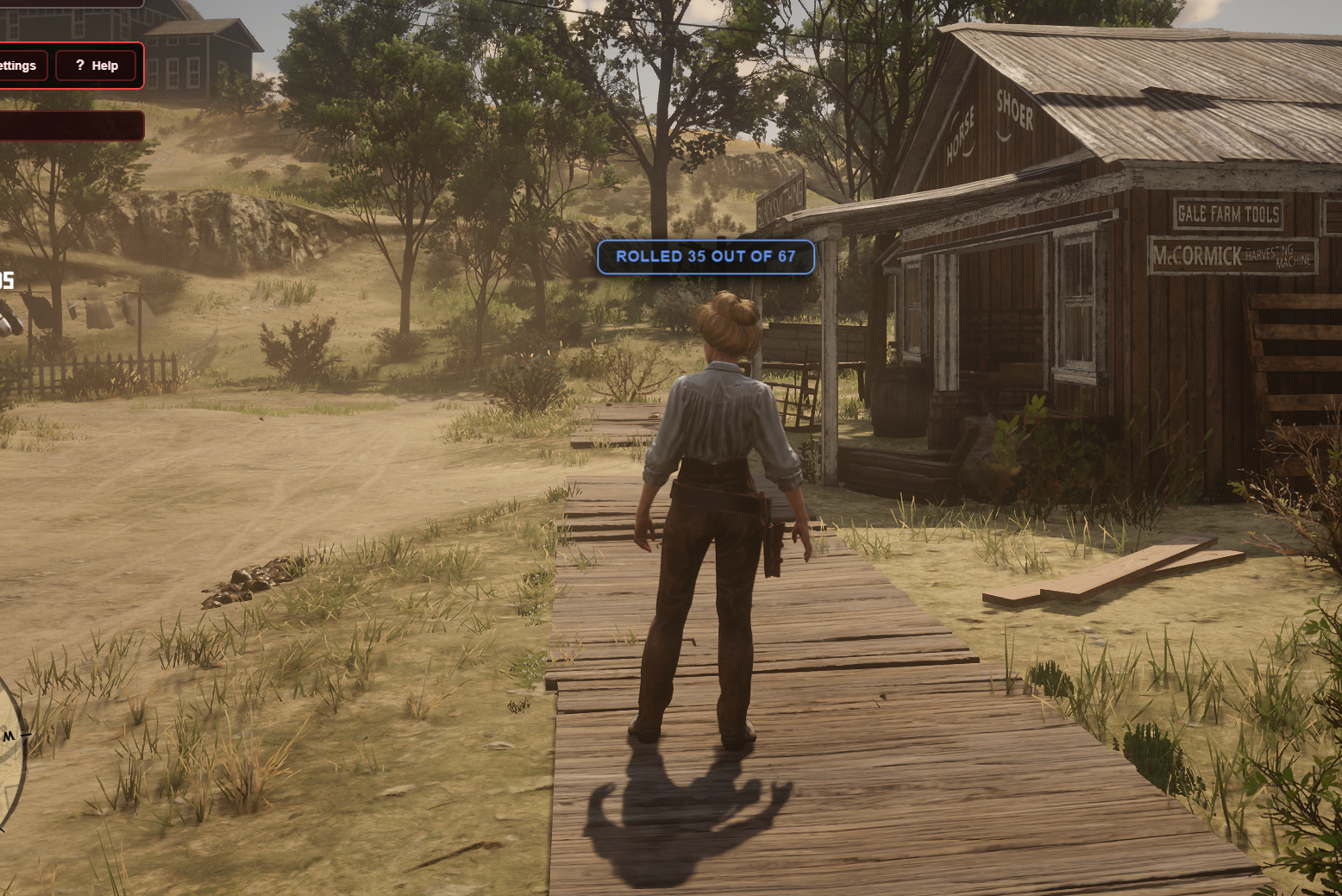
Crowe Chat is a comprehensive chat system for RedM (VORP). Deliver immersive roleplay with HTML text overlays appearing above players' chests, message reactions, fully editable themes and colors, command autocompletion, message search, and comprehensive admin commands — all with a beautiful black and white UI.
📸 Show your community what Crowe Chat looks like in action!
✨ Key Features
🎭 Roleplay Commands with Visual Overlays
/me - Perform roleplay actions with text appearing above your character
/do - Describe roleplay scenarios with visual text display
/say - Speak in character with text above head (perfect for players without mics)
/try - Attempt actions with success/failure outcomes (50/50 chance)
/roll - Roll dice with customizable maximum (1-1000)
/coinflip - Flip a coin with animation (heads or tails)
/rps - Play rock, paper, scissors with animation
/myid - Display your player ID above your head
/ooc - Send out of character messages to all players
🎨 HTML Text Overlay System
Beautiful text overlays appearing above player's chest area with transparent black backgrounds
Decorative borders and custom Cinzel Decorative font support
Color-coded by command type (fully configurable hex colors)
Proximity-based visibility (10-meter range)
Smooth animations and fade effects
World-to-screen coordinate conversion for accurate positioning
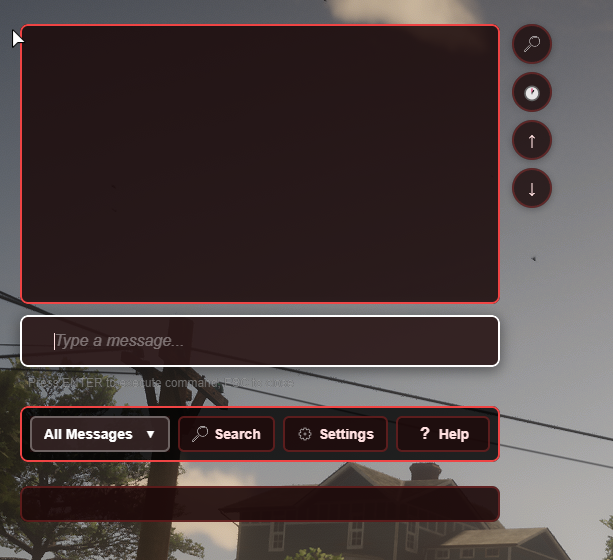
💬 Modern Chat UI
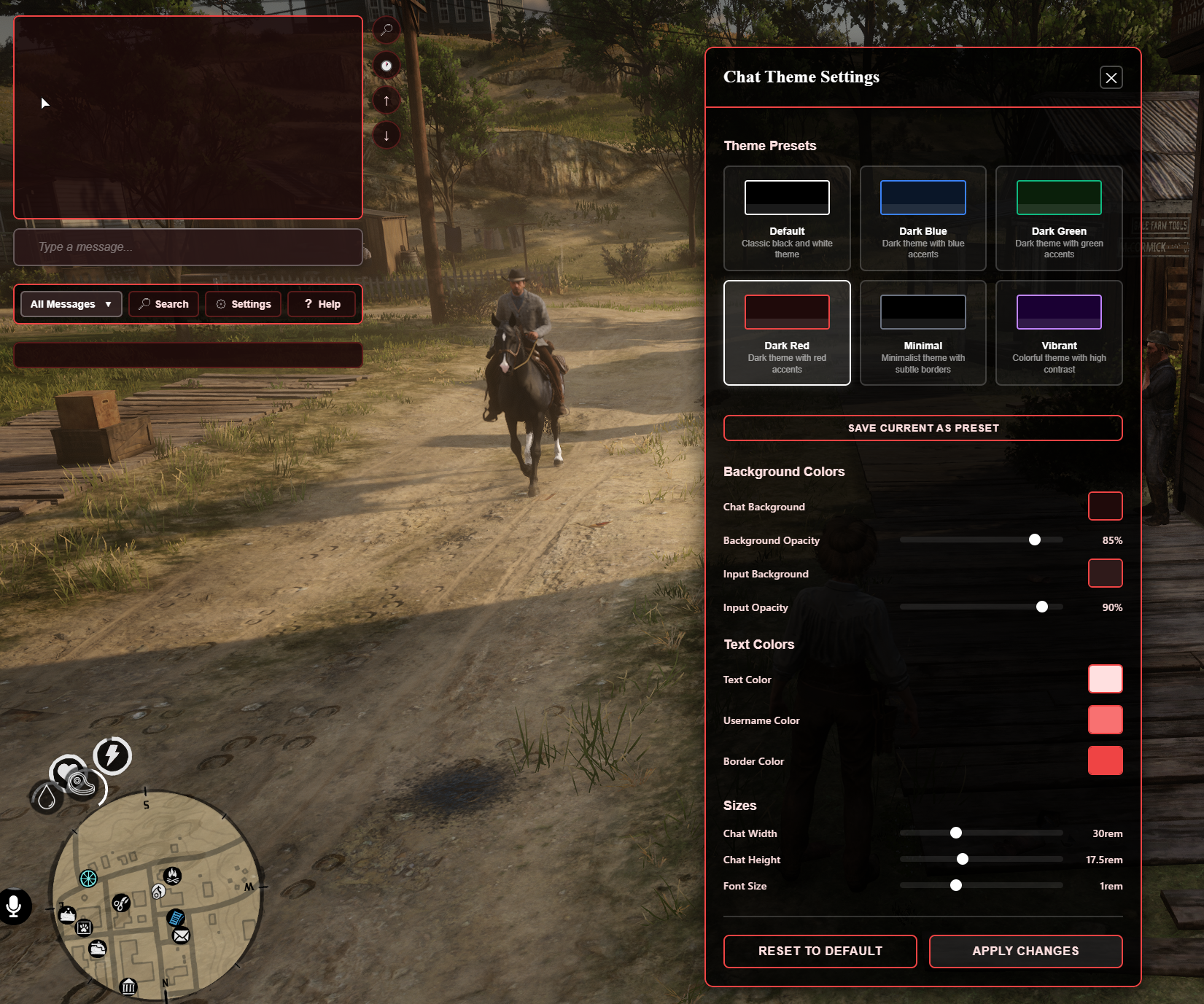
Clean black and white theme (fully customizable)
Responsive design that adapts to all screen sizes
Smooth animations and transitions
Keyboard-friendly navigation
Auto-hide chat after inactivity
Message deduplication to prevent spam
🎨 Customizable Theme System
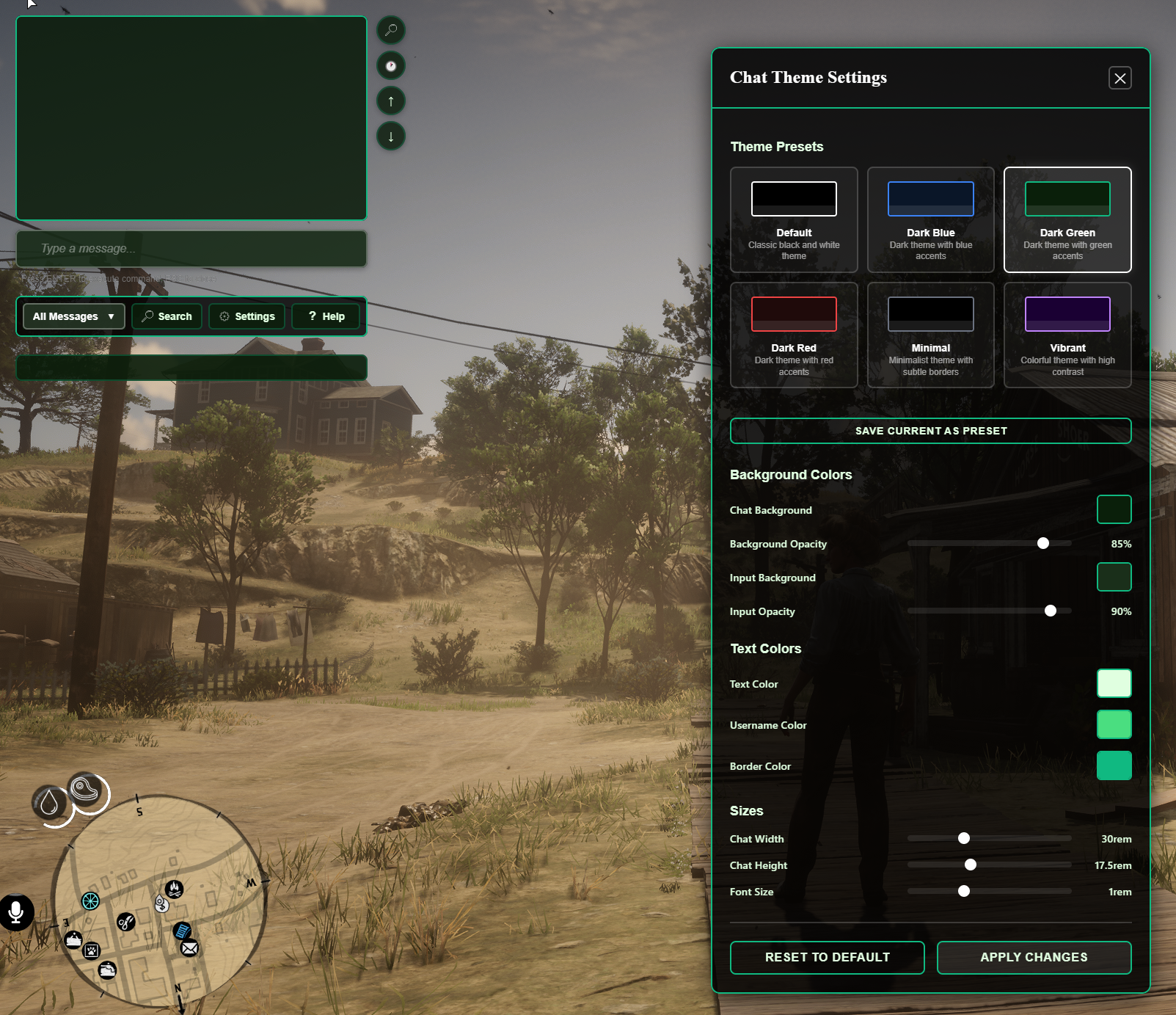
6 Built-in Presets: Default, Dark Blue, Dark Green, Dark Red, Minimal, Vibrant
Custom Presets: Save, load, and delete your own theme presets
Color Customization: Chat background, input background, text colors, border colors
Size Controls: Adjustable chat width, height, and font size
Opacity Controls: Fine-tune background and input opacity
Real-time Preview: See changes instantly in settings modal
Settings Persistence: All preferences saved to localStorage
⚡ Message Reactions
React to messages with emojis (👍, ❤️, 😂, 😮, 😢, 🔥, 👏, 🎉)
Server-side reaction storage and broadcasting
Real-time reaction updates across all clients
Reaction count display with user tracking
🛡️ Anti-Spam Protection
Configurable message rate limiting (default: 5 messages per 3 seconds)
Per-player rate limit tracking
Automatic cleanup of old rate limit data
User-friendly error notifications
🔍 Advanced Chat Features
Message Search: Full-text search with Ctrl+F shortcut
Message Filtering: Filter by type (All, OOC, Me, Do)
Message History: Navigate sent messages with Up/Down arrows
Command Autocompletion: Tab key to autocomplete commands
Timestamp Toggle: Show/hide message timestamps
Scroll Controls: Quick scroll to top/bottom buttons
Copy Messages: One-click copy with username and timestamp
📝 Rich Text Formatting
Bold:
**text**or__text__Italic:
*text*or_text_Underline:
++text++or[u]text[/u]Strikethrough:
~~text~~or[s]text[/s]Colors:
[color:red]text[/color]or[c:red]text[/c]Sizes:
[size:small]text[/size],[size:large]text[/size],[size:huge]text[/size]Links: Automatic URL and email detection with clickable links
Emojis: Full Unicode emoji support
🛠️ Admin Tools
Mute Players: Mute players for specified duration (15min, 30min, custom)
Kick Players: Kick players from the server
Player Reports: /report command for reporting rule violations
Discord Logging: Optional Discord webhook integration for reports and actions
Right-click Context Menu: Quick access to admin actions
📚 Help System
Help Modal: Accessible via /help command or help button
Command List: Complete list of all available commands
Command Help: Detailed help for individual commands (/help [command])
Keyboard Shortcuts: Escape to close, Tab for autocomplete
🌍 Localization
Default English locale included
Easy to extend with additional languages
All UI strings and server messages are localized
Separate locale files in
locales/directory
💼 VORP Integration
Built for VORP framework compatibility
Optional
crowe_notificationintegrationStandalone - no database required
🎨 Modern UI Enhancements
Unified theming, self-hosted fonts, consistent layout across all resolutions
Performance-friendly fonts and clean layout
Tooltips on hover for all controls
Focus management for modals
⚙️ Fully Configurable
Clean
config.luacontrols command names, colors, display duration, rate limits, webhooks, language, and permissionsCustomizable action text colors (hex codes)
Configurable rate limiting
Blocked words list
🚀 Performance Optimized
Efficient overlay update system (50ms active, 1000ms idle)
Message deduplication to prevent spam
Debounced suggestion updates
Optimized DOM manipulation
LocalStorage caching for settings
📱 Responsive Design
Adapts to all screen sizes
🧰 Dependencies
Required: None (standalone)
Optional:
crowe_notification, VORP Core
⚙️ Installation
Place
crowe_chatin your server's/resourcesdirectoryAdd
ensure crowe_chatto yourserver.cfgConfigure
config.luato fit your server setup(Optional) Add Discord webhook URL for logging
Restart your server
📦 What You Will Receive
✅ Fully optimized
crowe_chatRedM script🧩 Editable
config.luafor easy customization📘 Full installation + usage guide
📤 Automatic delivery via Keymaster (Tebex orders)
🤝 Manual delivery (PayPal) available through Discord support ticket
🔧 Usage
For Players
Press T (default) to open chat
Type messages normally or use commands
Use
/helpto see all available commandsUse
/settingsto customize your chat themeUse Up/Down arrows to navigate message history
Use Tab to autocomplete commands
Use Ctrl+F to search messages
For Admins
Right-click on messages to access admin actions (mute, kick)
Use
/report [playerid] [reason]to report playersReports are logged to Discord webhook if configured
🔑 License
This script is licensed for personal use only.
Redistribution, resale, or use on unlicensed servers is strictly prohibited.
Escrow-protected via Cfx.re Keymaster
Licensed for use on one (1) server key
🙋 Support
Need help?
📖 Review the README for configuration guidance and known issues
🧑💻 Join our Discord Server for support and community
📨 Or open a support ticket via Tebex or email