 Crowe Scripts
 Join our Discord
Crowe Black Market gives RedM/VORP servers an NPC fence for valuables, contraband, and supplies. Players sell goods for cash, browse resale stock, and bargain with a configurable broker.
Give your server a discreet trading counter with persistent stock, configurable access, and tools to manage the broker's economy.
Showcase
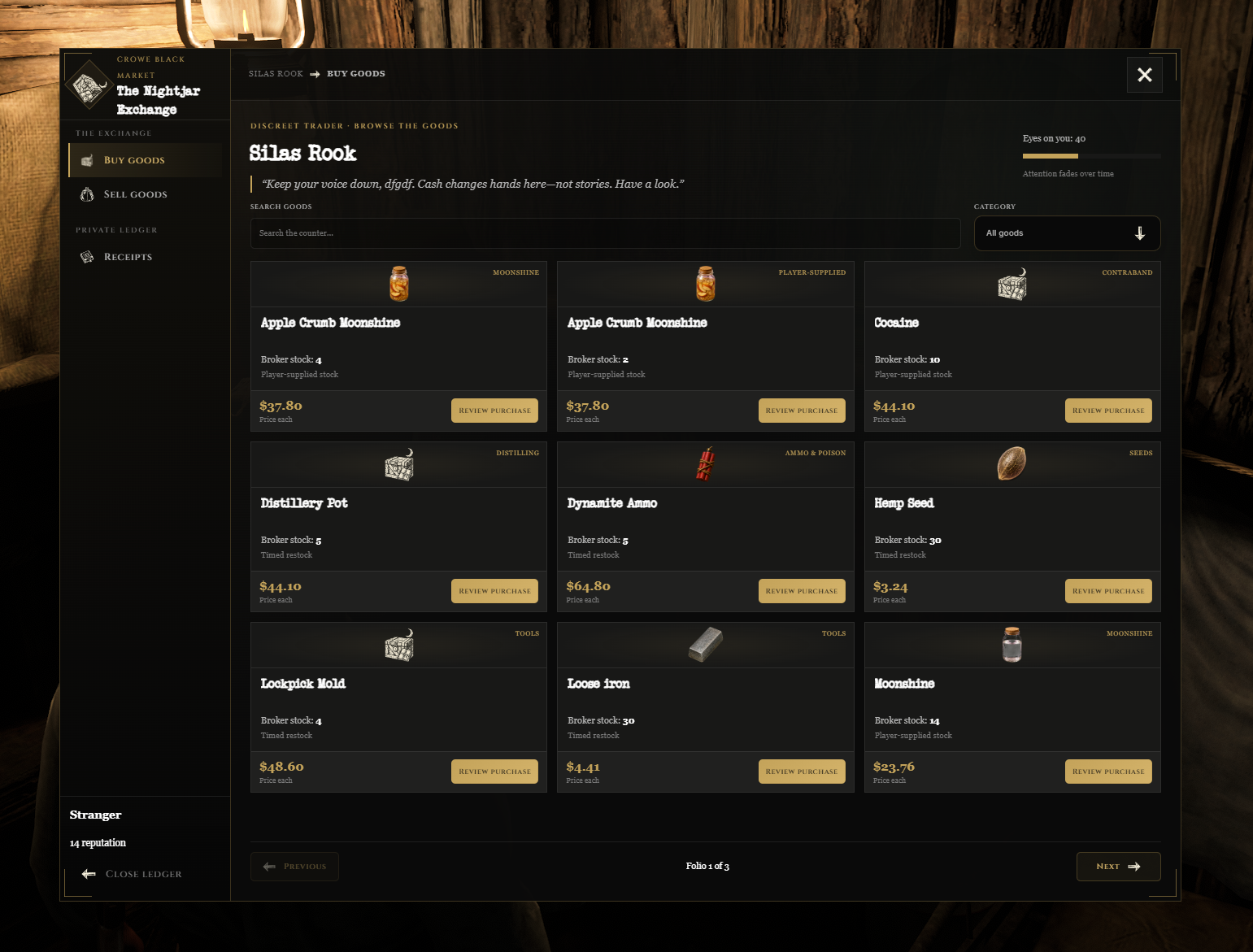
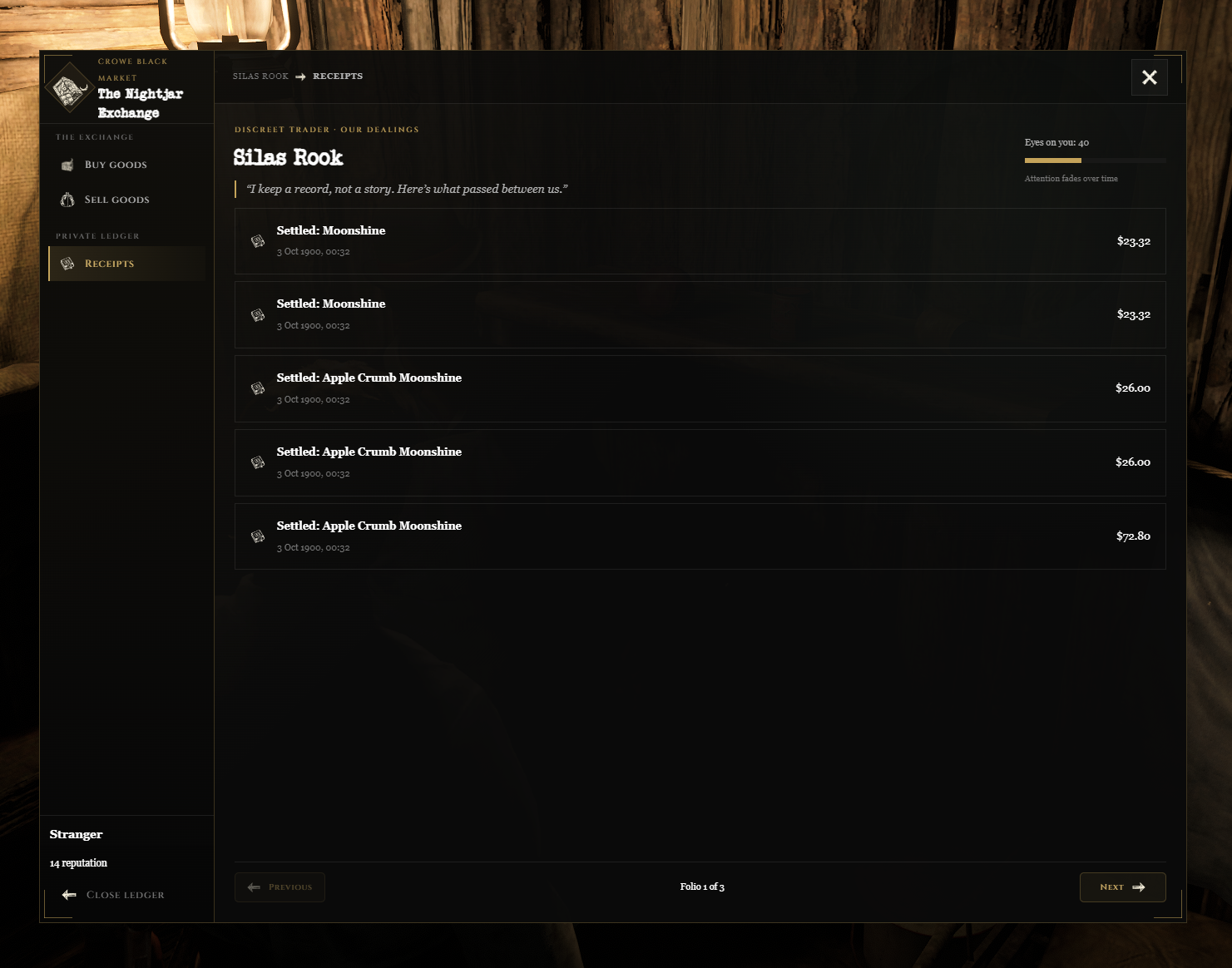
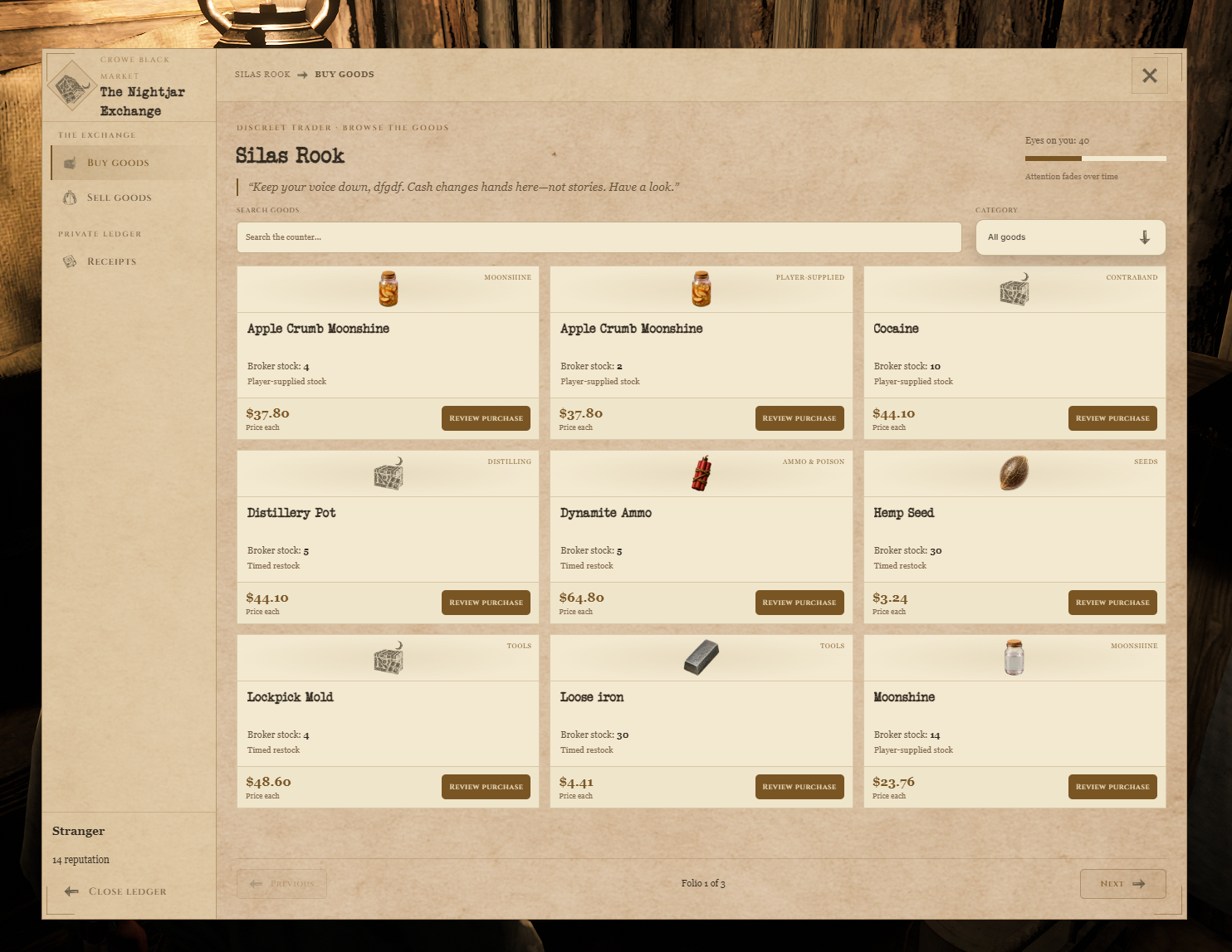
Watch the demo video: YouTube Showcase
Key Features
Trading and Supply
Buy and Sell - Purchase supplies immediately or sell accepted inventory stacks for carried cash.
Player-Supplied Stock - Player sales supply resale stock for valuables, finished drugs, and moonshine.
Metadata Preservation - Resold goods retain their existing inventory metadata.
Stock Policies - Choose timed, manual, or player-only restocking for each item.
NPC Buying Budget - Control the broker's available buying funds and replenishment schedule.
Customer Experience
Bargaining - Let customers negotiate prices and receive counteroffers.
Purchase Allowances - Set per-character limits for selected goods.
Reputation and Attention - Unlock goods and discounts through reputation, while market attention raises prices or restricts trades.
Broker and Server Settings
Broker Customization - Set the NPC's identity, dialogue, location, model, and idle scenario.
Access and Locations - Configure opening hours, invitations, occupation restrictions, blips, and rotating positions.
Admin Desk - Manage stock, budgets, invitations, trading suspension, and audit entries.
Modern and Retro Styles - Choose the dark Crowe interface or parchment presentation.
Optional Integrations - Connect Crowe Interactions, notifications, Law reports, Telegram notices, and Discord logging.
Dependencies
Required:
vorp_core, compatiblevorp_inventory,oxmysql, and OneSyncOptional:
crowe_interactions,crowe_notification,crowe_law, andcrowe_telegramInventory Setup: Uses ordinary inventory items; weapons and degrading items are unsupported. Configure seeds, tools, and supplies to match your existing gameplay resources.
Installation
Place the complete
crowe_blackmarketresource in your resources folder.Verify configured goods exist in your inventory with matching names, supported item types, and carry limits.
Review
config.luafor broker locations, catalog prices, restocking, buying budgets, and access rules.Set
Config.ItemImagePathto your inventory artwork directory.Grant trusted staff the
crowe.blackmarket.adminACE if they need management access.Start dependencies and installed integrations first, then add
ensure crowe_blackmarketto your server configuration.
The resource creates its own tables automatically in your existing database. Allow table creation and normal record access. Back up configuration and all three resource tables before upgrading.
What You Will Receive
The Crowe Black Market resource with NPC trading, resale stock, bargaining, and administration
Modern and Retro interface styles with the configurable Silas Rook broker
Editable configuration, starter catalog settings, and installation documentation
Support
Review the included README for configuration and setup guidance
Join our Discord for ticket-based support