 Crowe Scripts
 Join our Discord
Crowe Advanced Banking brings personal accounts, shared finances, stock trading, lending, and investments to RedM/VORP.
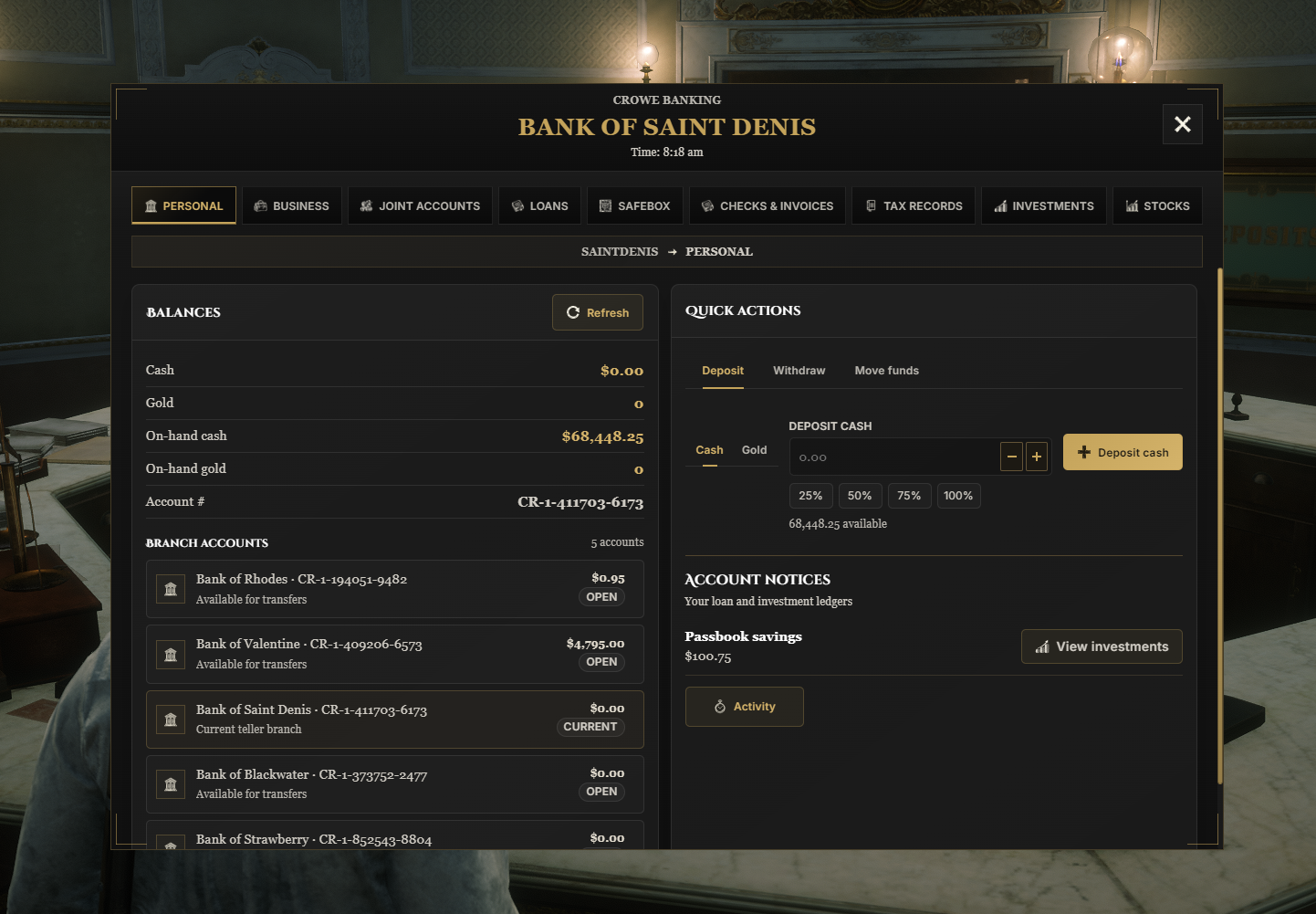
Players can manage cash and gold, invite partners into joint accounts, trade shares in fictional companies, and issue physical financial documents. Bankers get lending, account controls, and tax tools through a Western interface with configurable services and fonts.
All Crowe Banking v1 and v2 owners receive Crowe Advanced Banking as a free upgrade.
Showcase
Watch the demo video: YouTube Showcase
Key Features
Accounts and Shared Finances
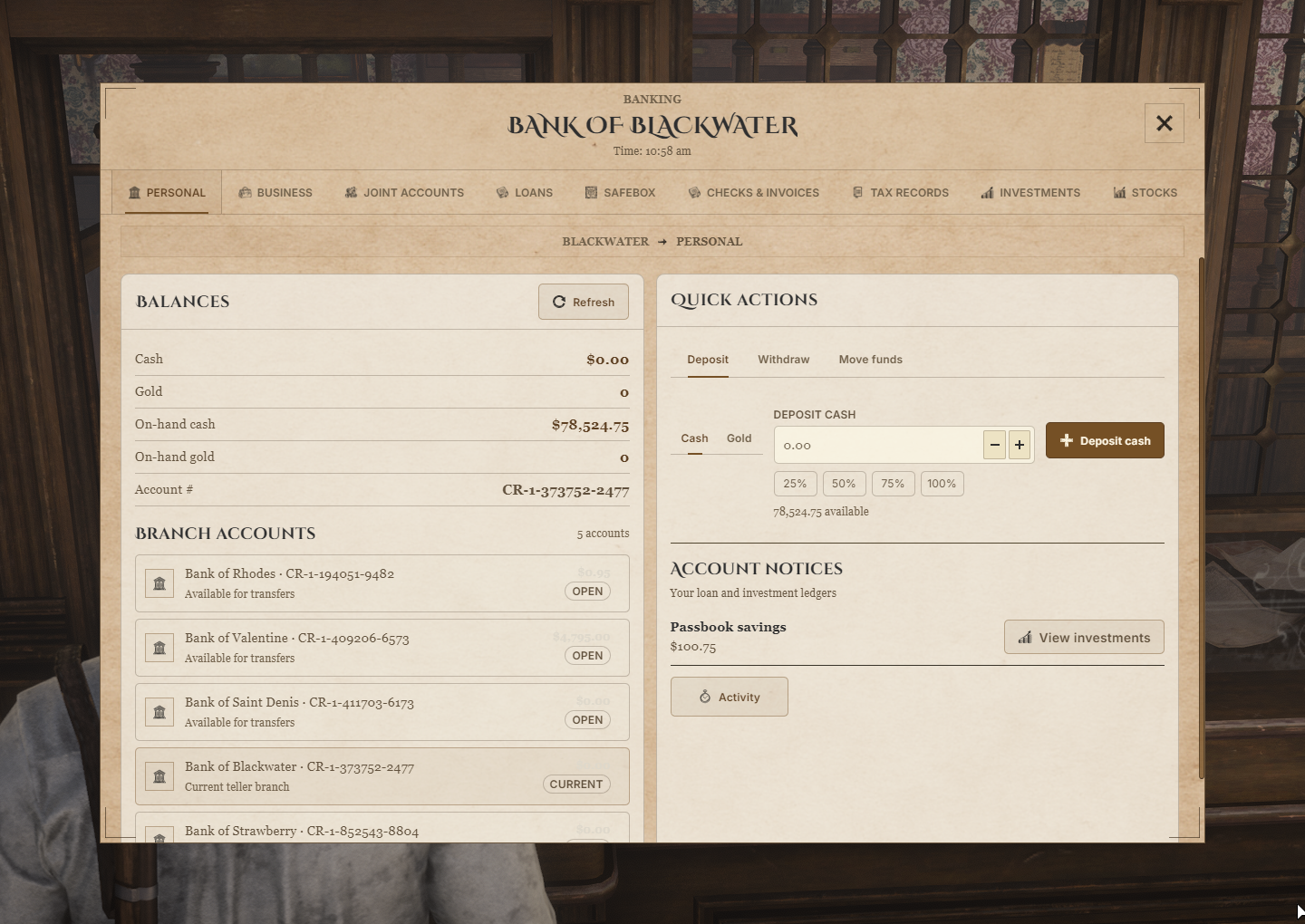
Personal Accounts - Open accounts at individual banks with unique account numbers, cash and gold services, and configurable transfers.
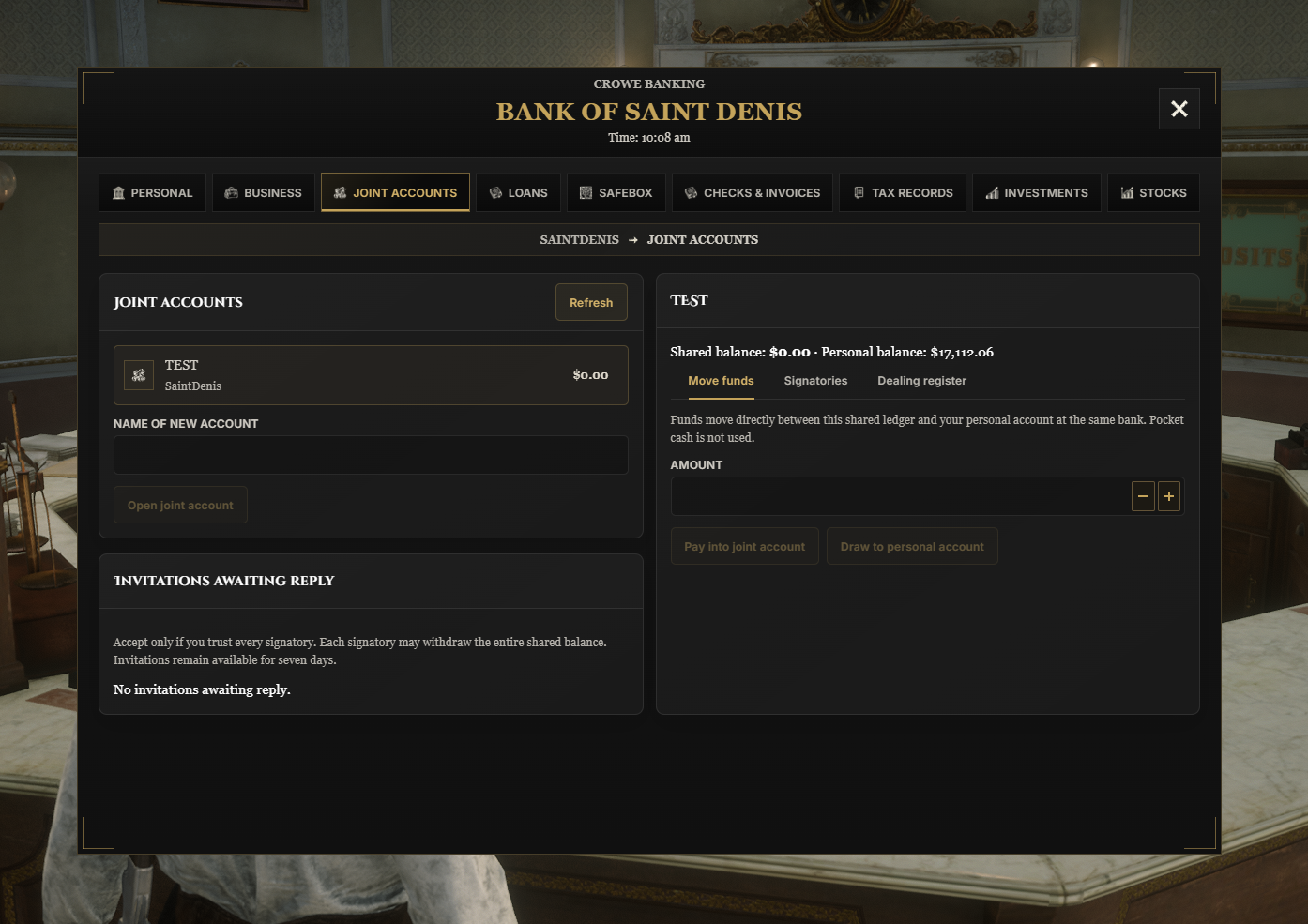
Joint Accounts - Share cash with accepted signatories, each able to access the full shared balance.
Offline Invitations - Invite partners by account number, with invitations saved for seven days and proprietor controls for membership.
Business Banking - Give authorized society members access to business deposits and withdrawals.
Safebox Storage - Offer inventory storage with configurable capacity and upgrades at each bank.
Stocks and Investments
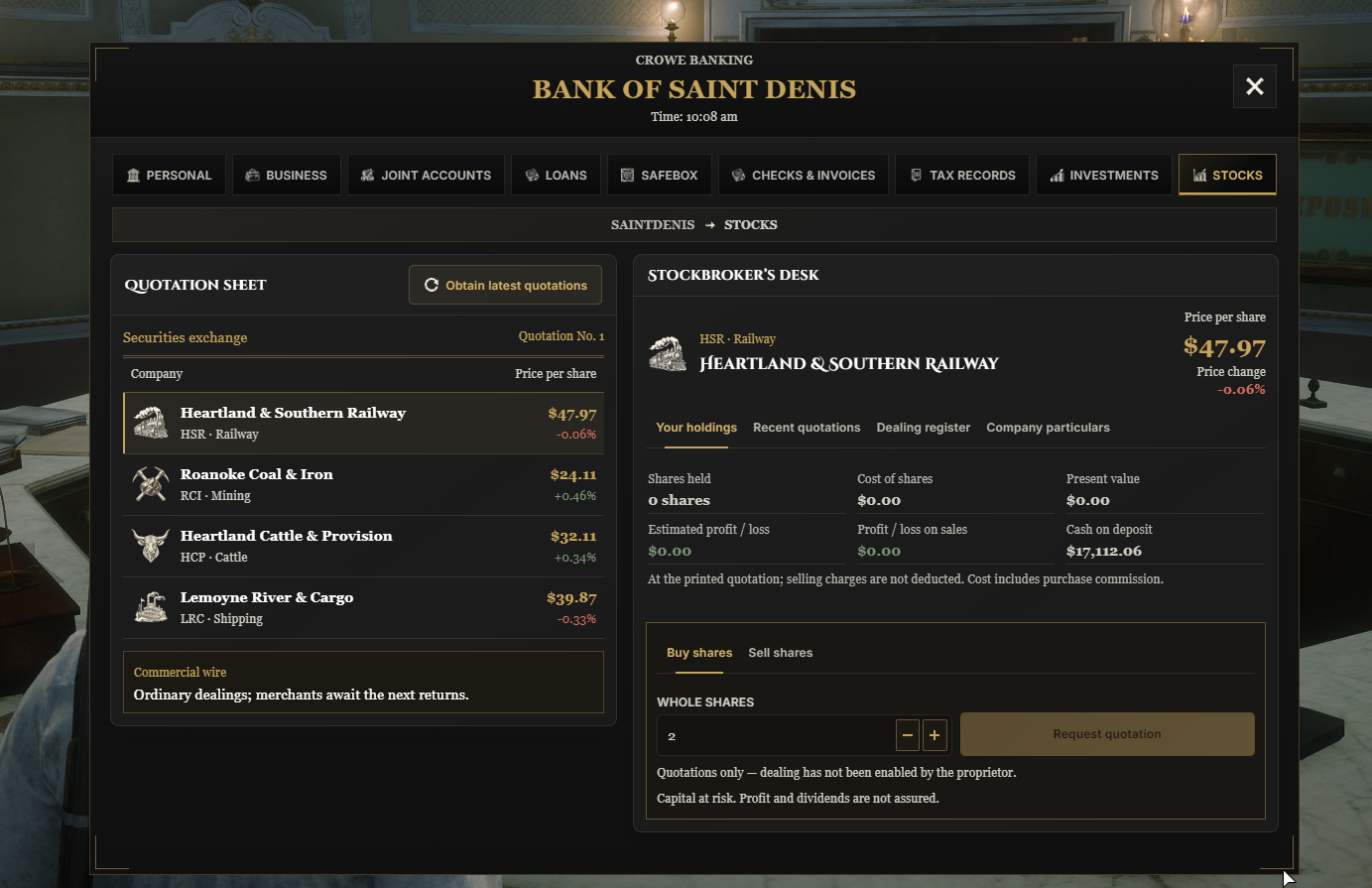
Fictional Securities Exchange - Trade whole shares in four companies with locally simulated prices.
Clear Broker Orders - Review execution price, commission, and total before confirming each purchase or sale.
Holdings and Dealing History - Track share value, profit or loss, and recorded transactions.
Passbook Savings - Earn configured interest, withdraw part of the balance, or close savings back into the linked bank account.
Certificates and Bonds - Offer fixed-term deposits, railroad bonds, and municipal bonds with visible maturity and redemption terms.
Loans, Documents, and Taxes
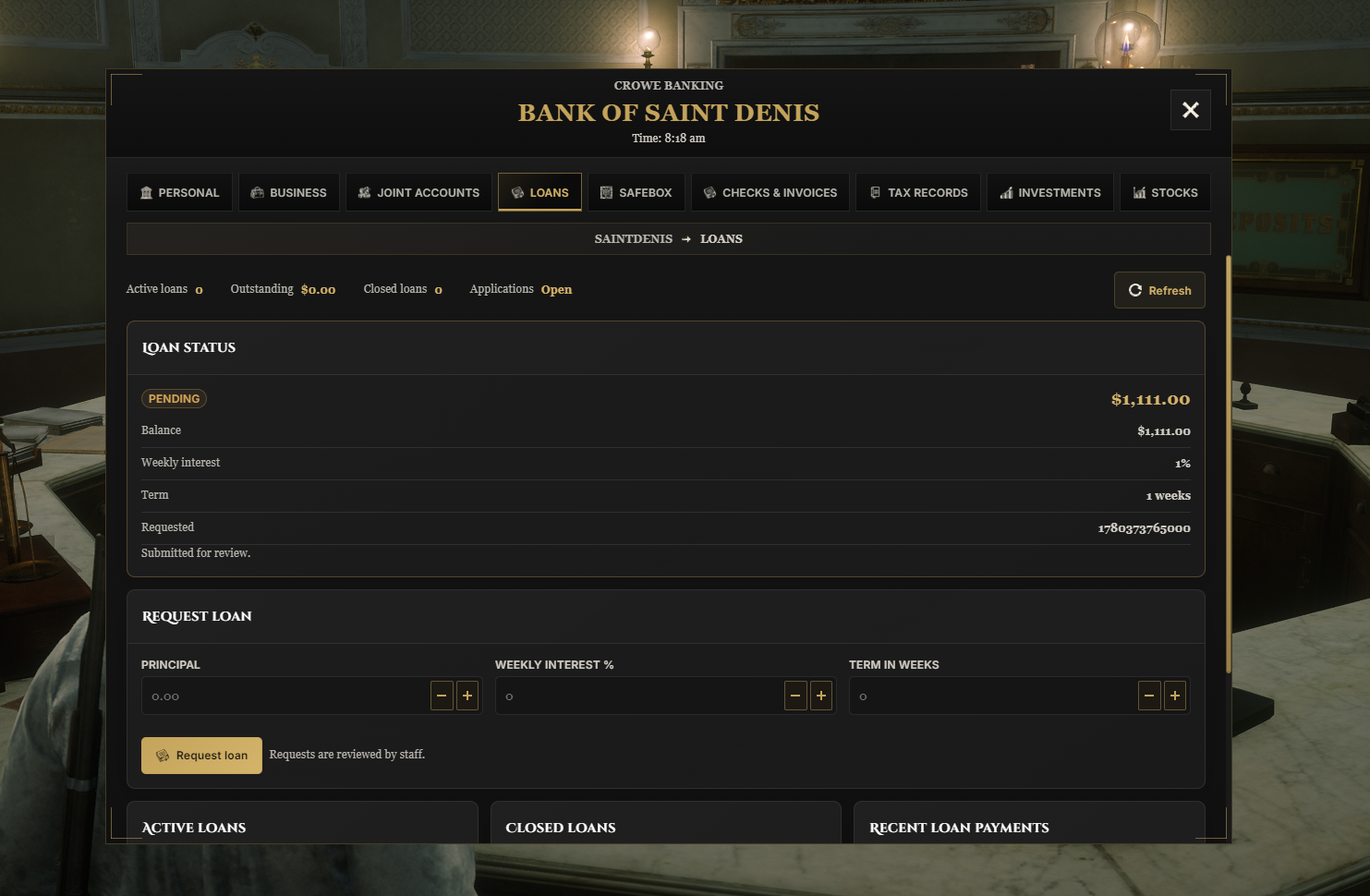
Loan Services - Configure approval rules, lending terms, repayments, and missed-payment consequences.
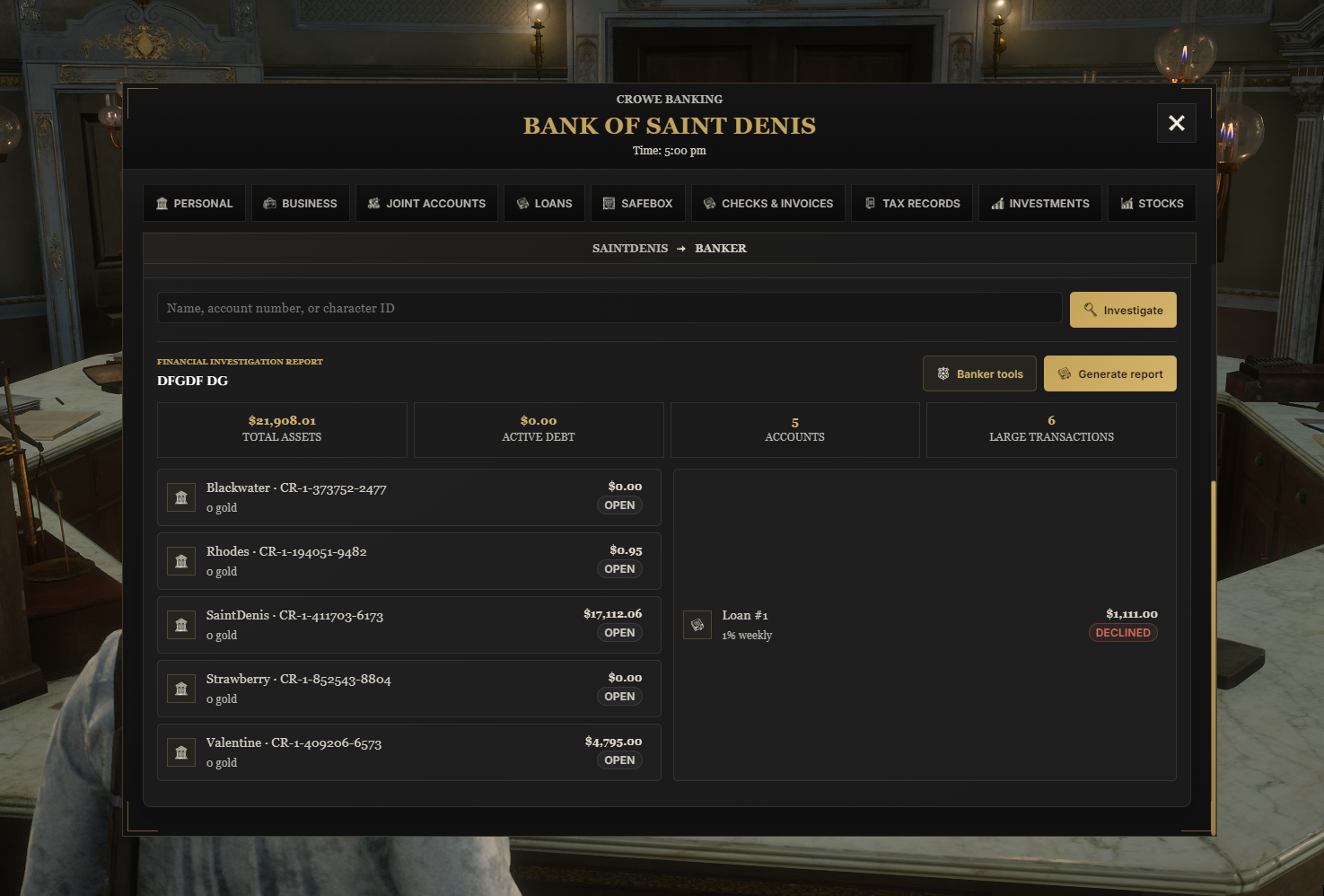
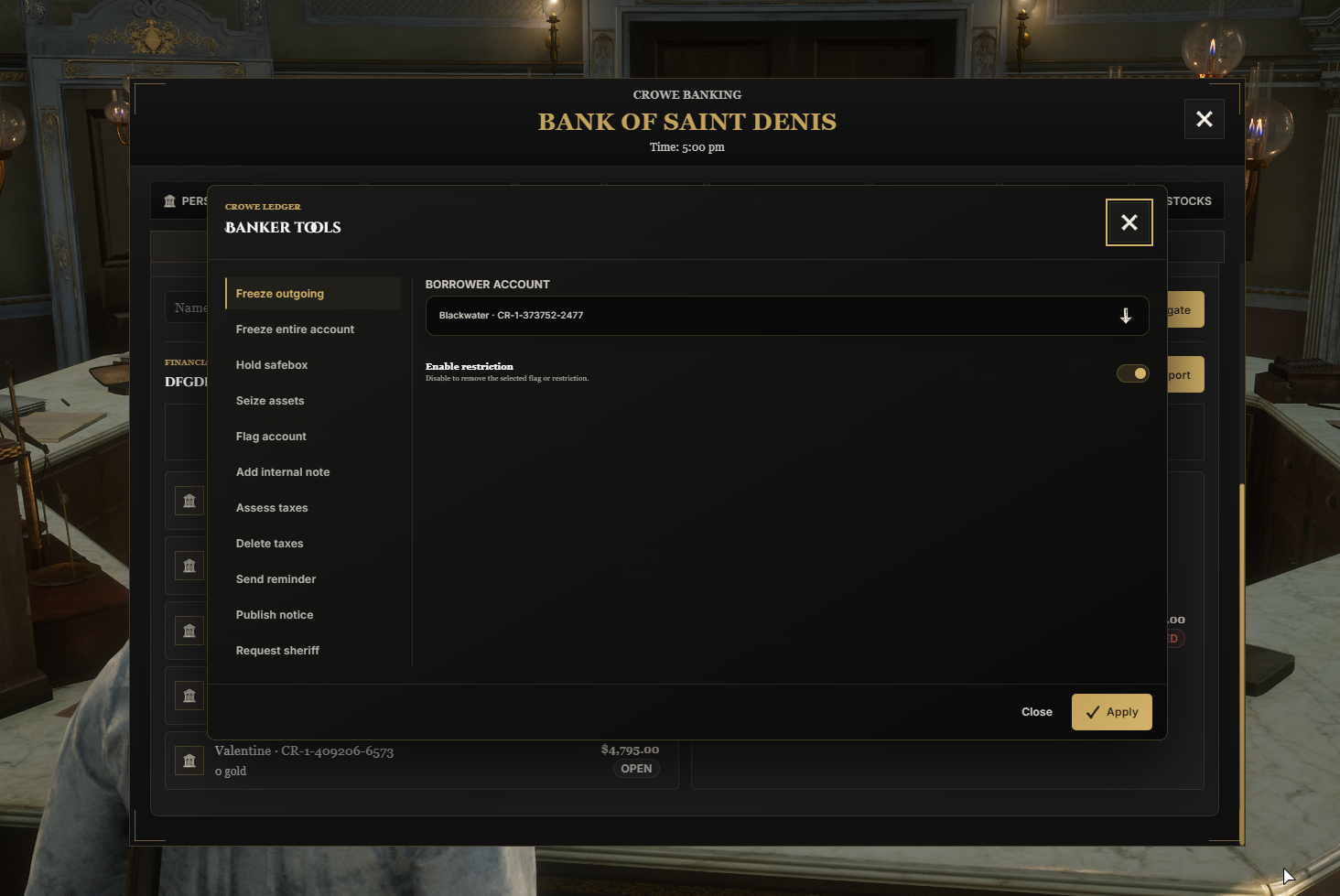
Banker Console - Review borrowers, freeze accounts, hold safeboxes, add notes, and apply seized bank assets toward debts.
Bank Treasuries - Optionally connect loan payments and lending funds to Crowe Society treasuries.
Physical Checks and Invoices - Issue usable documents with payment registers, due dates, expiry, and stamped bounced-check evidence.
Tax Management - Create property, business license, and vault bills with recurring schedules and delinquency tracking.
Manual Payments - Players review and pay their tax bills and invoices.
Presentation and Configuration
Account Activity - Search recent transactions and review notices for loans, investments, and savings.
Western Banking Interface - Includes charcoal panels, local illustrations, document popups, and configurable fonts.
Flexible Bank Setup - Configure NPCs, locations, blips, opening hours, fees, services, and banker access.
Interface Locales - Includes 15 banking UI locales, with English fallbacks for untranslated Joint Accounts and Stocks copy.
Automatic Database Setup - Creates missing banking tables and verifies startup upgrades.
Editable Settings - Includes bank configuration, stock settings, fonts, translations, and compiled interface assets.
Included Securities
Heartland & Southern Railway
Roanoke Coal & Iron
Heartland Cattle & Provision
Lemoyne River & Cargo
Dependencies
Required:
vorp_core,vorp_inventory, andoxmysqlwithMySQL.transaction.awaitsupport for investmentsOptional Notifications:
crowe_notificationandcrowe_libsOptional Business Banking:
crowe_societyor a supported Syn society setup; bank treasury routing uses Crowe SocietyInventory Documents:
check,invoice, andbank_investigation_reportwith matching supplied icons
Installation
Stop any existing installation and back up the database, settings, and custom fonts.
Place the complete resource in your resources folder as
crowe_banking.Start
oxmysql,vorp_core,vorp_inventory, and enabled integrations first.Allow normal database read/write access plus
CREATE,ALTER, andINDEX; schema setup runs automatically.Review
inventory_items.sql, import the banking item rows, and copy matching icons frominventory_images/.Configure
config.lua,stock_config.lua,font.lua, andlocales/.Add
ensure crowe_bankingto your server configuration and test the enabled services; stock trading is enabled by default.
What You Will Receive
The Crowe Advanced Banking resource with personal and joint accounts, securities, loans, savings, documents, taxes, and business banking
Four configured fictional companies, investment products, illustrated interface assets, and banking document icons
Editable settings, stock configuration, fonts, and locale files
Compiled interface files, inventory item SQL, and setup documentation
Support
Review the included README for installation, configuration, and upgrade guidance
Join our Discord for ticket-based support